
flexible two-way sync
Jira ServiceNow Integration
Sync Jira issues and ServiceNow entities bi-directionally. Distribute your team’s collaboration across different systems, departments, and companies.
Integrate Jira and ServiceNow to share your data how you want and when you want.








Real-Time ServiceNow Jira Sync
Boost your team’s productivity by getting rid of context switching between Jira and ServiceNow
Real-time status updates on critical incidents and issues
Automatic syncs to save time and eliminate manual configuration errors
One-way and two-way syncs
Accurate and consistent reporting for the right stakeholders
Automatic sync restarts after downtimes and network interruptions
Automating critical business workflows end-to-end
Sync Exactly What Your Teams Need
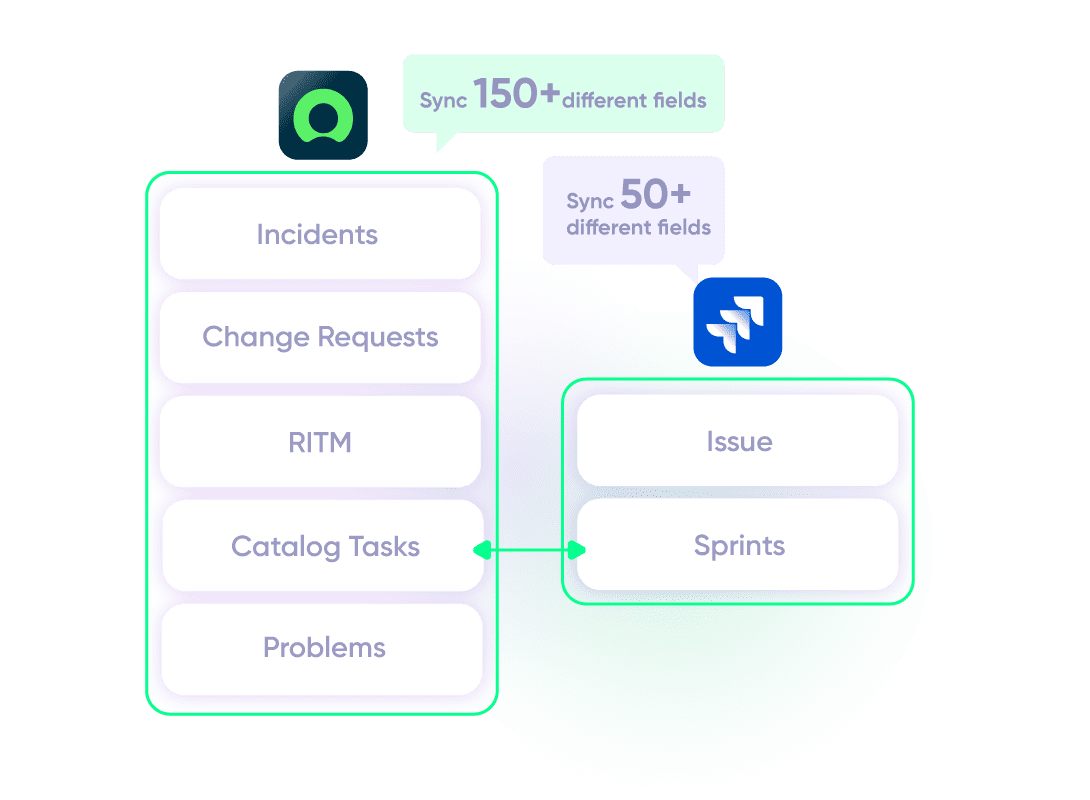
Sync any entity using a one or two-way mapping. Configure and map the entities precisely as you require them.

Jira
Jira Software (Cloud and Data Center)
Jira Service Management
Work Items (Issues)
(Bugs, Tasks, Stories…)
+40 fields are supported, including:
- Custom fields
- Summary
- Status
- Description
- Key
- Comment
- Attachment
- Priority
- Third-party plugin fields (e.g Insights)
Sprints
All fields are supported, incuding:
- Name
- State
- Start date
- End date
- Complete goal
- Origin board ID
- Goal

ServiceNow
Incidents
All fields are supported, including:
- Custom fields
- Short description
- Description
- Assigned to
- Assignment group
- Priority
- Urgency
- State
- Work notes
Problems
All fields are supported, including:
- Problem statement
- Description
- Assigned to
- Priority
- Urgency
- Impact
- State
Change Requests
All fields are supported, incuding:
- Short description
- Description
- Assigned to
- State
- Type
- Impact
- Risk
- Requested by
Sync any Servicenow Entity
Sync all ServiceNow entities available via REST APIs.
Simply look for the field names in ServiceNow tables, choose what you want to sync, and add it to your script.
Check the full list of supported fields for Jira and for ServiceNow
“
Its hard to talk about supported fields, because with Exalate you can support a lot. And it is impossible to capture on a single page. We have done cases with very weird things - certainly not limited to the ones listed on the documentation.
Majid Hassan | Exalate Support Engineer
discover if we cover your integration requirements
Book a demo to see Exalate in action
Get the Most Out of Your Integration
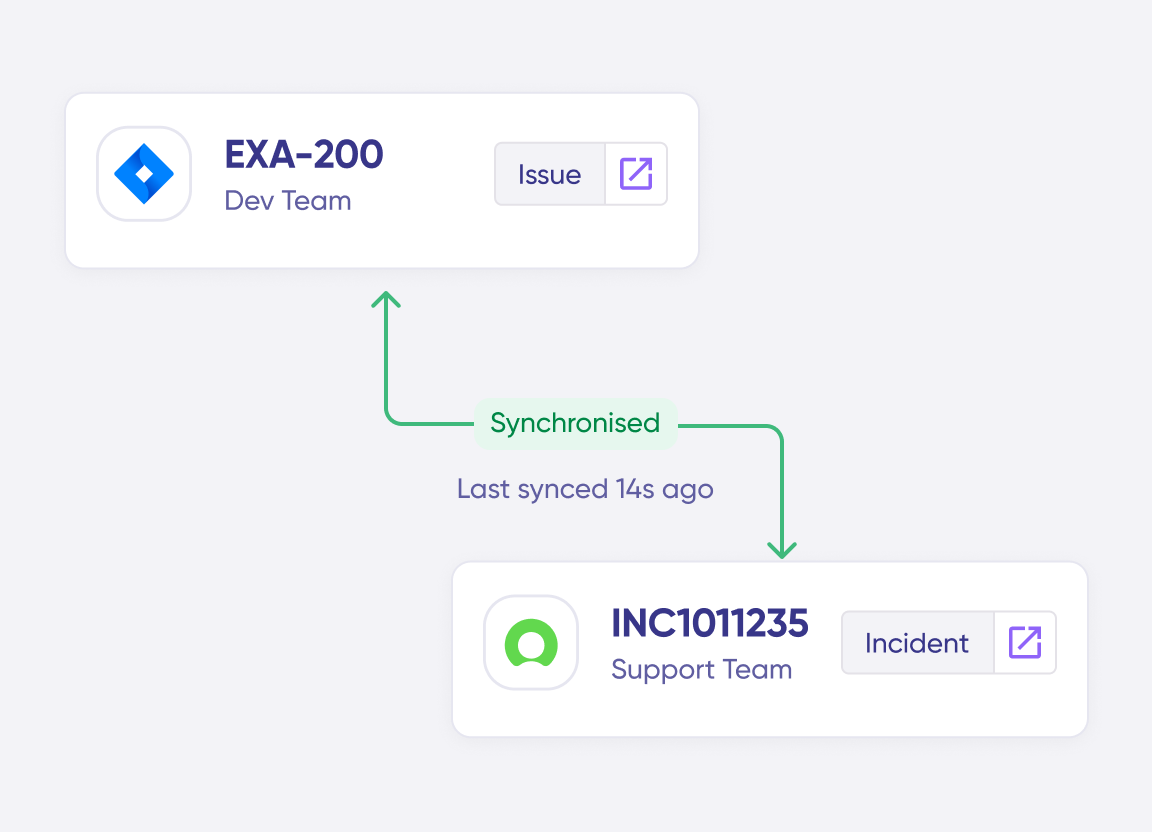
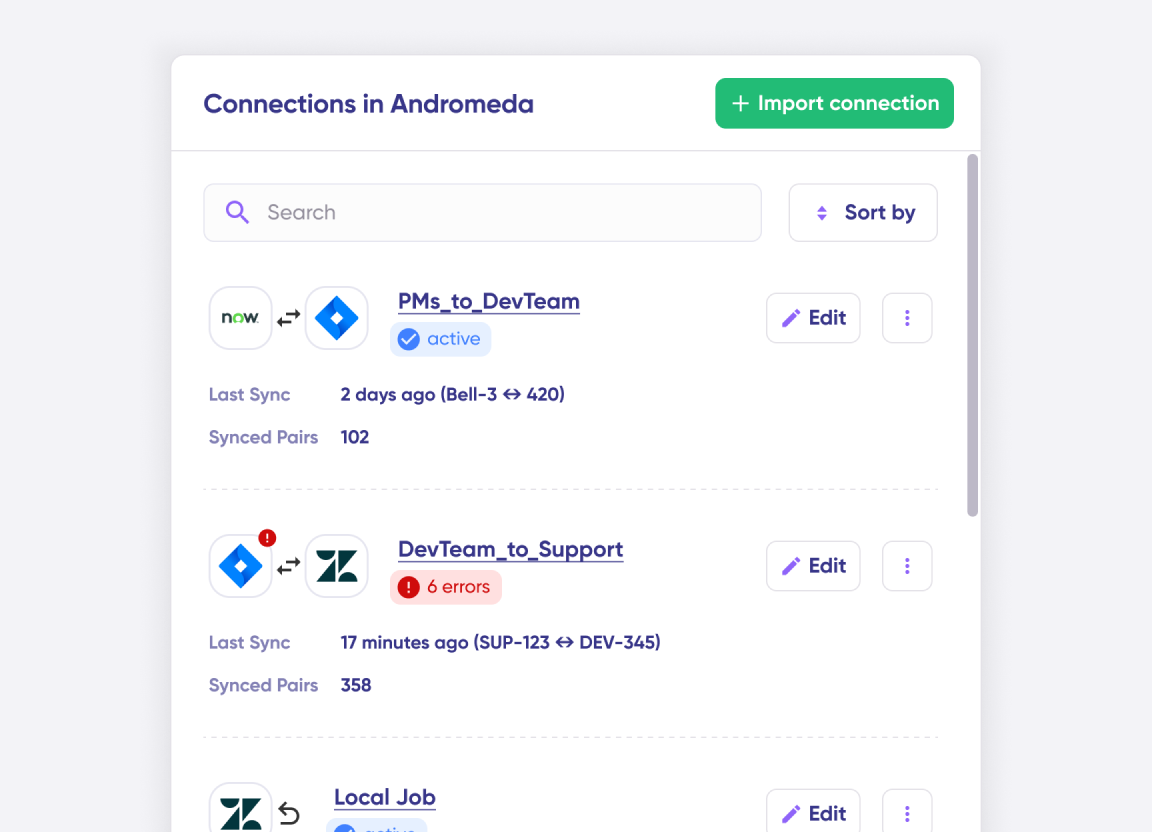
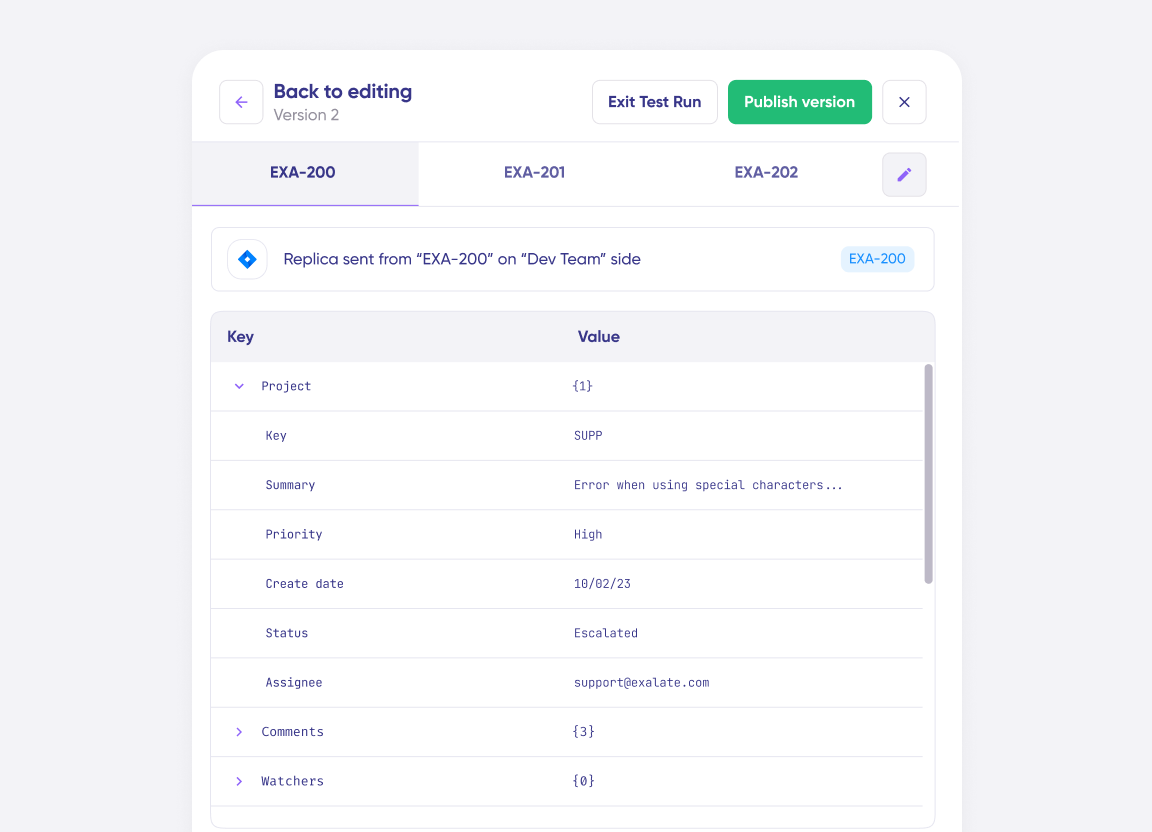
Connect multiple projects, instances, and platforms. Use different rules for each connection.
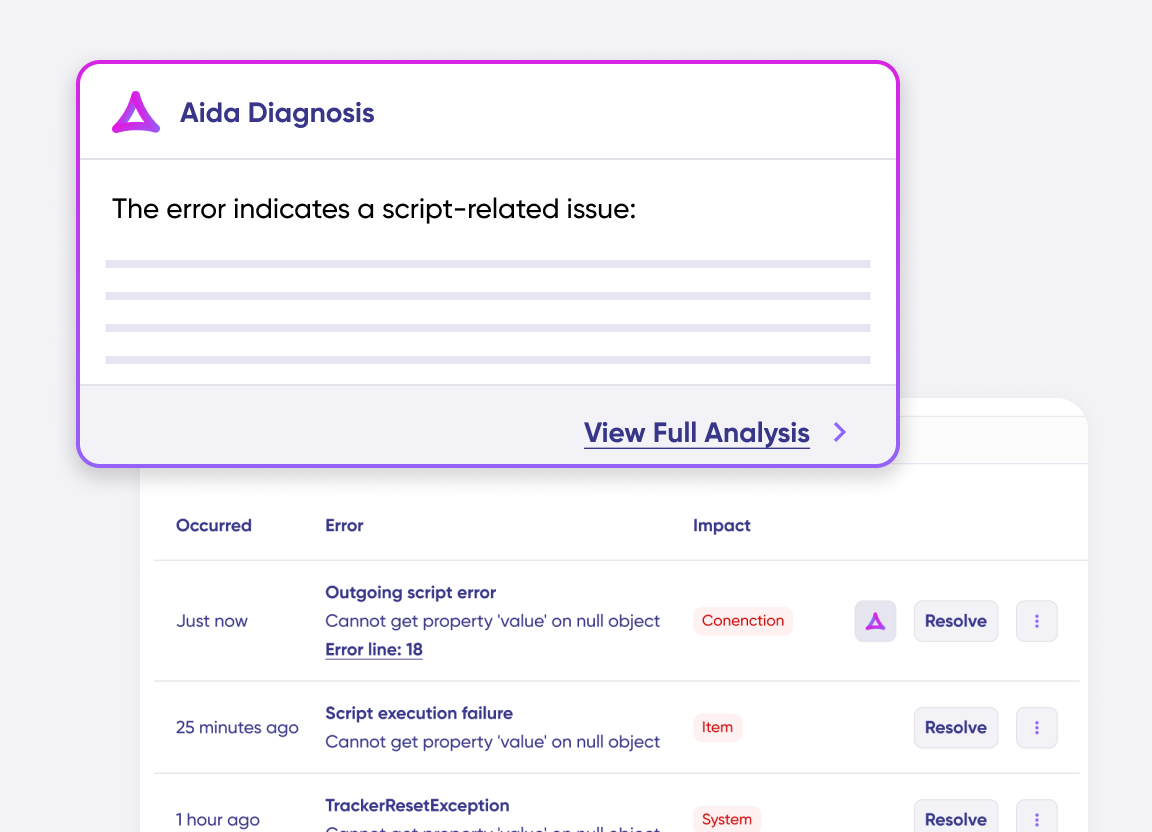
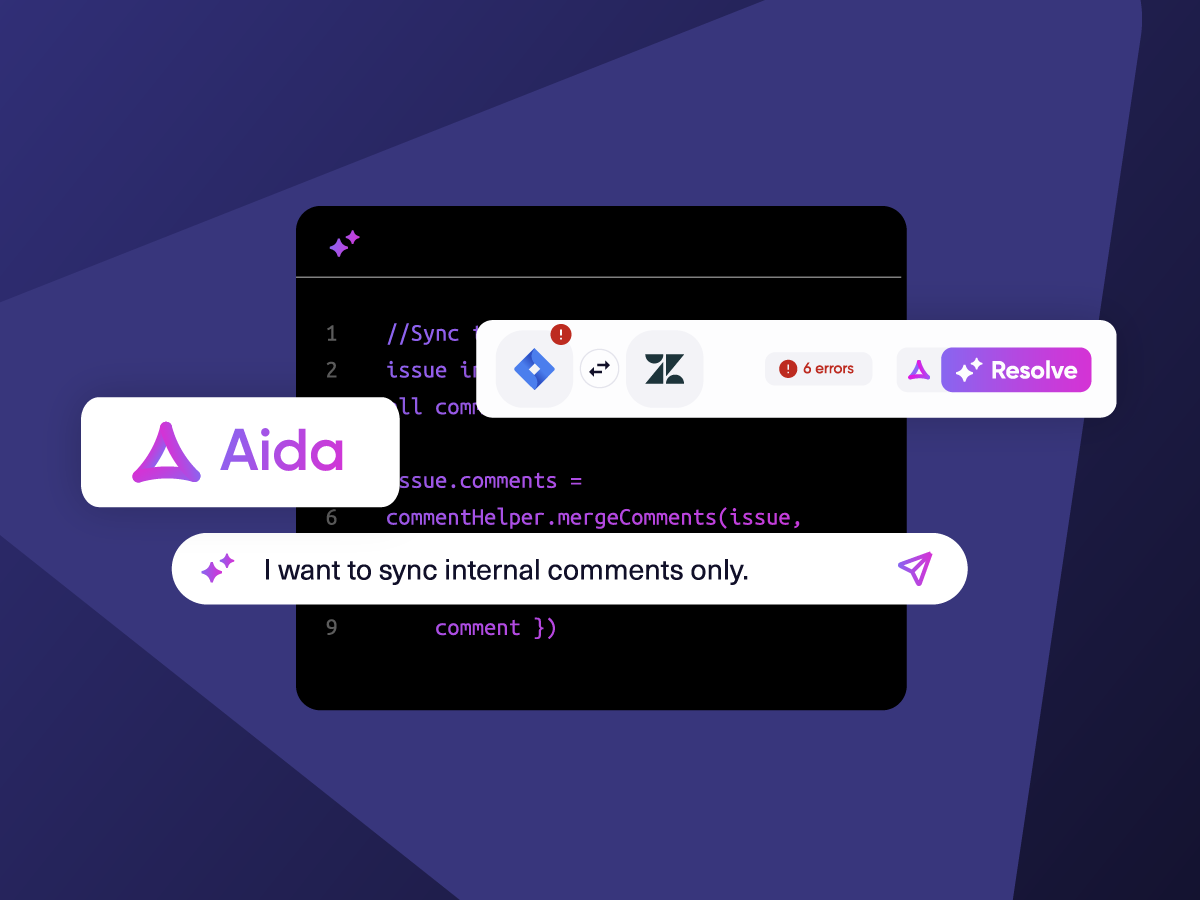
Get AI-powered recommendations for resolving the issue, including possible fixes and next steps.
“
The fact that Exalate is a very extensible and flexible product is quite an impressive feature for us. We can even build our own integration on top of it, and it actually shows that the developers and the engineers behind the product do really know what they are doing. Plus we have had an excellent customer experience.
Alexander Sinno |

“
Exalate is stable, flexible, customizable, and pretty easy to set up and use.
ALEXANDER SINNO

How it Works
Connect
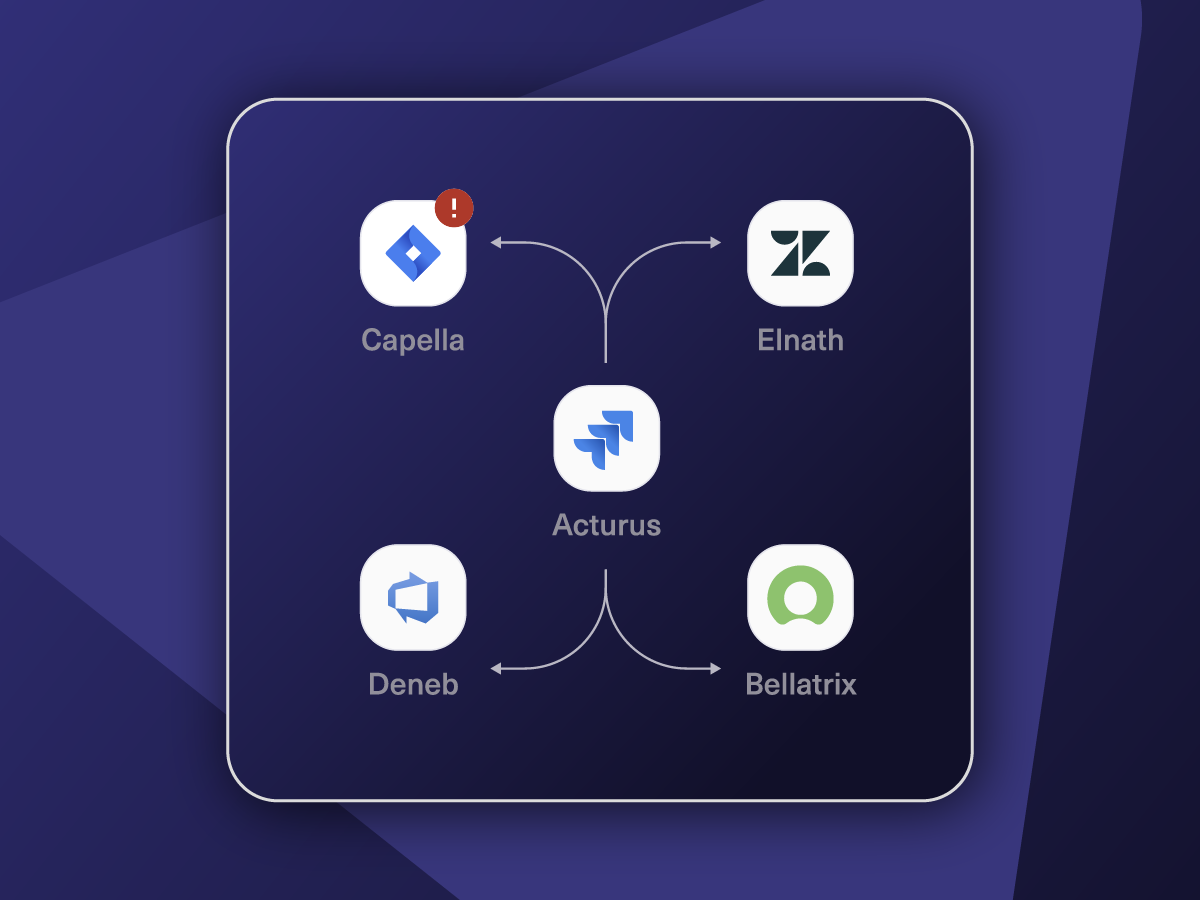
Easily connect multiple projects, instances, and platforms. With local, or external partners.
Customize
Set your sync rules to make sure the right data is shared.
Prompt Exalate’s AI to generate rules, or fine-tune with Groovy-based custom mappings and logic for complete control.
Automate
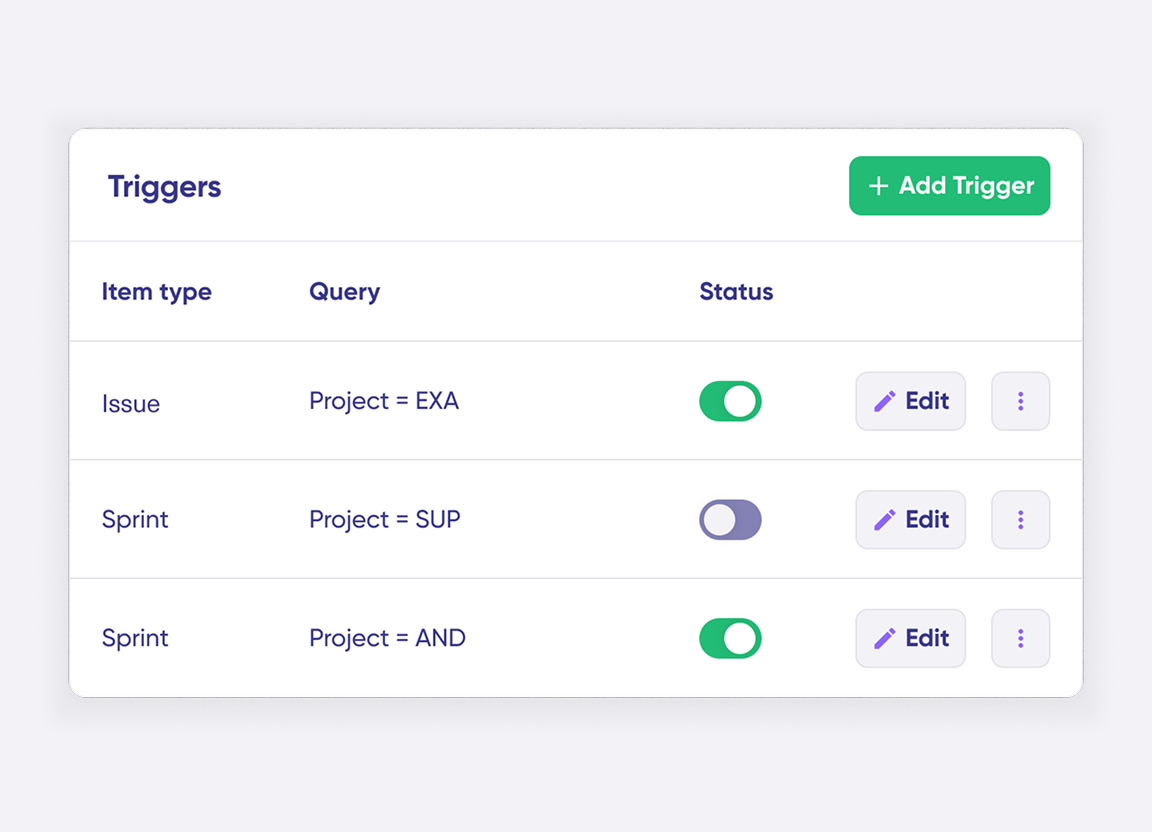
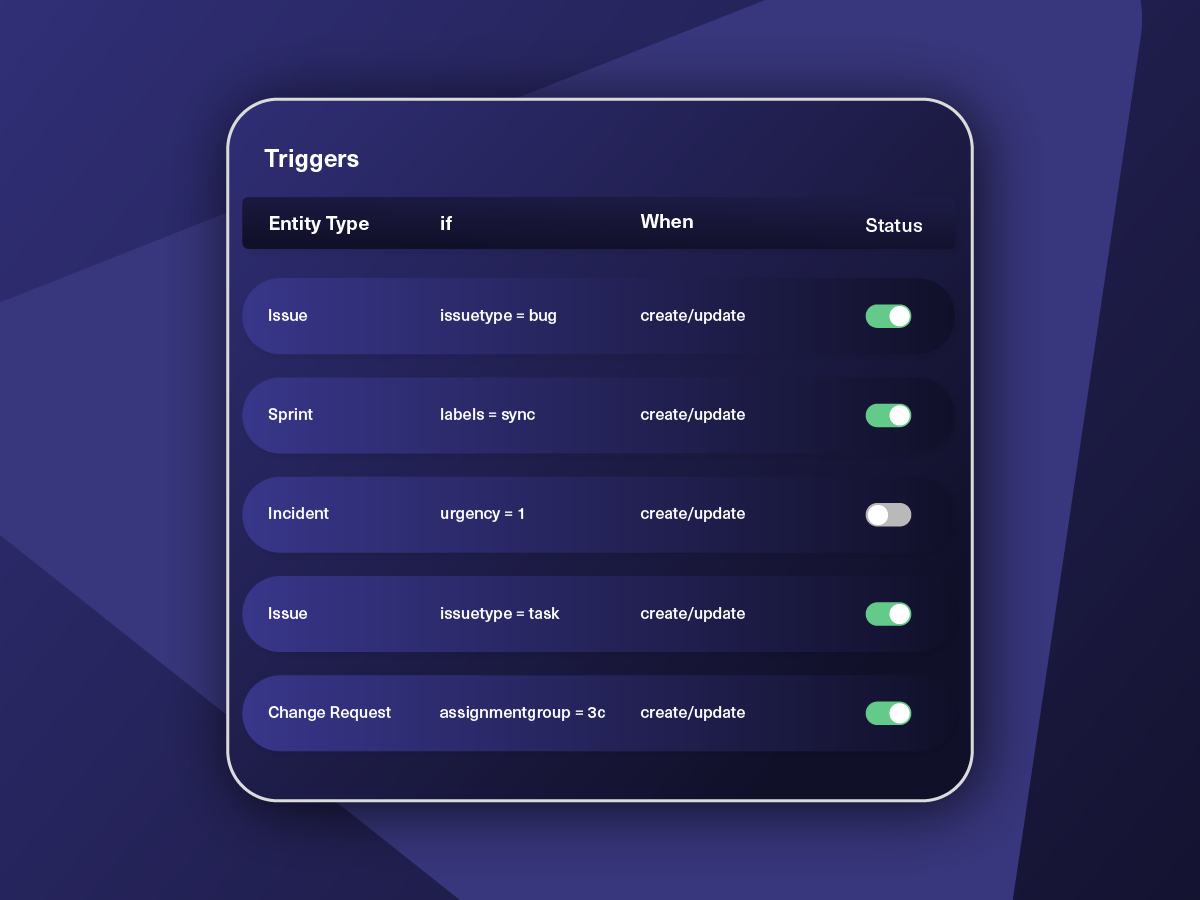
Set triggers to automate your sync based on specific conditions.
Synchronize
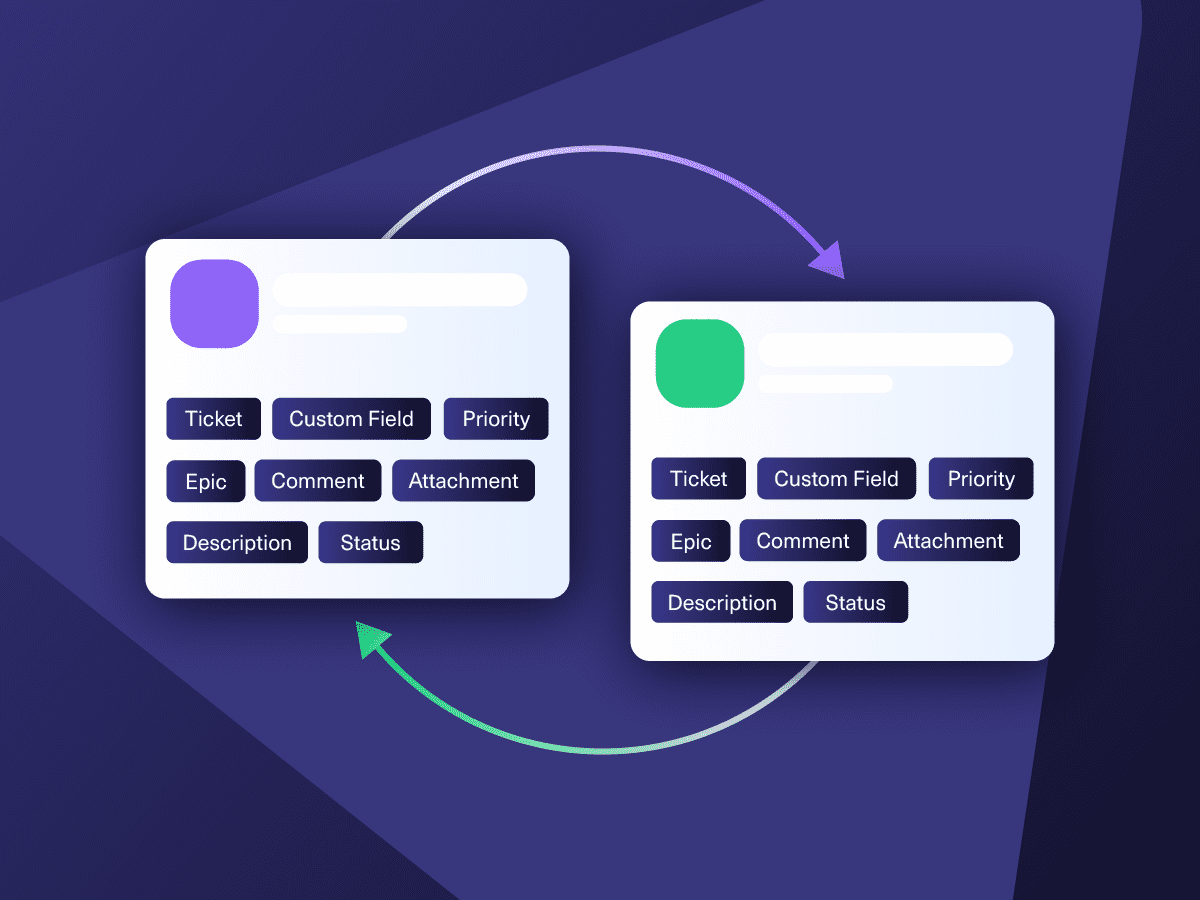
Now your connected instances will exchange information automatically. Happy syncing!
“
We can now handle around 500 customer incidents per week, thanks to Exalate, which is a very good result regarding the number of products we’re dealing with. It synchronizes 45x faster than our previous solution.
Christof Cuyper |

Simple or Advanced, We Got you Covered
Work with simple integration templates. Or, completely customize your sync.
Default Sync
Bi-directionally sync new and existing comments, descriptions, attachments, statuses, priorities, urgencies, work logs, and much more between Jira and ServiceNow. Use triggers to exert granular control over how the sync works.
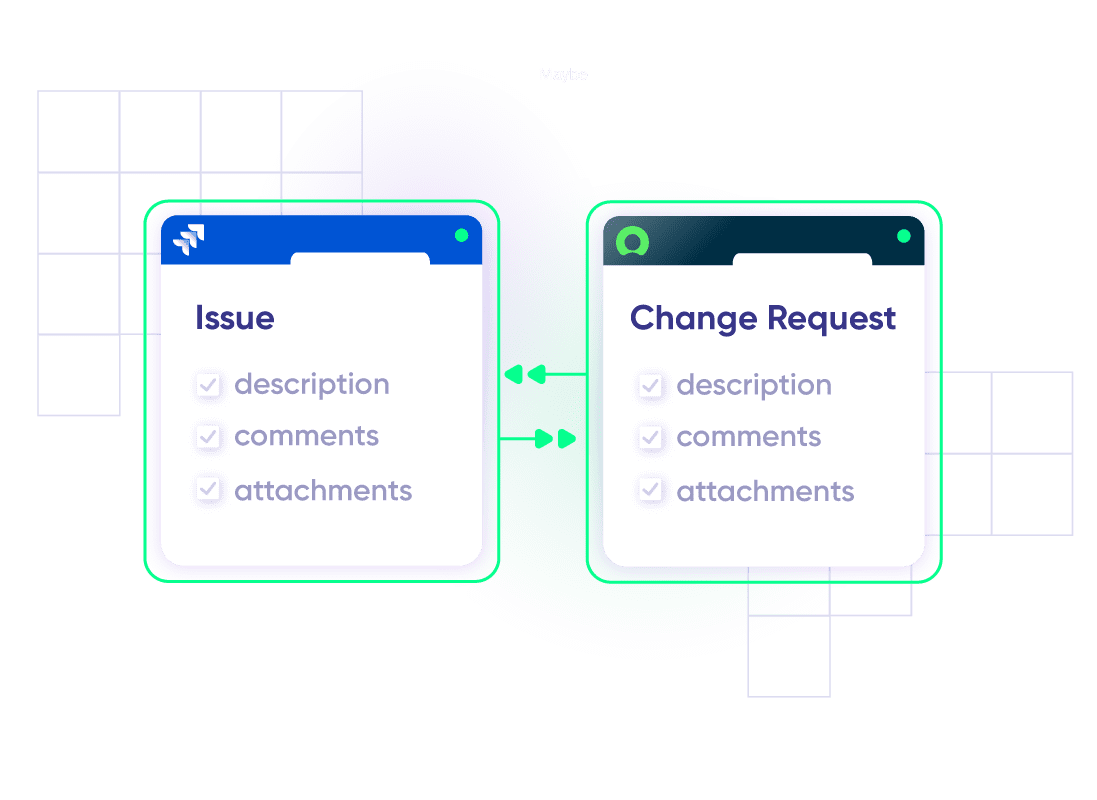
Sync ServiceNow Change Request with Jira Issues
Keep customers informed about product changes in real time. Create change tasks for dedicated teams.
In practice:

...Or simply write a few lines of code
if(entityType == “changeRequest”) {
replica.summary = changeRequest.short_description replica.description = changeRequest.description replica.comments = changeRequest.comments replica.attachments = changeRequest.attachments
///other fields supported by the Change request entity
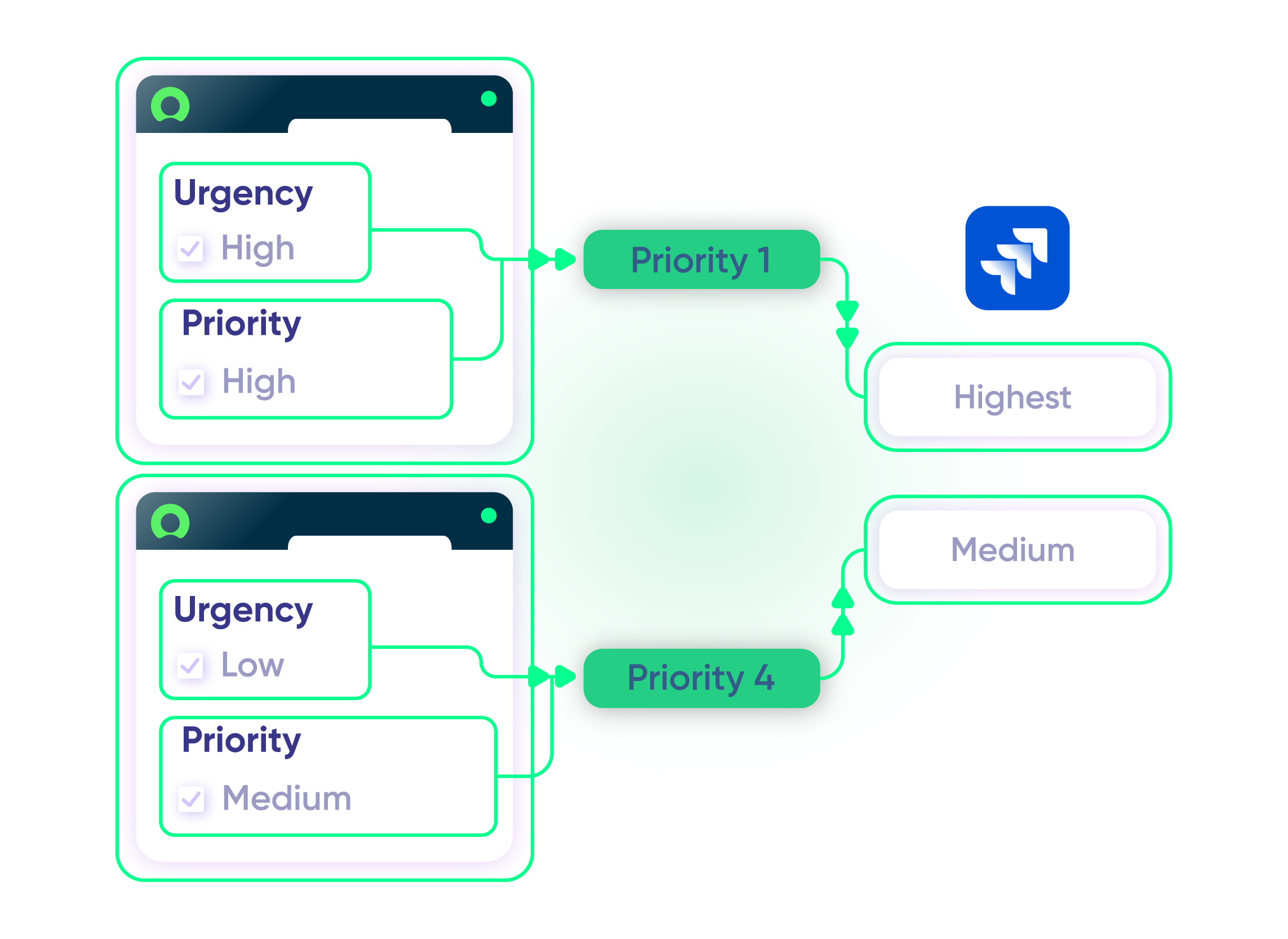
Sync Priority between ServiceNow and Jira
Maintain uniformity across all platforms. Give your ServiceNow entity the same level of priority or urgency as the Jira Issue.
In practice:
...Or simply write a few lines of code
. . .
def priorityMapping = [
“1 – Critical”: “High”,
“2 – High”: “High”,
“3 – Moderate”: “Medium”,
“4 – Low”: “Low”,
“5 – Planning”: “Lowest” ]
issue.priority = nodeHelper.getPriority(priorityName)
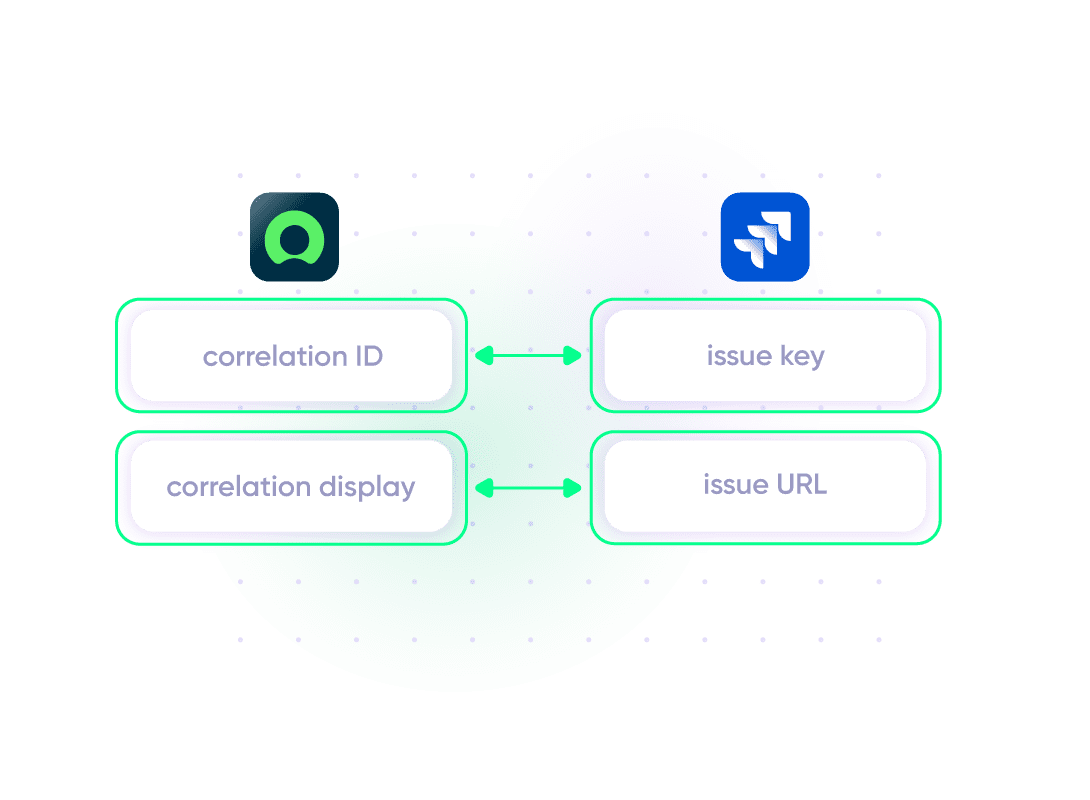
Store Correlation Details for Remote Entity
Use correlation fields to establish a relationship between local and remote systems. Store unique entity IDs, URLs, or other remote records in Jira and ServiceNow.
In practice:
...Or simply write a few lines of code
// retrieve the twin url from the incoming message
import groovy.json.JsonSlurper
def issueUrl = new JsonSlurper().parseText(syncRequest.replica.payload).get(“issueUrl”)
// setting the fields correlation_id and u_issue_key
entity.correlation_id = replica.key
entity.correlation_display = issueUrl
Sync Time-related Information
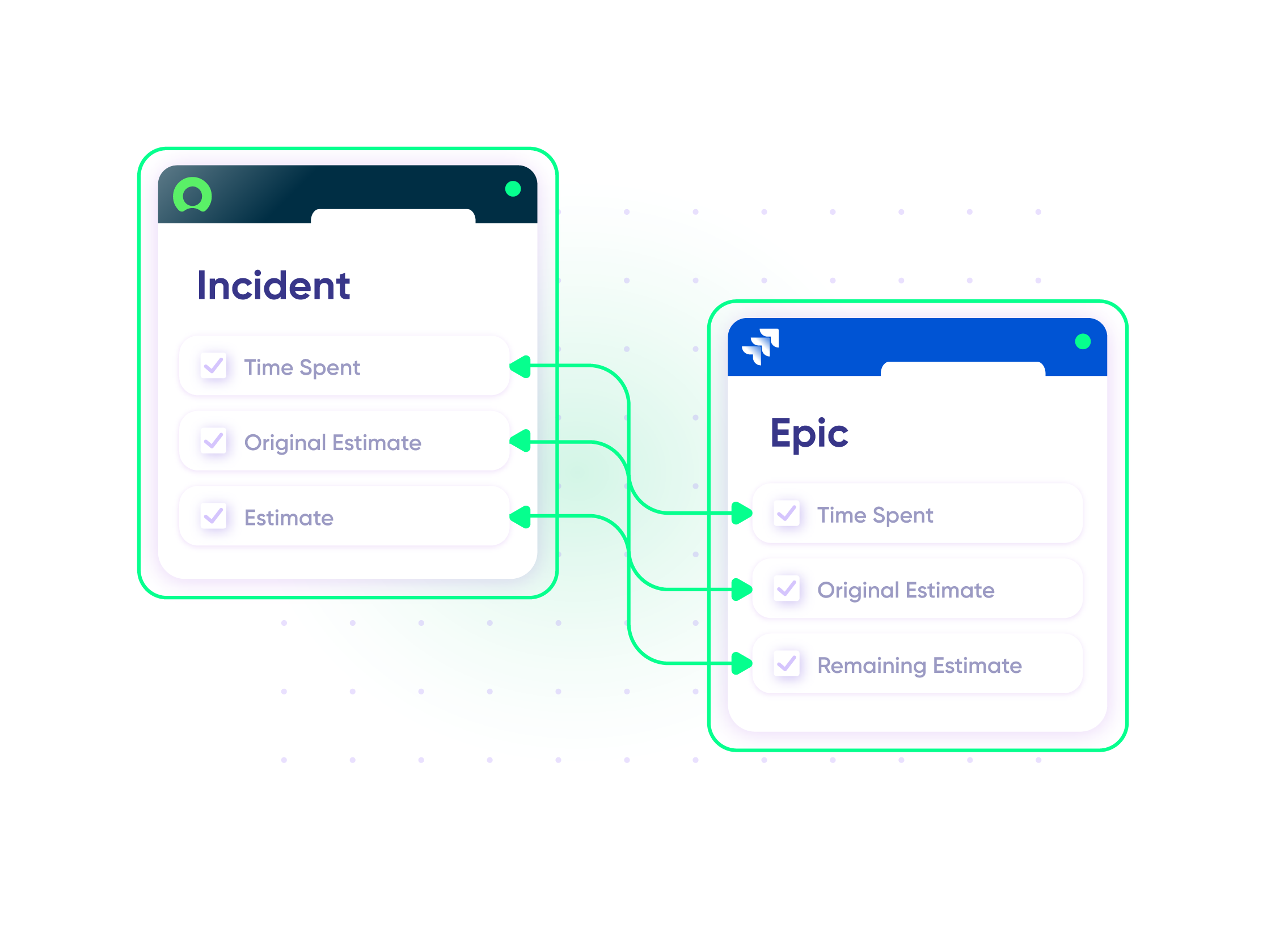
Convert incidents to epics that should be broken down into stories for easier time tracking. Keep an eye on time spent and resolution timelines.
In practice:
...Or simply write a few lines of code
def ced = new CollectEpicData(issue.key)
replica.customKeys.totalTimeSpent = ced.storyTotalTimeSpent
replica.customKeys.totalOriginalEstimate = ced.storyTotalOriginalEstimate
replica.customKeys.totalEstimate = ced.storyTotalRemainingEstimate
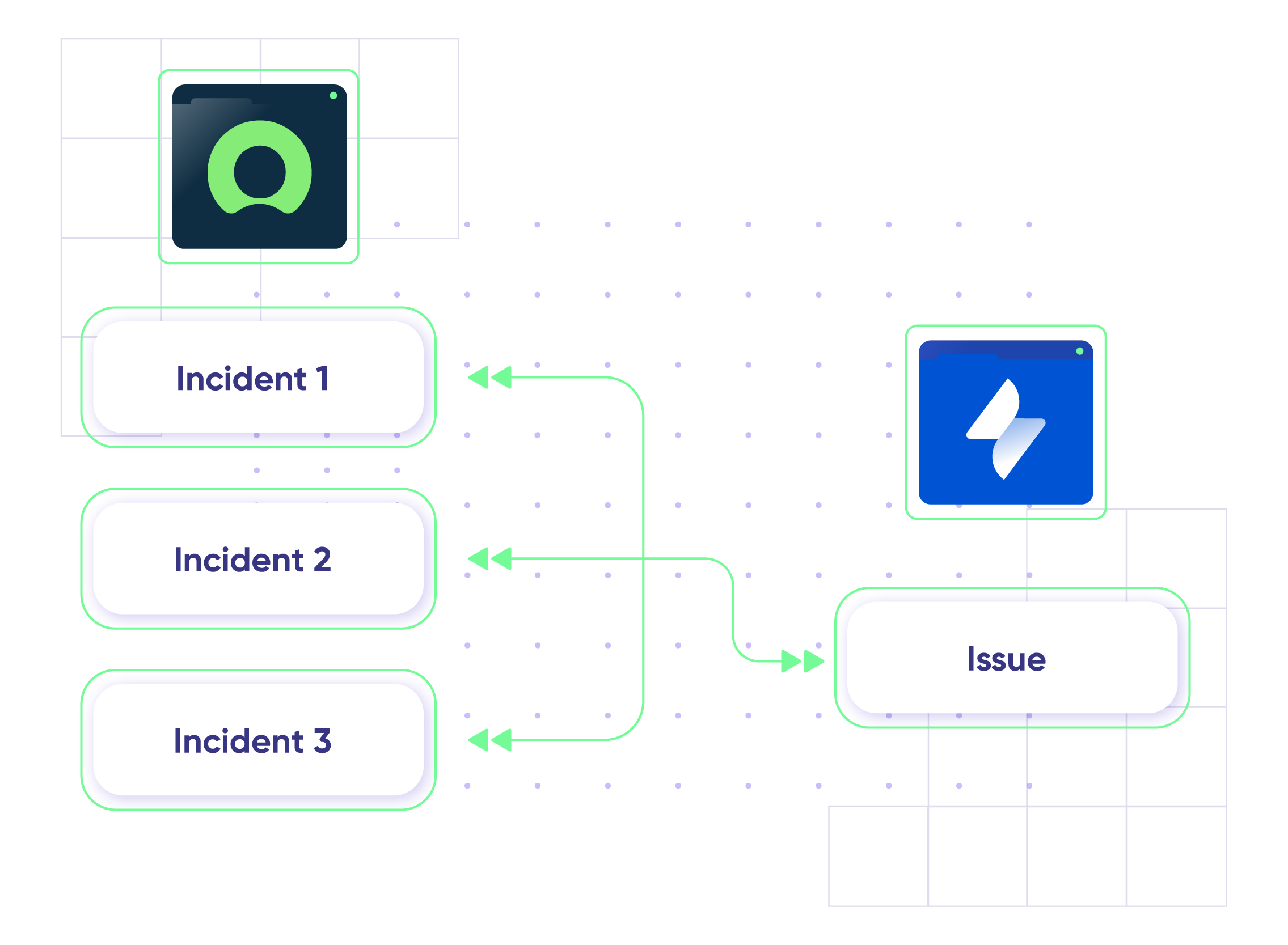
Sync Jira Service Management to ServiceNow
Connect multiple ServiceNow instances to a single Jira Service Management instance or vice versa.
In practice:
No need to code, simply add a trigger.
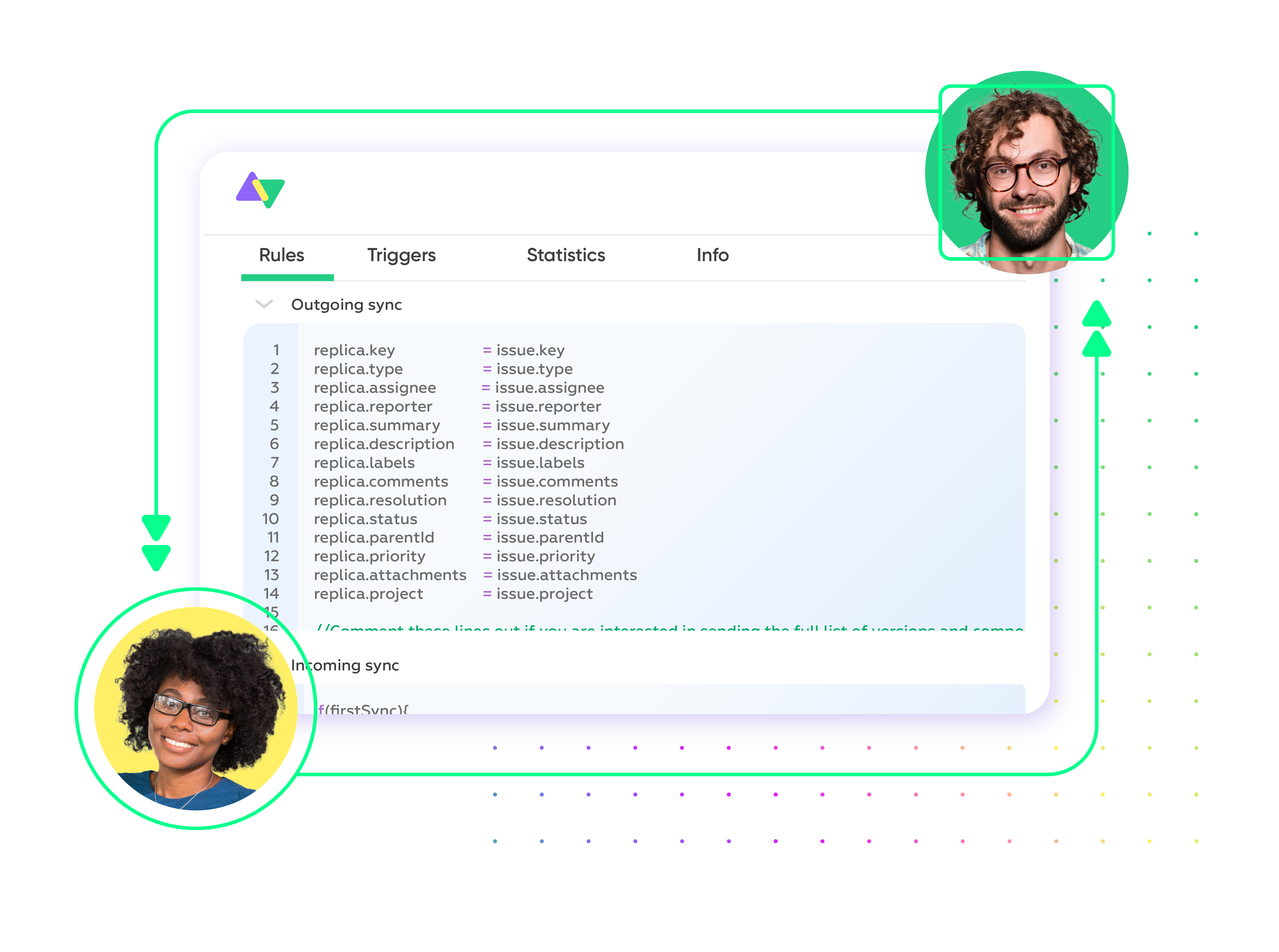
Priority Support
Get timely assistance from the best support technicians in the business. Pull up a chair as we help you solve every sync-related issue and more.
FAQ
Answers to the most frequent questions.
Didn't find what you were looking for? Ask Aida
Exalate is a flexible integration solution that connects Jira (Cloud and Data Center) with ServiceNow for real-time, bidirectional synchronization. It lets you sync incidents, issues, change requests, comments, attachments, and custom fields between platforms while maintaining independent control over each side of the integration. Unlike template-based tools, Exalate uses a script-based engine that handles any custom workflow your teams require.
You can sync virtually any data between Jira and ServiceNow, including incidents, problems, change requests, service requests (RITMs), comments, attachments, custom fields, priorities, statuses, work notes, and assignment groups. Exalate supports all ServiceNow tables available via REST APIs and over 40 Jira fields, including third-party plugin fields. Use Aida, the AI assistant, to help configure complex field mappings or write sync rules from scratch using Groovy scripts.
Setting up your Jira ServiceNow integration takes four steps: First, register your account at exalate.app and connect both your Jira and ServiceNow instances by adding their URLs. Next, configure your sync rules to define which data flows between systems. You can use Aida to generate scripts based on plain-language prompts or write custom Groovy scripts. Finally, set up triggers using JQL for Jira or ServiceNow advanced search syntax to automate when syncs occur. Start with a 30-day free trial to test your integration.
Exalate uses outcome-based pricing where you pay based on active items in sync, not arbitrary user counts. Plans include Starter, Scale, Pro, and Enterprise tiers with different features and sync capacities. Each integration (for example, Jira to ServiceNow) requires its own plan, and you can mix plan types based on complexity. Use the pricing calculator to estimate costs for your specific setup, or visit the pricing page for detailed plan comparisons.
Exalate protects your integration with enterprise-grade security including JWT access tokens, HTTPS with TLS 1.2 and 1.3, role-based access controls, and multi-factor authentication. The platform is ISO 27001 certified and supports single-tenancy deployment where each node runs in an isolated Kubernetes pod. For organizations with strict compliance requirements, you can choose your data residency location. Visit the Exalate Trust Center for complete security documentation and compliance certifications.
Yes, Exalate supports multi-instance setups where you can connect multiple ServiceNow instances to a single Jira instance or vice versa. This is useful for managed service providers (MSPs) serving multiple clients, enterprises with regional ServiceNow instances, or organizations managing separate development and production environments. Each connection can have unique sync rules and field mappings. Exalate also integrates with Azure DevOps, Zendesk, Salesforce, GitHub, and other platforms.
Unlike ServiceNow IntegrationHub (Jira Spoke), Exalate offers true bidirectional synchronization where both Jira and ServiceNow teams maintain independent control over their data. IntegrationHub is ServiceNow-led, meaning ServiceNow controls the integration scope. Exalate’s script-based engine handles complex custom workflows that template-based solutions cannot, and its outcome-based pricing is often more cost-effective than IntegrationHub’s additional licensing fees. Both sides can configure their sync rules independently without sharing admin credentials.
Common use cases include escalating ServiceNow incidents to Jira for development teams, syncing change requests between IT operations and engineering, tracking customer-reported bugs across support and development systems, and maintaining SLA compliance with real-time status updates. Enterprises also use it for cross-company collaboration with partners or clients who use different platforms. MSPs benefit from connecting multiple client ServiceNow instances to their internal Jira environment.
Yes, Exalate supports both one-way and two-way synchronization. You configure the direction of data flow in your sync rules, with separate incoming and outgoing scripts for each side. This means you can send incidents from ServiceNow to Jira without syncing updates back, or create fully bidirectional workflows where changes in either system update the other in real-time. You can also set different sync directions for different fields within the same connection.
Exalate supports all ServiceNow entities available through REST APIs, including Incidents, Problems, Change Requests, Service Requests (RITMs), Tasks, and custom tables. You can sync any field within these entities, from standard fields like short description, state, priority, and assignment group to custom fields specific to your ServiceNow configuration. Simply reference the field names from your ServiceNow tables in your sync scripts.
How useful was this content?
Click on a star to rate it!
Average rating 4.9 / 5. Vote count: 223
No votes so far! Be the first to rate this post.
We are sorry that this post was not useful for you!
Let us improve this post!
Tell us how we can improve this post?