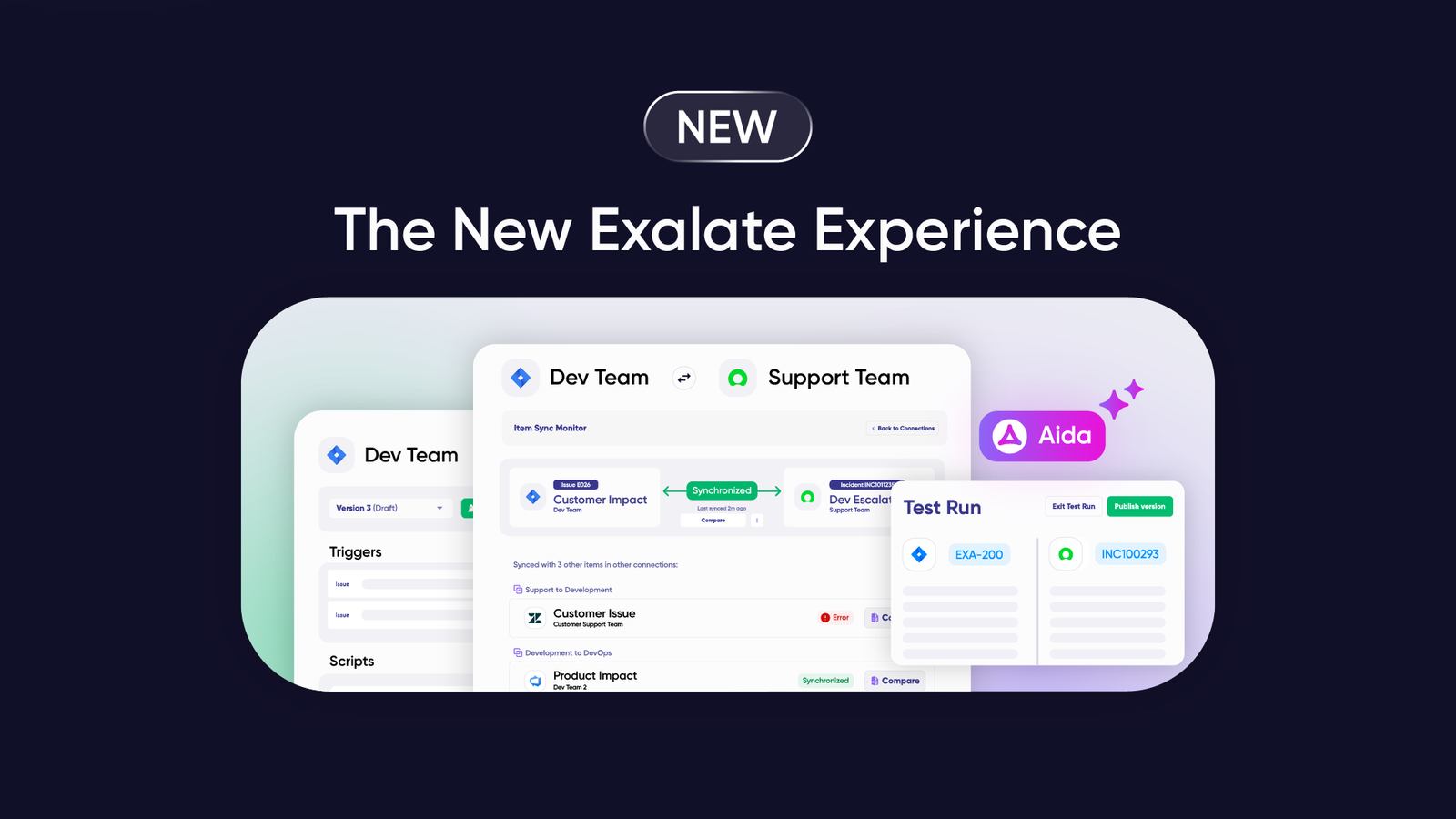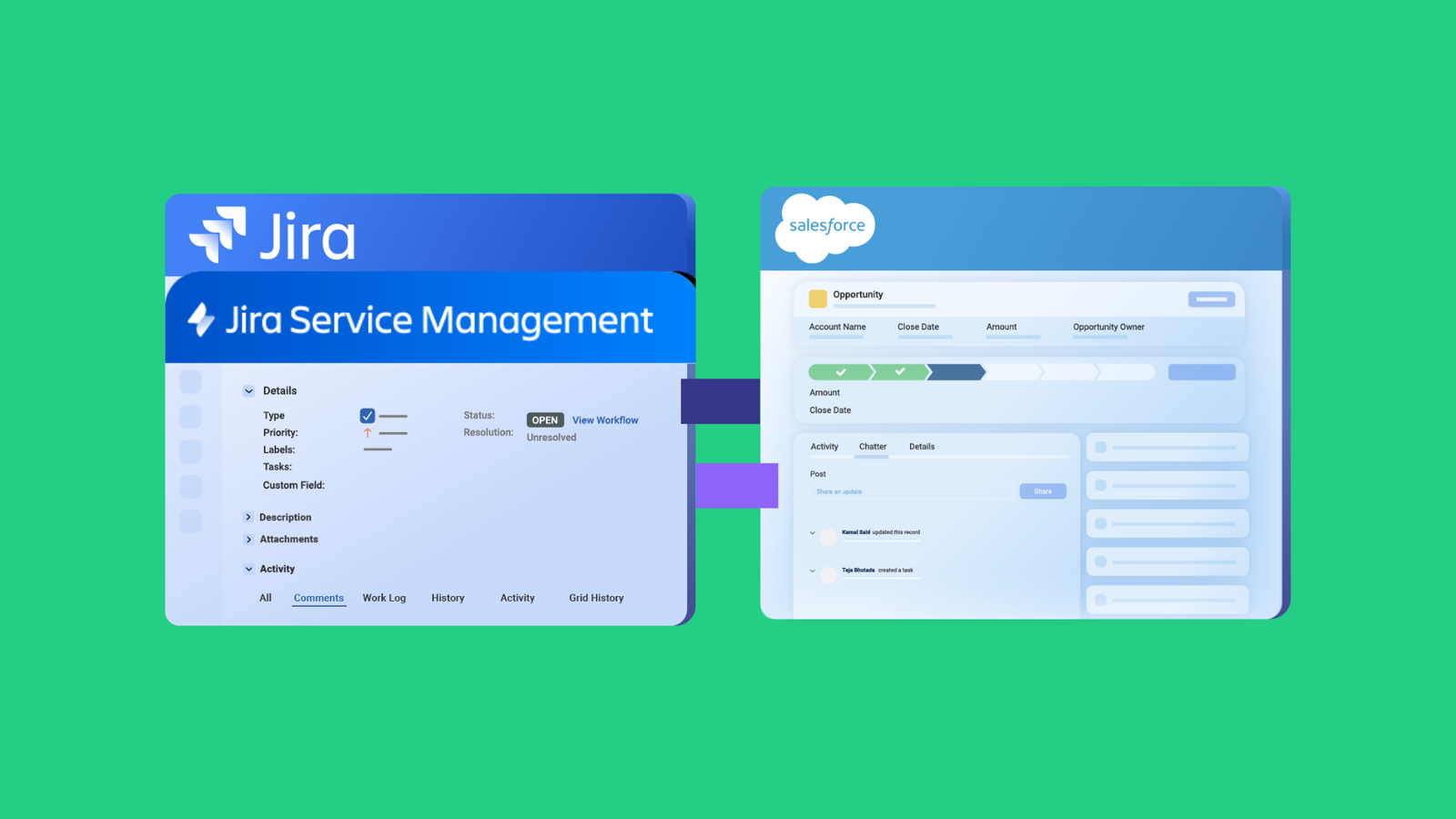

ServiceNow has evolved from IT infrastructure services to supporting security, development, customer service, HR, and other teams. It sets a benchmark for detecting anomalies and automating digital workflows and processes.
ServiceNow integrations extend ServiceNow’s capabilities by breaking down functional silos to increase productivity and efficiency. Information flows from third-party systems or applications into ServiceNow, while data from within ServiceNow can be displayed in other apps or systems.
This guide explains the need for ServiceNow integrations, the benefits they bring to teams, and the technologies ServiceNow natively offers. We also explore third-party alternatives and discuss practical use cases across industries.
Key Takeaways
- ServiceNow integrations connect disparate systems to automate workflows, eliminate data silos, and improve cross-team collaboration.
- Native ServiceNow technologies like IntegrationHub and REST APIs work for basic use cases, but often lack flexibility for complex, cross-company scenarios.
- Third-party integration solutions like Exalate offer deeper customization, AI-assisted configuration through Aida, and full scripting control over your sync side.
- Common use cases include service desk-to-development workflows, IT-to-business team collaboration, MSP client management, and cross-company integrations.
- When choosing an integration tool, evaluate flexibility, security certifications, multi-platform support, pricing transparency, and scripting capabilities.

The Need for ServiceNow Integrations
ServiceNow’s core strength is incident management and resolution. But it extends to HR, software development, operations, and other functional areas.
These teams need to interact with other teams using completely different applications like Jira, Salesforce, Azure DevOps, GitHub, Zendesk, Freshservice, Freshdesk, and Asana. They might also want to interact with other ServiceNow instances that their partners or suppliers use.
Consider this scenario: Your service desk agents using ServiceNow need to escalate incidents to the dev team using Jira after a root cause analysis. You want to resolve incidents faster.
Relying on manual transfers introduces errors and delays, impacting incident resolution times.
Jira and ServiceNow integrations automate business functions between both platforms. All information exchange is automatic, real-time, and visible to the correct stakeholders within their own application.
With the right technology and approach, ServiceNow certified integrations can enable a global network of B2B integrations that blur information boundaries.
ServiceNow Integrations: An Interconnected Ecosystem
The main aim of cloud integrations with ServiceNow isn’t to take teams away from their original source of information. It’s to streamline procedures and workflows to make day-to-day operations easier.
This means pulling data from external systems and displaying it within ServiceNow. It also includes displaying data from ServiceNow in external systems.
Types of ServiceNow Integrations
Process Integrations: Data moves across ServiceNow and different applications to automate processes end-to-end. For instance, sending ServiceNow incidents to Jira or Azure DevOps to facilitate development workflows.
Data Integrations: Simple data exchange between different applications and ServiceNow. Transfer can be one-way or two-way. This includes pulling data from a database and displaying it within ServiceNow.
UI Integrations: Display publicly available information within the ServiceNow platform. For instance, launching an iframe in ServiceNow into another portal or vice versa.
Batch vs. Event-Based Integrations
Batch-based integrations exchange information in batches or in bulk. This can include information stored in CSV, Excel, or other formats.
Event-based integrations exchange data when certain events occur. For instance, when an incident with urgency=1 and Priority=High from a specific Assignment group is encountered, the ServiceNow record passes to the development team using Azure DevOps or Jira.
Time-related information can also sync for high-priority incidents.
Benefits of ServiceNow Integrations
When ServiceNow becomes the single source of truth for your organization, connecting different teams and increasing collaborations, you gain:
- Automated Routing and Process Efficiency: Route or reroute incidents within platforms you use and automate processes across different departments or across different companies (cross-company integration). Eliminate tedious, manual, repetitive tasks and let go of Excel sheets and to-do lists.
- Better Insights and Reporting: Data analytics tools help track customer requests, identify patterns, and deal with problems early. Measure key performance indicators like problem resolution times and agreed-on SLAs to develop a rich customer experience.
- Enhanced Visibility: All team members have better visibility of every operation and process. This transparency enables more efficient work.
- Scalable Customization: ServiceNow’s customization capabilities are well-known and scalable. When these advantages extend to other platforms through integrations, productivity increases, and performance is enhanced.
- Unified Multi-Instance Environments: Connect multiple ServiceNow instances so pre-built applications like ITSM, HRSM, or CSM can integrate. This helps MSPs or MSSPs come together under a single workflow.
Common Use Cases for ServiceNow Integrations
Use Case 1: Service Desk and Development Teams
Challenge: Support teams using ServiceNow and development teams using Jira, Azure DevOps, or GitHub work in silos. Information passes manually between systems, causing delays and errors that impact customer satisfaction.
Solution: Integrate ServiceNow with your development tools to automatically sync incidents, work items, and status updates. Only the necessary information flows between systems, maintaining context without information overload.
Real-World Application: A SaaS company connects ServiceNow incidents with Jira work items. When a critical bug is reported, ServiceNow automatically creates a work item in Jira with all relevant details. The development team prioritizes and fixes the bug, and status updates flow back to ServiceNow in real-time. The support team sees the progress without leaving their workspace, and customers receive faster resolutions.
Use Case 2: IT and Business Teams
Challenge: Business teams receive valuable customer feedback (queries, problems, feature requests) in Salesforce. IT teams can’t access this information efficiently, leading to missed opportunities for product improvements.
Solution: Integrate ServiceNow with Salesforce to pass customer feedback to IT teams. Information flows between applications, so all teams work toward common business goals.
Real-World Application: A financial services company connects Salesforce cases to ServiceNow incidents. When a client reports a recurring issue through their account manager, the case automatically creates a ServiceNow ticket for the IT team. Product feedback aggregates across multiple cases, revealing patterns that inform the product roadmap.
Use Case 3: MSPs Managing Multiple Clients
Challenge: Managed service providers deal with multiple clients, often using different applications. Some clients use their own ServiceNow instances. Managing varied information requirements across clients is complex and time-consuming.
Solution: Integrate your ServiceNow instance with each client’s system, whether ServiceNow, Jira, Zendesk, Freshservice, or Freshdesk. Pass relevant (not all) data between systems based on each client’s specific requirements.
Real-World Application: An MSP supports 15 enterprise clients. Five use ServiceNow, three use Jira, two use Zendesk, and the rest use Freshservice. Using Exalate, the MSP creates standardized connections with each client. When clients log tickets in their own systems, the MSP sees them in their ServiceNow instance. Resolution updates flow back automatically, maintaining SLA compliance without manual data entry.
Use Case 4: Cross-Company Collaboration
Challenge: Enterprises working with external partners, vendors, or suppliers need to share incident data without exposing sensitive internal information. Traditional integrations create security risks and data governance challenges.
Solution: Use integration tools that support independent control over what data each party sends and receives. Each side manages their own sync configuration without impacting the other.
Real-World Application: An automotive manufacturer integrates their ServiceNow instance with a key supplier’s Azure DevOps system. When quality issues arise, relevant data syncs to the supplier’s system for investigation. The manufacturer controls what information leaves their instance, and the supplier controls what they receive. Both parties maintain data governance while accelerating issue resolution.
Use Case 5: Multi-Department Service Delivery
Challenge: HR, facilities, legal, and IT departments all handle internal service requests. Employees don’t know where to submit requests, and handoffs between departments create delays.
Solution: Integrate ServiceNow with department-specific tools to create seamless request routing and handoffs. Requests flow to the right team automatically, and status updates remain visible across departments.
Real-World Application: A healthcare organization connects ServiceNow with their HR system (Workday), facilities management tool, and legal case management system. When an employee submits a complex request—like setting up a new remote office—the request automatically creates tasks for IT (equipment), HR (contracts), facilities (furniture), and legal (compliance). Each department works in their preferred tool while ServiceNow provides a unified view of request status.
Use Case 6: DevOps and ITSM Alignment
Challenge: DevOps teams track work items and deployments in Azure DevOps Server, Azure DevOps Services, or Jira. ITSM teams manage changes in ServiceNow. Misalignment between these systems causes deployment conflicts and change management violations.
Solution: Integrate ServiceNow change management with your DevOps pipeline tools. Change requests sync with development work items, and deployment statuses update ServiceNow automatically.
Real-World Application: A retail company integrates ServiceNow with Azure DevOps. When developers complete a sprint, the associated change request in ServiceNow updates automatically. Change managers approve deployments with full visibility into what’s being released. Post-deployment, incident correlation links any issues back to the specific release, improving root cause analysis.
ServiceNow Integration Tools: Native and Third-Party Options
Native ServiceNow Options
- ServiceNow-Provided Integrations: Accessible as part of the platform at no additional cost.
- ServiceNow Store Integrations: Built by ServiceNow or its partners. Support is typically provided by the vendor.
- IntegrationHub: Integrates ServiceNow with any API-enabled systems. Uses third-party APIs as part of its Flow Designer. Available spokes include Jira, GitHub, GitLab, Salesforce, and 175+ more. The eBonding Spoke connects different ServiceNow instances with minimal code.
- Custom Integrations: Use ServiceNow’s interfaces to build integrations from scratch. Beneficial for specific use cases but requires long-term customer maintenance.
Third-Party Integration Platforms
- Exalate: Bi-directional sync solution with AI-assisted configuration (Aida) and full scripting control. Supports ServiceNow, Jira, Azure DevOps, Salesforce, Zendesk, GitHub, Freshservice, Freshdesk, and more. ISO 27001 certified with role-based access control and data encryption. Best for complex, cross-company integrations requiring deep customization.
- MuleSoft: Enterprise integration platform for connecting multiple systems. Strong for organizations with diverse application landscapes requiring API management.
- Boomi: Cloud-based integration platform with Workflow Data Fabric for ServiceNow. Good for organizations needing broad connectivity across many applications.
- Workato: Enterprise automation platform combining integration and workflow automation. Includes AI capabilities and a recipe-based approach.
- Zapier: No-code automation tool connecting ServiceNow with multiple platforms. Limited to simpler, “fire and forget” use cases. Not suitable for complex bidirectional syncs.
- Unito: Two-way sync solution for keeping tools in sync. Good for teams needing simple, real-time updates between platforms.
Features to Consider When Choosing an Integration Tool
Security
Security is the most critical aspect of any integration. Data moves between applications, and you need to prevent unauthorized access or information leaks.
What to look for:
- ISO 27001 certification
- Encryption of data both in transit and at rest
- Role-based access control (RBAC)
- OAuth verification and multi-factor authentication
- Secure file transfer protocols
Visit Exalate’s Trust Center to learn about our security certifications and practices.
Flexibility and Customization
Requirements change, and data exchange handling must adapt. You might have extremely complex needs requiring deep platform integration.
What to look for:
- Full scripting and operational control over your sync side
- AI-assisted configuration capabilities (like Exalate’s Aida)
- Support for custom field mappings
- Ability to filter and transform data
- Conditional sync rules
Multi-Platform Support
Your integration needs will grow. Today, it’s ServiceNow and Jira. Tomorrow it might include Salesforce, Azure DevOps, Zendesk, Freshservice, or custom applications.
What to look for:
- Broad connector library
- Support for custom connectors
- Integration as a Service for legacy systems
- Consistent interface across different platforms
Scalability
Adding new integration points should be straightforward, not a major project.
What to look for:
- Loosely coupled architecture (no single point of failure)
- Easy addition of new connections
- Performance that grows with your needs
- Support for high-volume data exchange
Ease of Use
Complex integrations shouldn’t require months of development.
What to look for:
- Intuitive user interface
- AI-assisted setup options
- Clear documentation and tutorials
- Available support and training resources
Using Third-Party Apps for ServiceNow Integrations
Third-party vendors specialize in ServiceNow integrations and can deliver deeper integrations than native options.
Exalate: A Third-Party Integration Solution for ServiceNow
Exalate is a one or two-way integration solution providing bespoke integrations for ITSM, ITOM, CRM, and other work management systems.
It supports integrations for ServiceNow, Jira, GitHub, Azure DevOps, Azure DevOps Server, Salesforce, Zendesk, Freshservice, Freshdesk, Asana, and more. You can use its Integration as a Service to set up integrations between any two platforms, including legacy systems.
Why Exalate:
- Deep Integration Capability: Built-in scripting engine allows customization of mappings and sync logic to advanced levels.
- AI-Assisted Configuration (Aida): Describe your sync requirements in plain language, and Aida generates the necessary scripts.
- Full Operational Control: Each side of the integration independently controls what information they send and receive.
- Enterprise Security: ISO 27001 certified, with role-based access control and encryption of data both in transit and at rest.
How to Set Up ServiceNow Integrations with Other Apps Using Exalate
Navigate to the Exalate integrations page to begin. You can create a new account or sign in if you already have one. Registration options include manual email verification or Google sign-up.
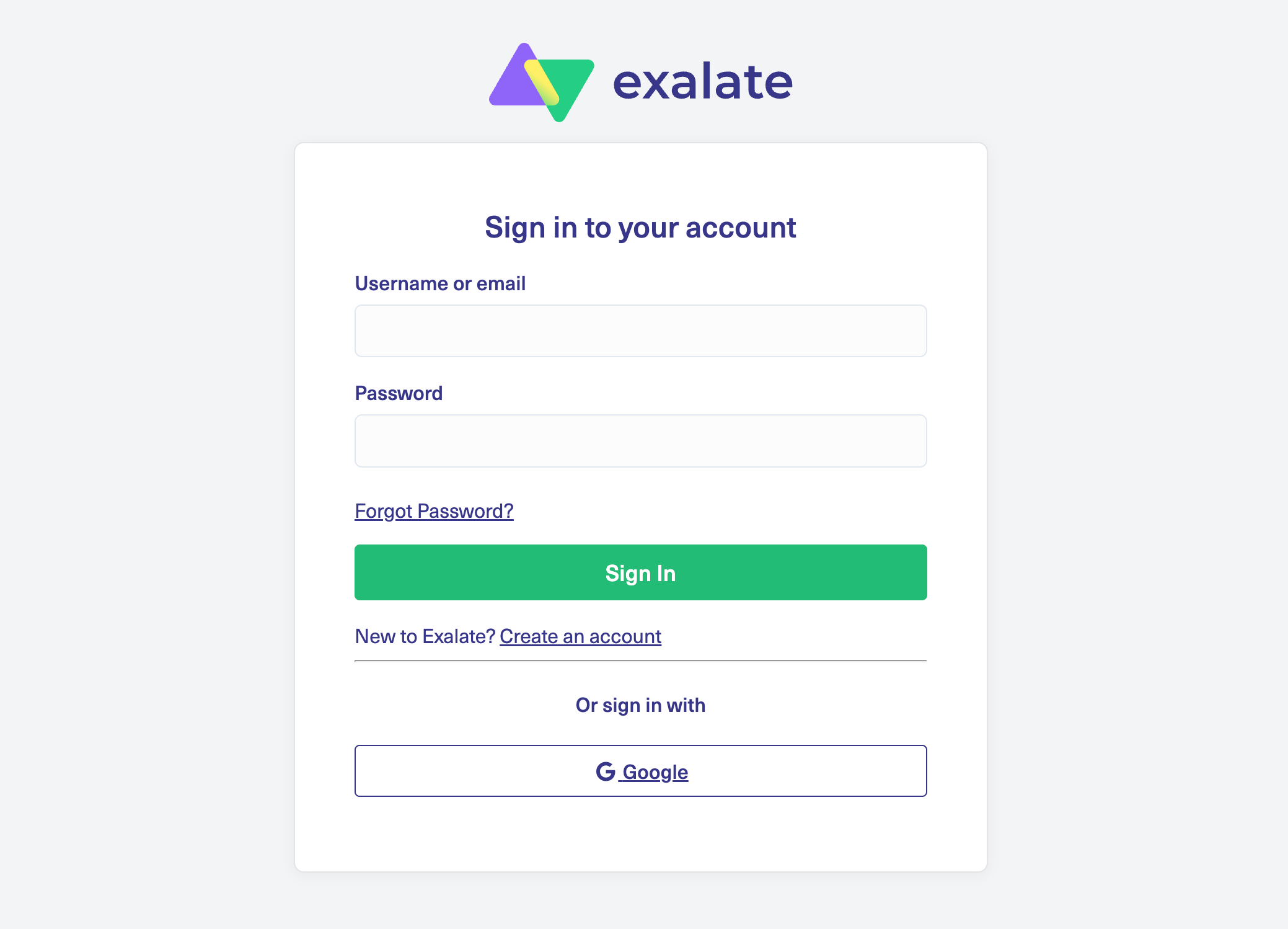
Already have an account? Just log in to reach the dashboard.
Set up a workspace to handle your integrations and connections. You can find all your workspaces under the “Workspaces” tab.
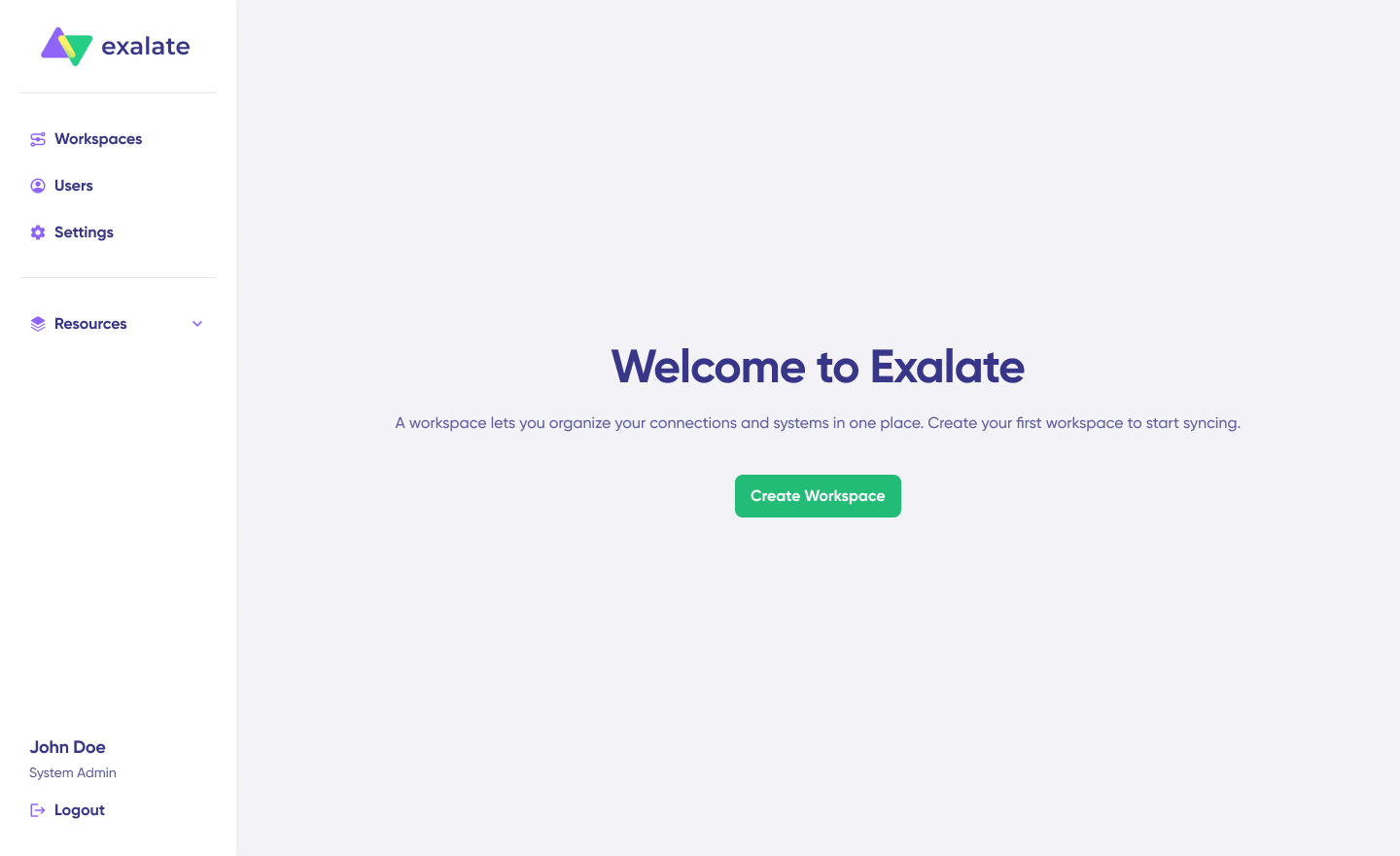
To build your own workspace, hit the “+ Create Workspace” button. Give it a name and description, then click “Create workspace.“
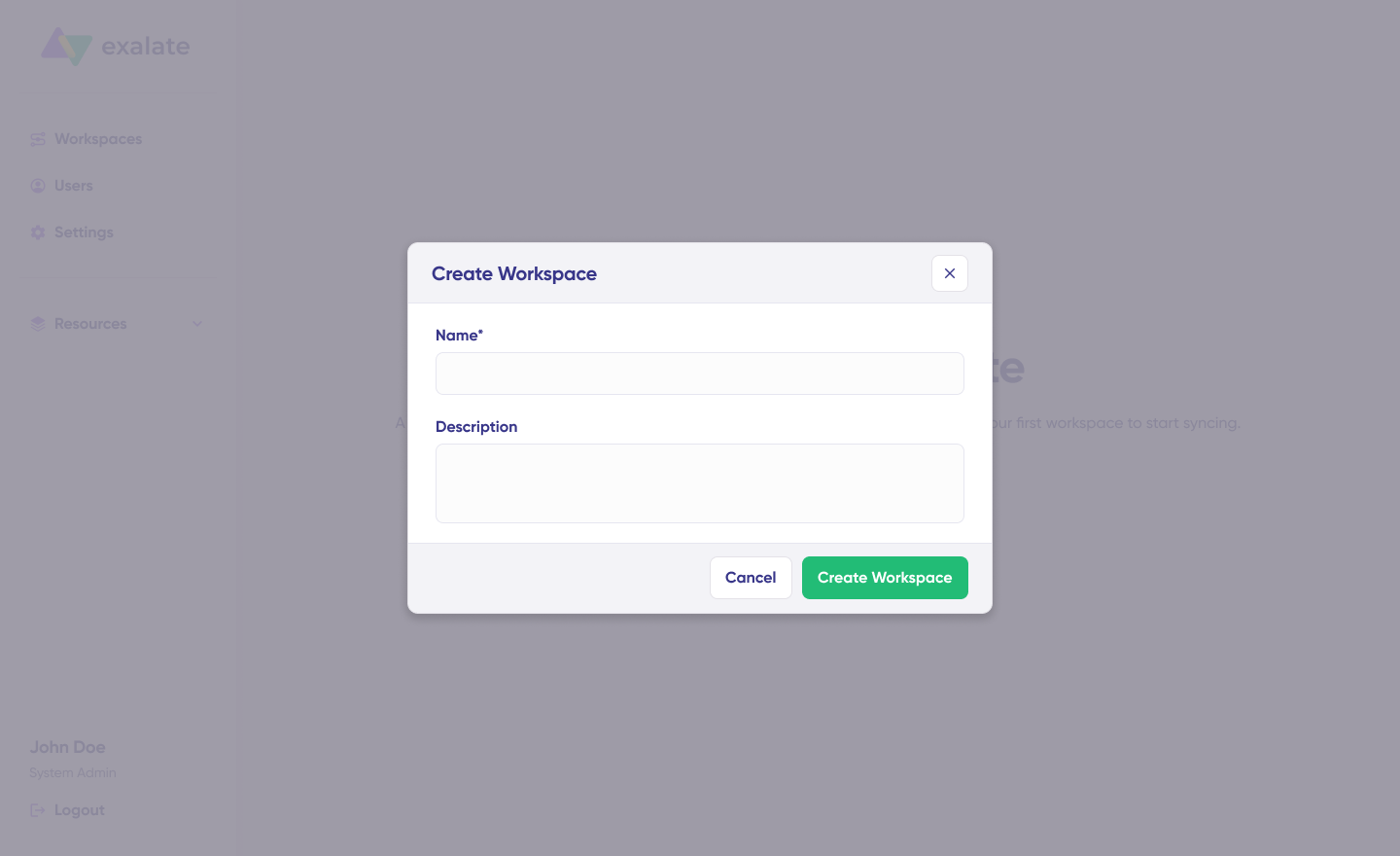
To set up a connection, you’ll need an active Exalate account with at least one Workspace and login credentials for both systems you’re connecting (System A and System B).
Click “+ Add connections” > “Create new connection“. Name your first system and enter the URL of your ServiceNow instance.
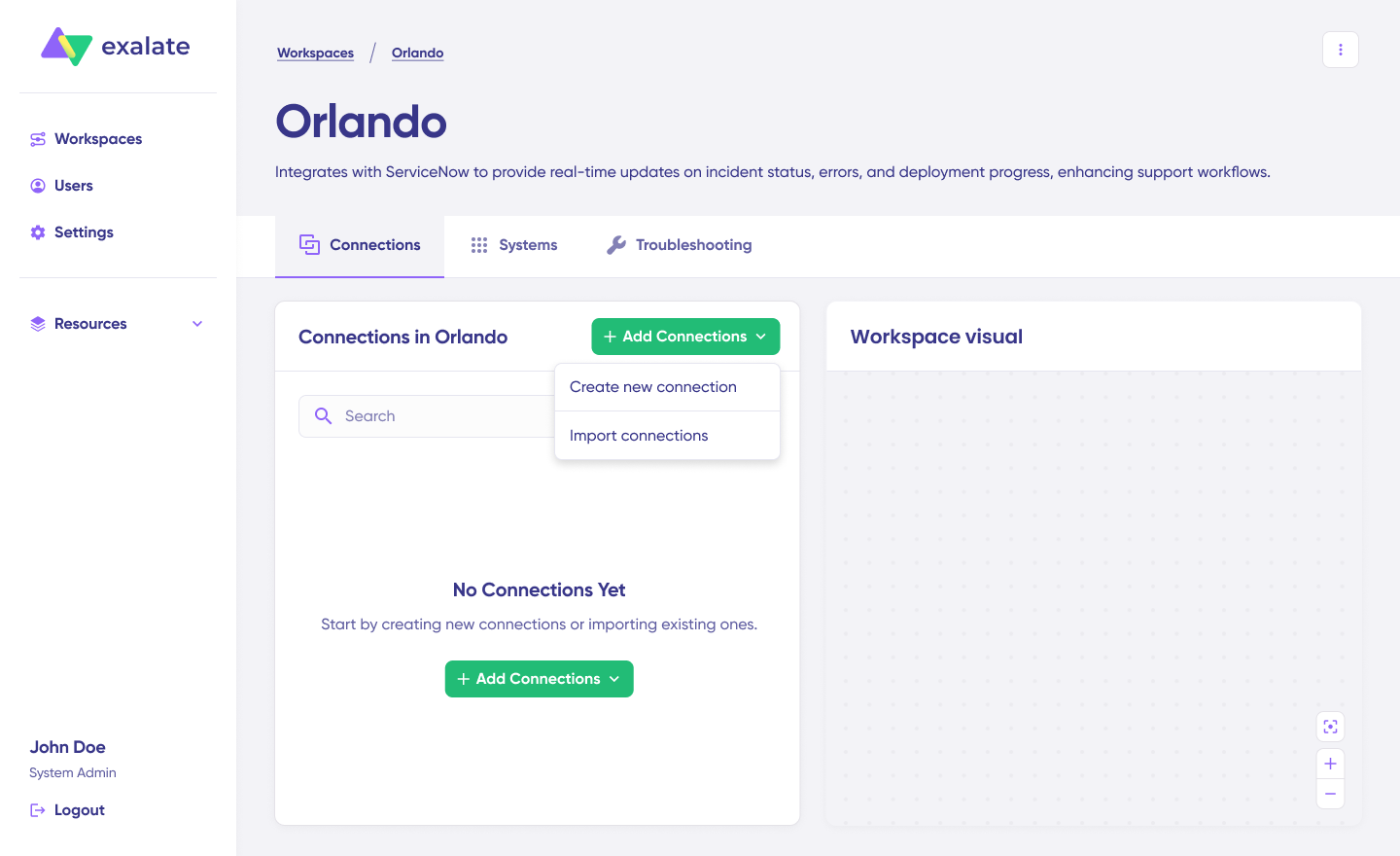
The system will automatically run checks and handle authentication. Systems from other workspaces will be registered for your current workspace.
Provide your authentication details. For ServiceNow to ServiceNow connections, enter a Username and Password for your ServiceNow instance. Click “Check Authentication“. When everything’s good, you’ll see “Successfully Authenticated“.
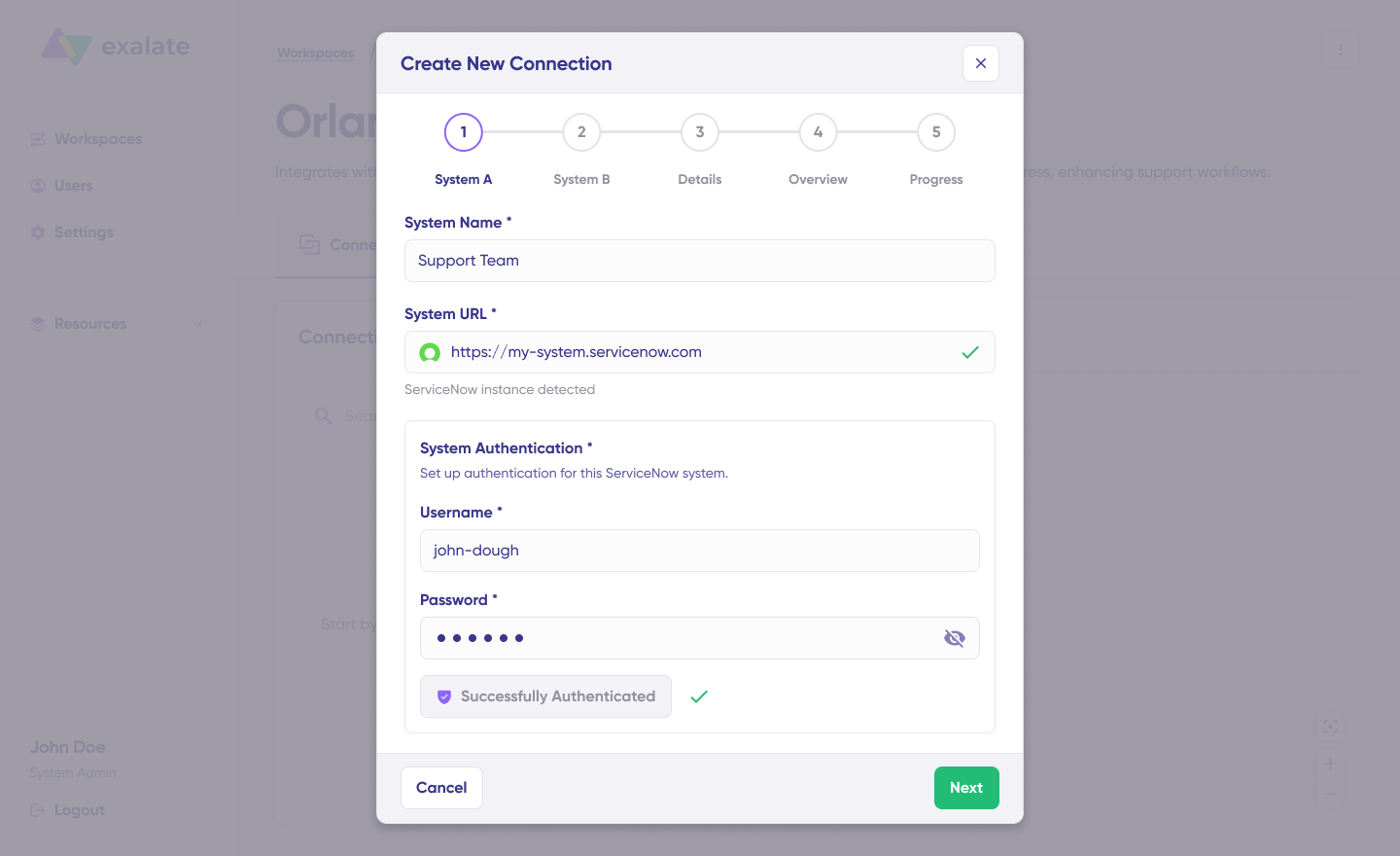
Hit Next to set up System B (ServiceNow). Repeat the same steps as you did for your first ServiceNow instance.
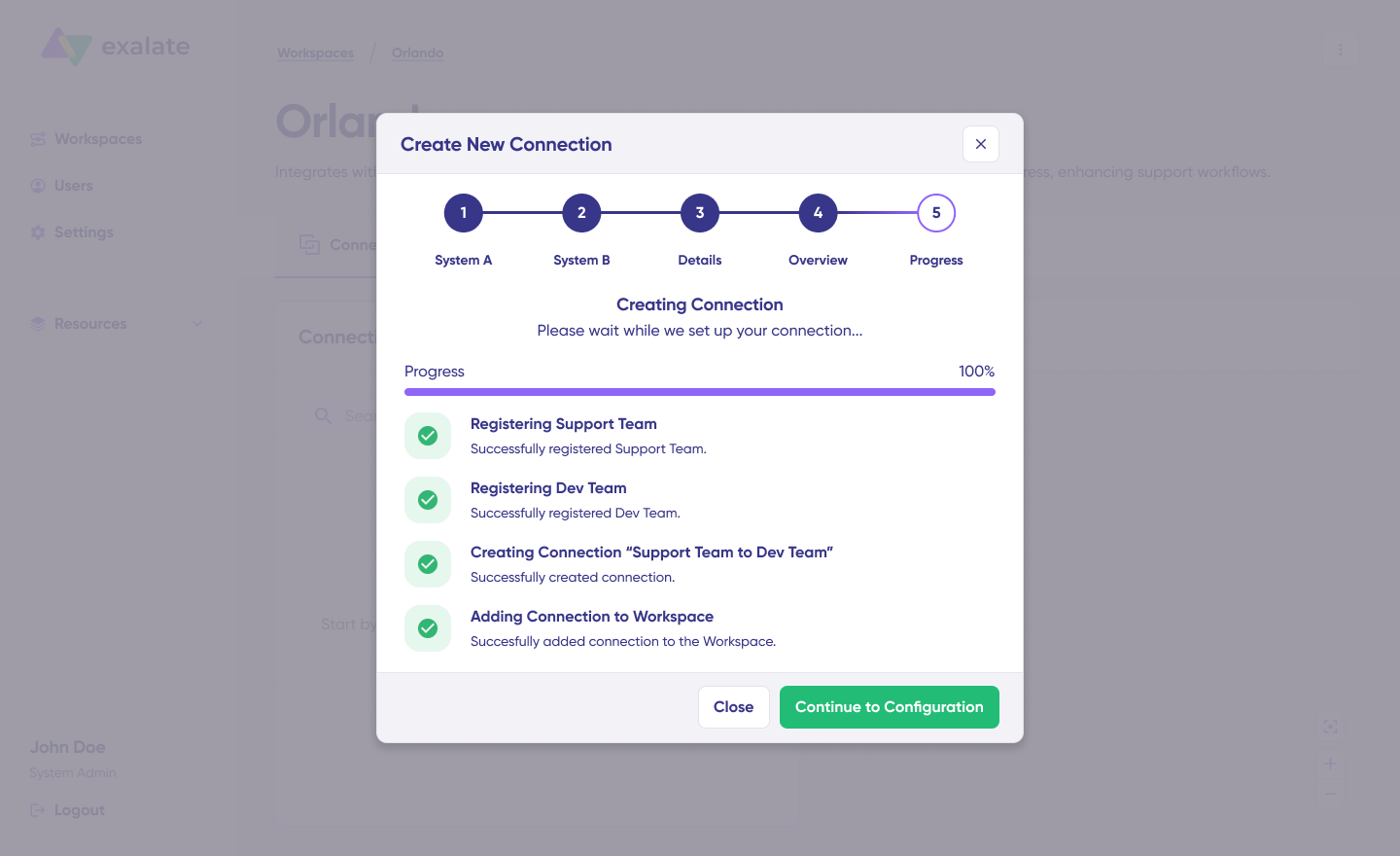
Confirm the Connection Name and add a description if you want. Double-check the connection setup and click “Create Connection“. Give it a few minutes while everything gets configured behind the scenes.
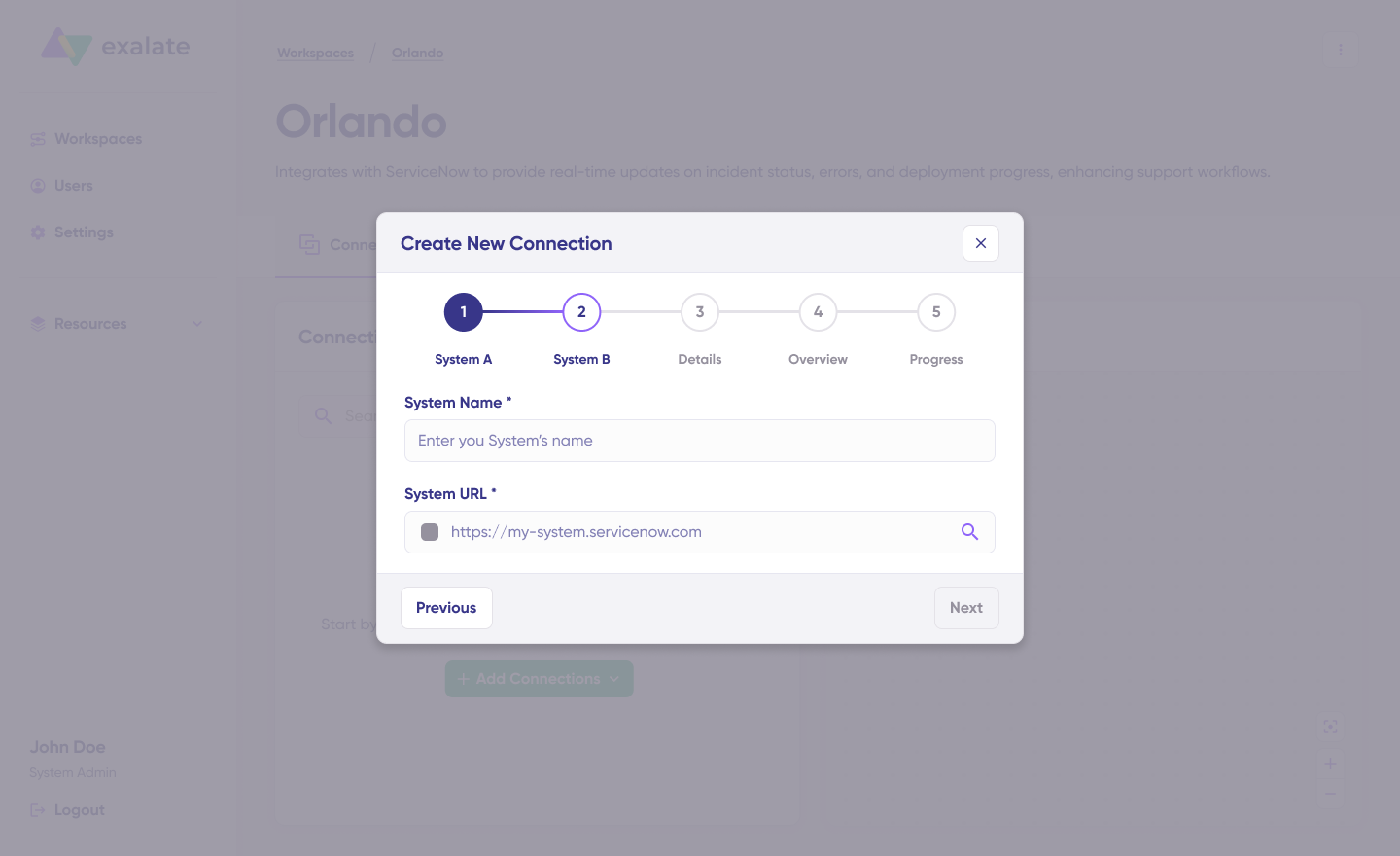
When it’s ready, click “Continue to Configuration“. Done! Your first connection is live in your workspace.
Pick a table you want to sync on both sides from the dropdown menu. Click “Build and Continue“.
You’ve got 2 options here: “Quick sync” and “Edit & Test“. Let’s walk through both.
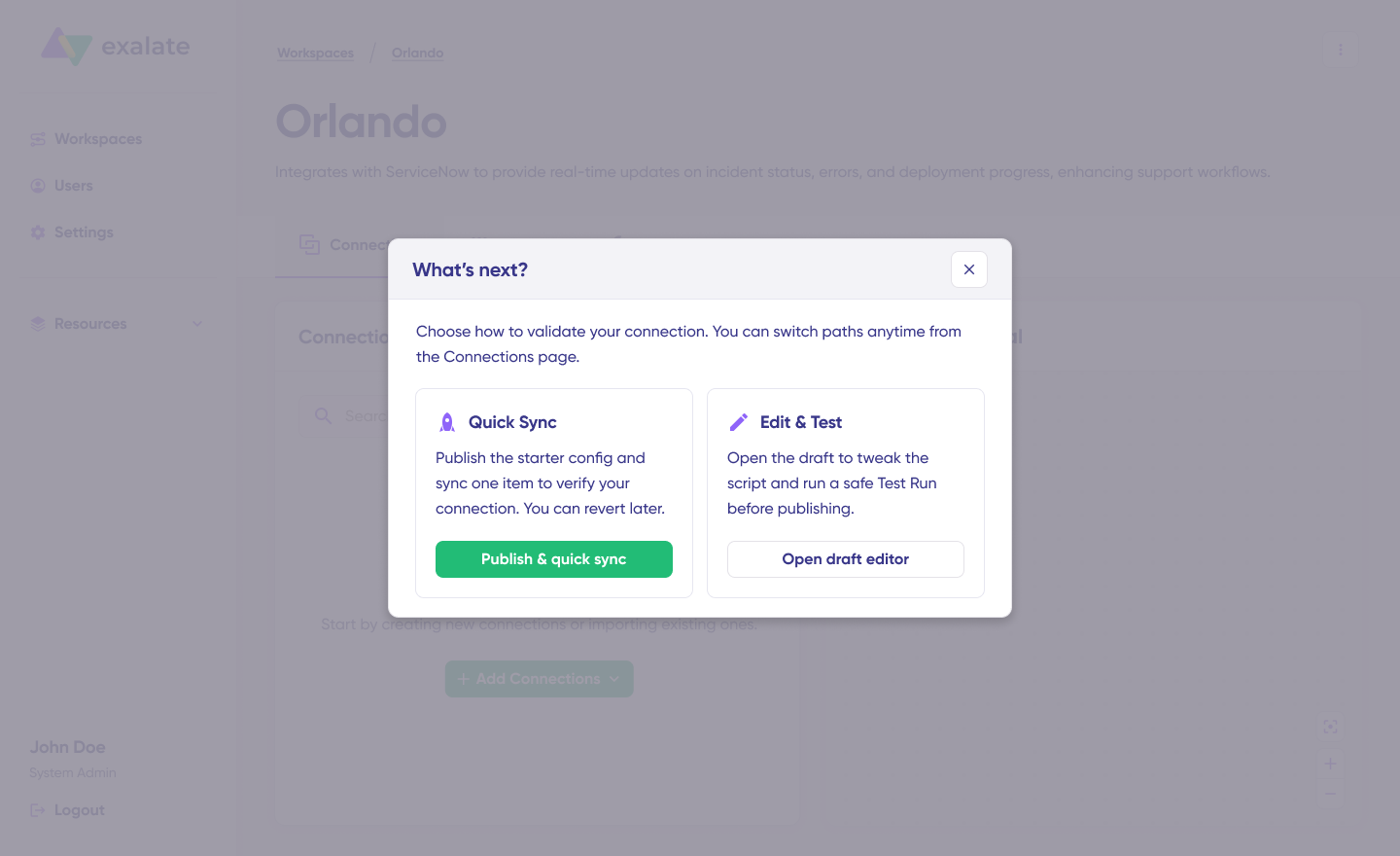
Quick Sync: This lets you sync a single item between ServiceNow instances. Within the “Item sync monitor,” enter a ServiceNow incident number (e.g., INC0010045) or a Jira work item key (e.g., PROJ-123) and click “Sync Now“.
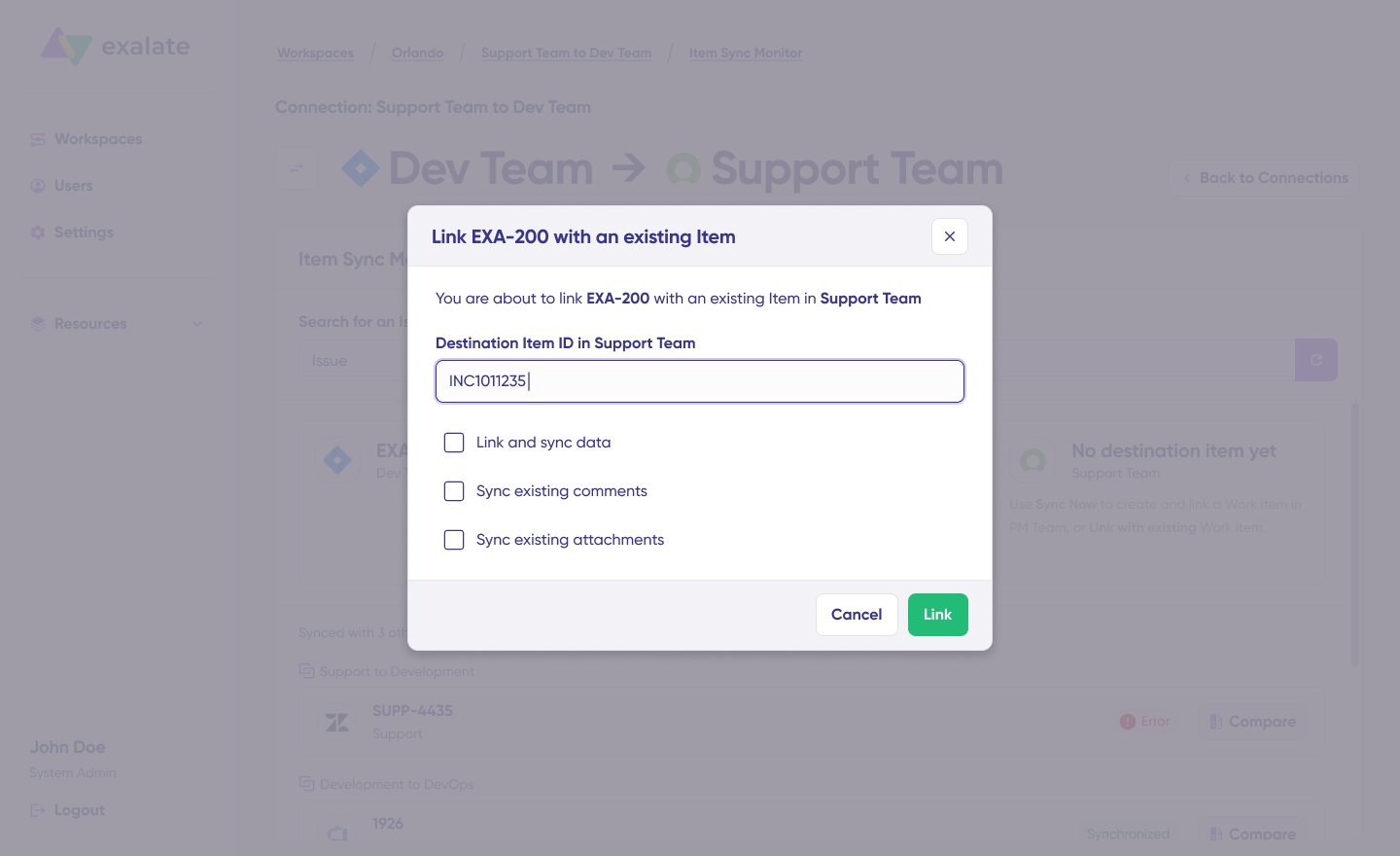
To connect 2 existing items, click “Link with existing“. After the sync finishes, you can check out both synced items in a new window. You can also compare the changes if needed.
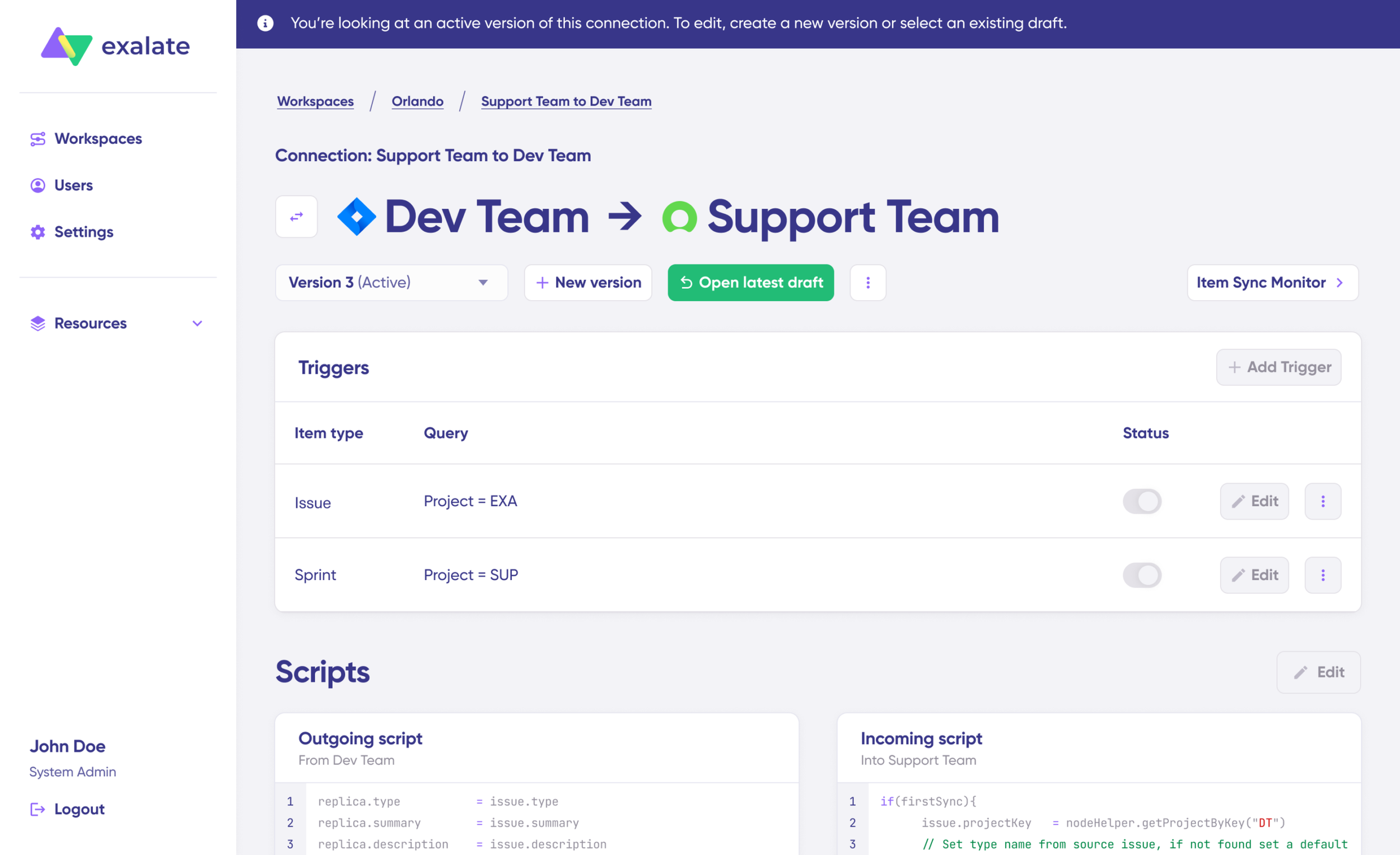
Open draft editor: This lets you make changes when you click “Create a new version” or pick “Open latest draft“. It prevents you from accidentally messing with the live configuration.
Once it’s active, hit the “Edit” button to open the editor and tweak the sync rules (Groovy-based scripts). These scripts let you add custom data logic and mapping for more complex workflows.
Switch the sync direction by clicking the two arrows beside the connection name.
The outgoing script handles values moving from ServiceNow A to ServiceNow B, and the incoming sync defines how values from ServiceNow B get mapped in ServiceNow A.
- Defines which ServiceNow incident fields—such as short_description, description, state, priority, urgency, assignment_group, comments, and attachments—are packaged for transfer.
The Replica is a JSON file that holds the payload with data being shared across both ServiceNow instances. You can modify the sync scripts if you’re comfortable with Groovy. If not, use Aida, our built-in AI assistant.
Use Aida to build sync scripts. Aida appears in both incoming and outgoing script sections, so pick the right side.
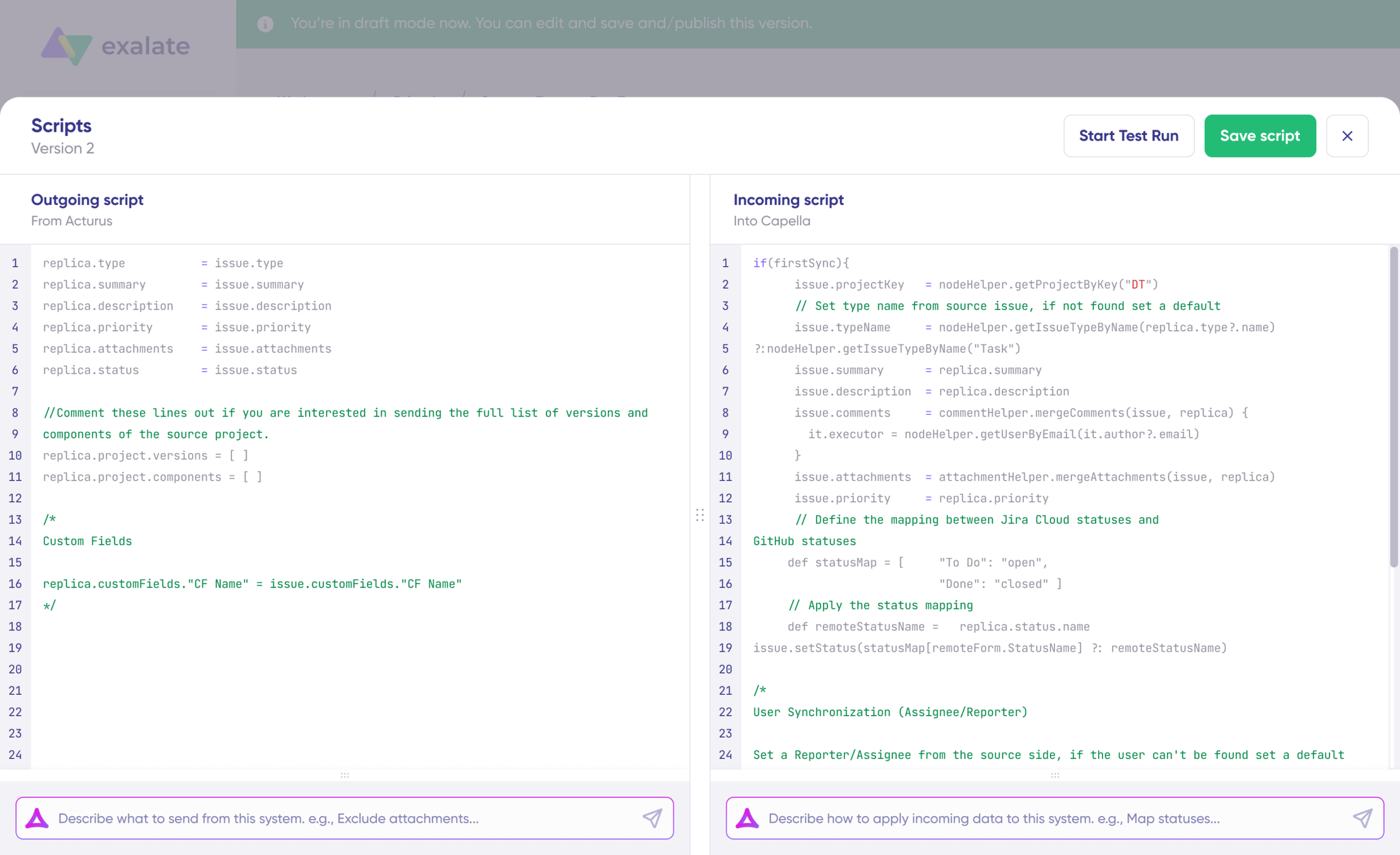
For Outgoing scripts: Explain what data should exit your system. For example, “Only sync priority 1 incidents.“
For Incoming scripts: Explain how incoming data should be handled in your system. For example, “Match state values between instances“.
The scripts are created using Exalate’s scripting API and your current scripts.
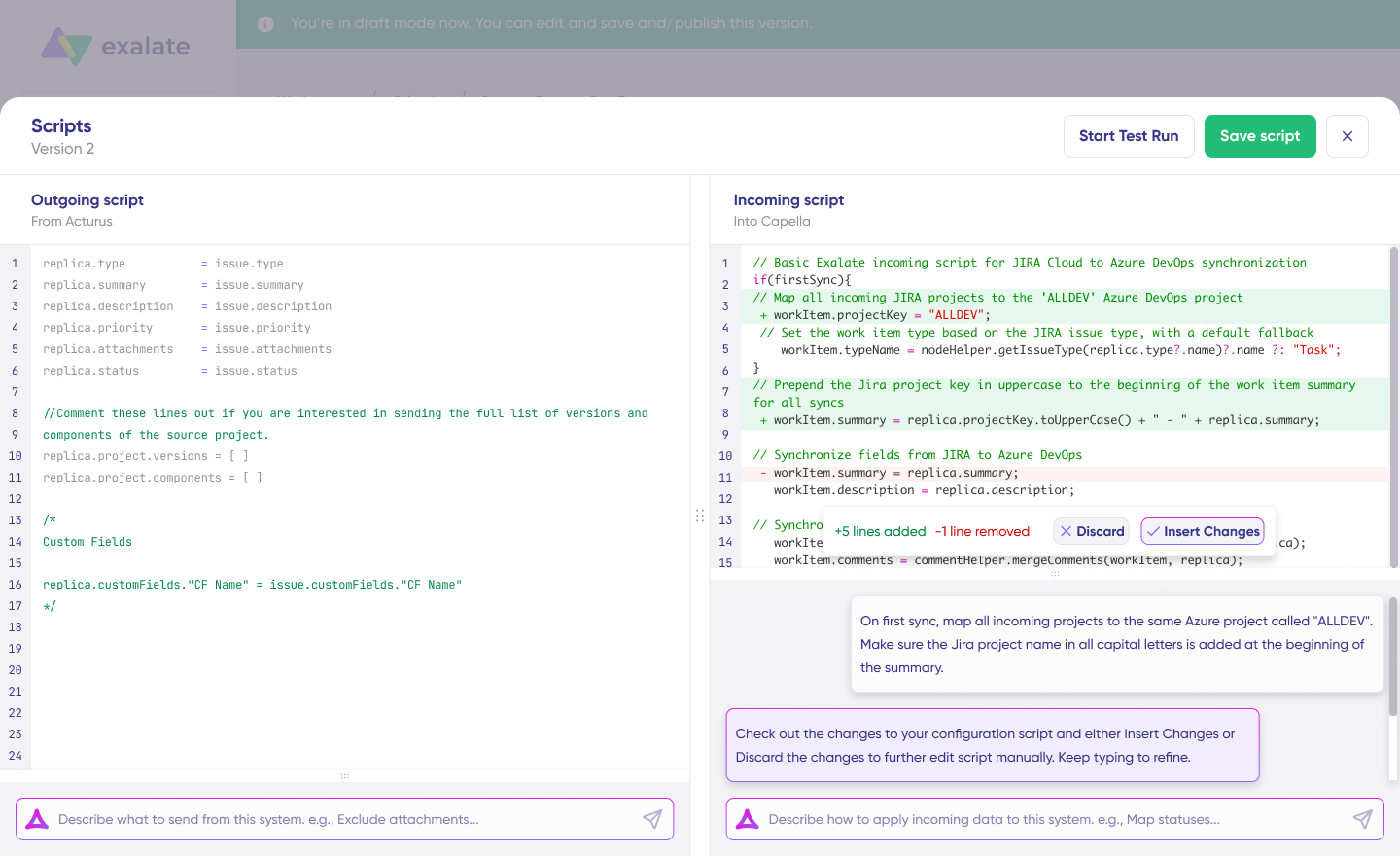
Check the output to confirm the suggested changes. New lines show up in green, while removals appear in red. You can “Insert” or “Discard” the suggestions.
Note: Like any AI tool, make sure to review the generated code before using it.
Once your sync scripts are ready, you can “Save script” or test them with a dry-run before publishing.
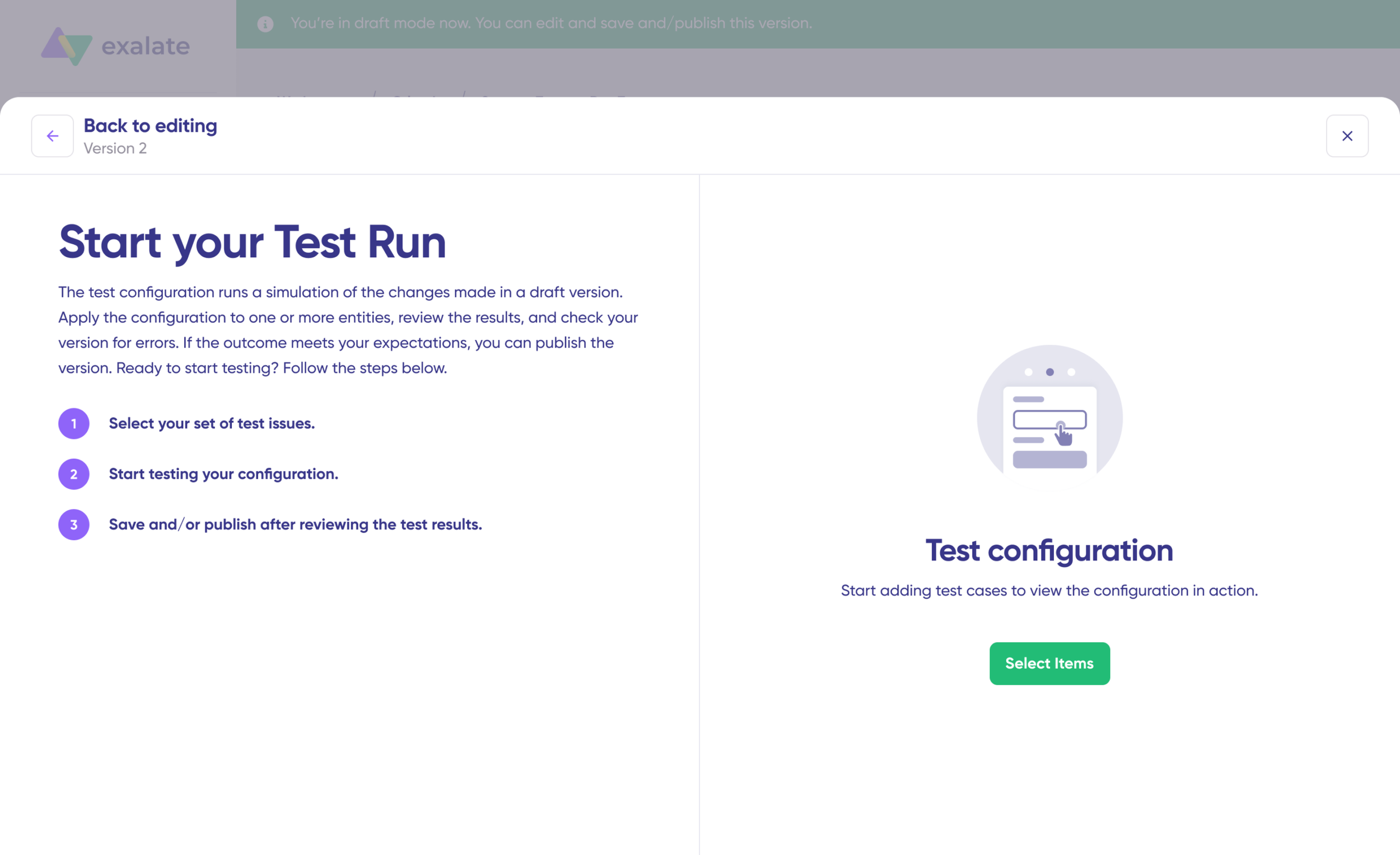
Click “Start Test Run” and “Select items” to sync. You can pick multiple work items. Wait a moment, and you’ll see detailed results of the synced fields and the payload exchanged between both instances. If everything looks right, click “Publish Version“.
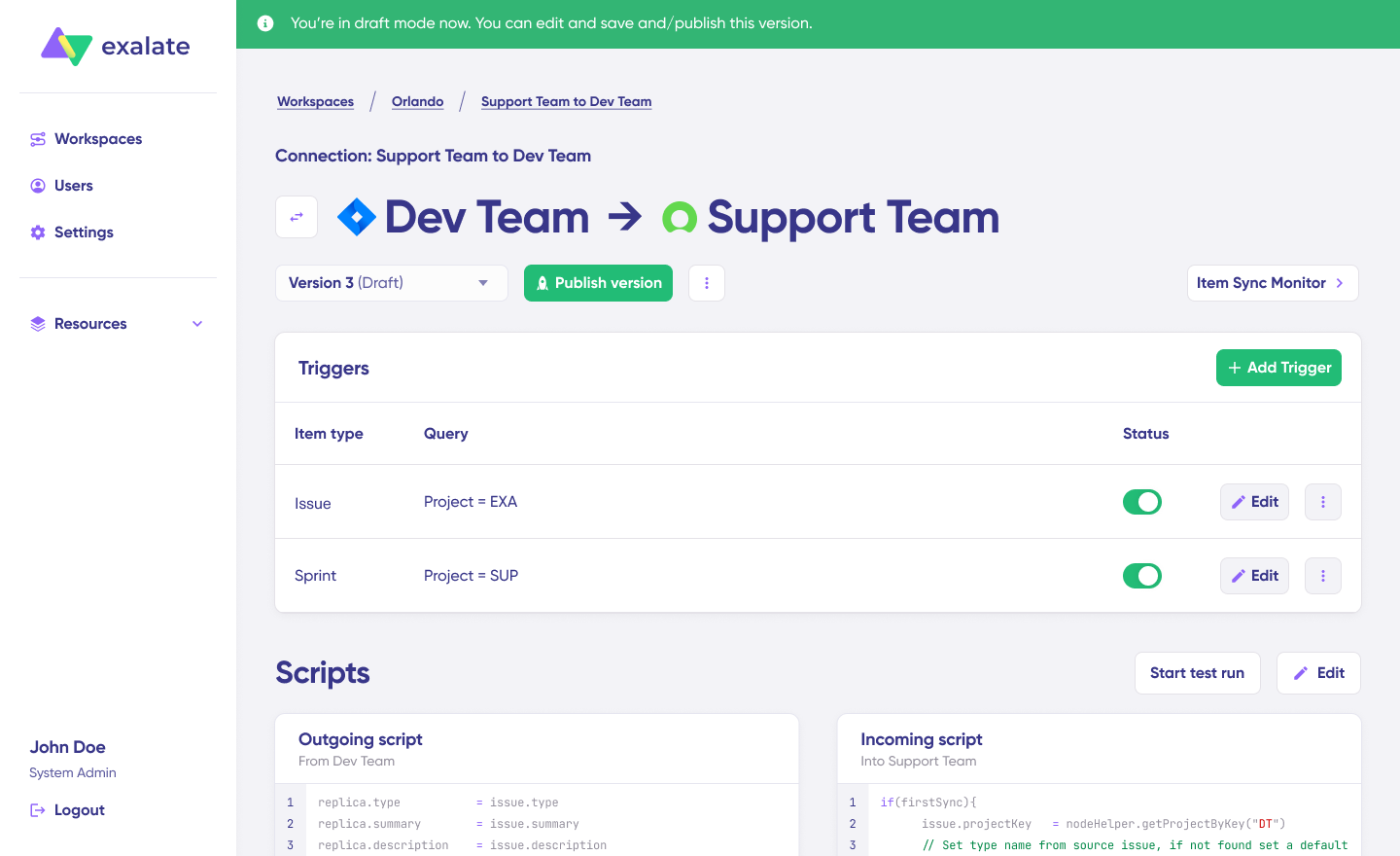
Check all versions from the “Version” dropdown. Versions can be “Active“, in “Draft” (editable), or “Archived“.
Configure triggers to automate your sync. These are conditions or filters applied to specific items. For example, sync all ServiceNow incidents where "priority = 1".
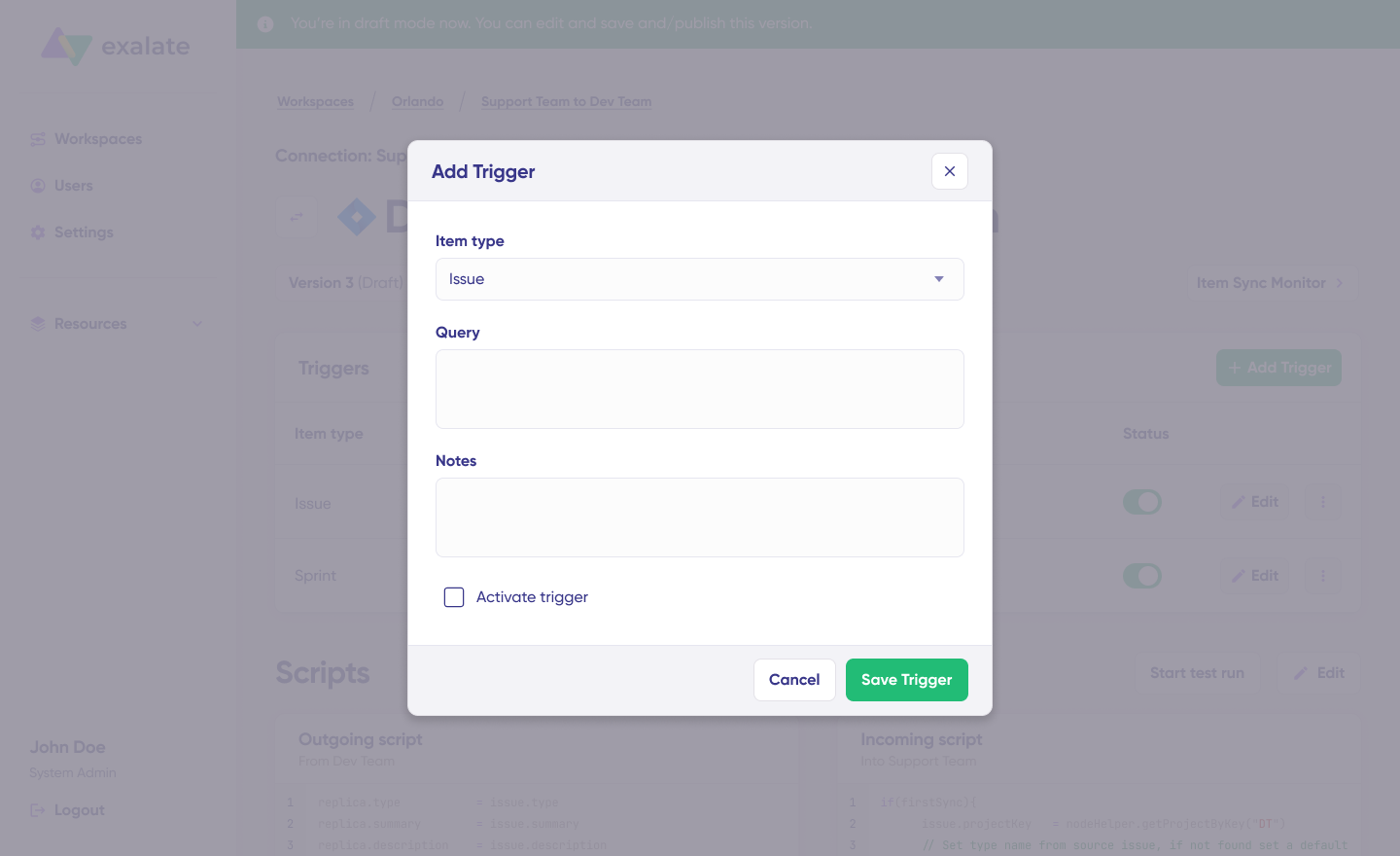
Click the “+ Add trigger” button to create platform-specific triggers.
Pick the entity type (incident, change request, etc.). For ServiceNow, you can use encoded queries to define conditions: “urgency=1” will only sync active incidents with the highest urgency level. Then save the trigger.
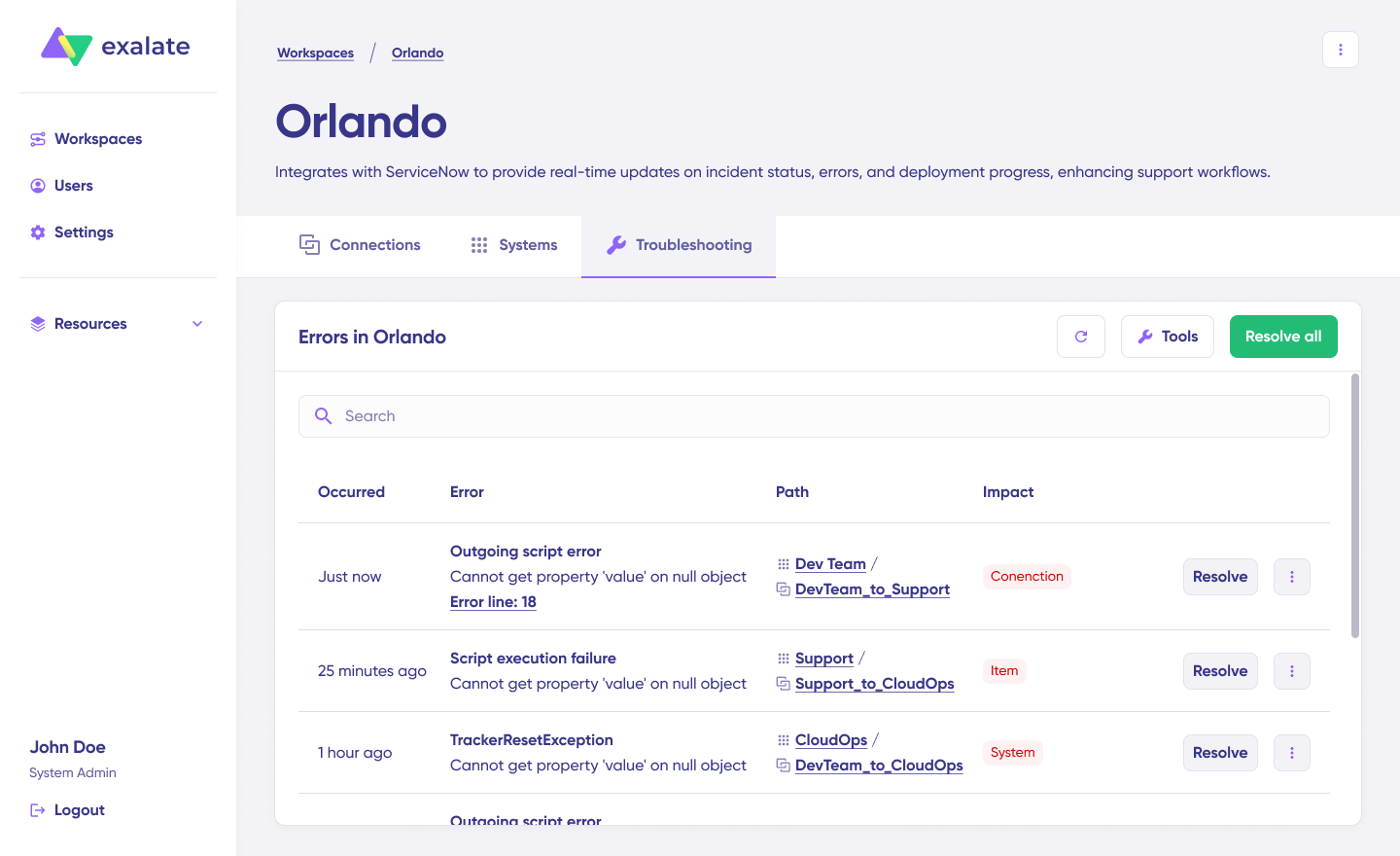
Debug your connection with Aida. If something goes wrong, navigate to the “Troubleshooting” tab in your workspace. Hover over the error you need to fix and click the Aida icon that shows up.
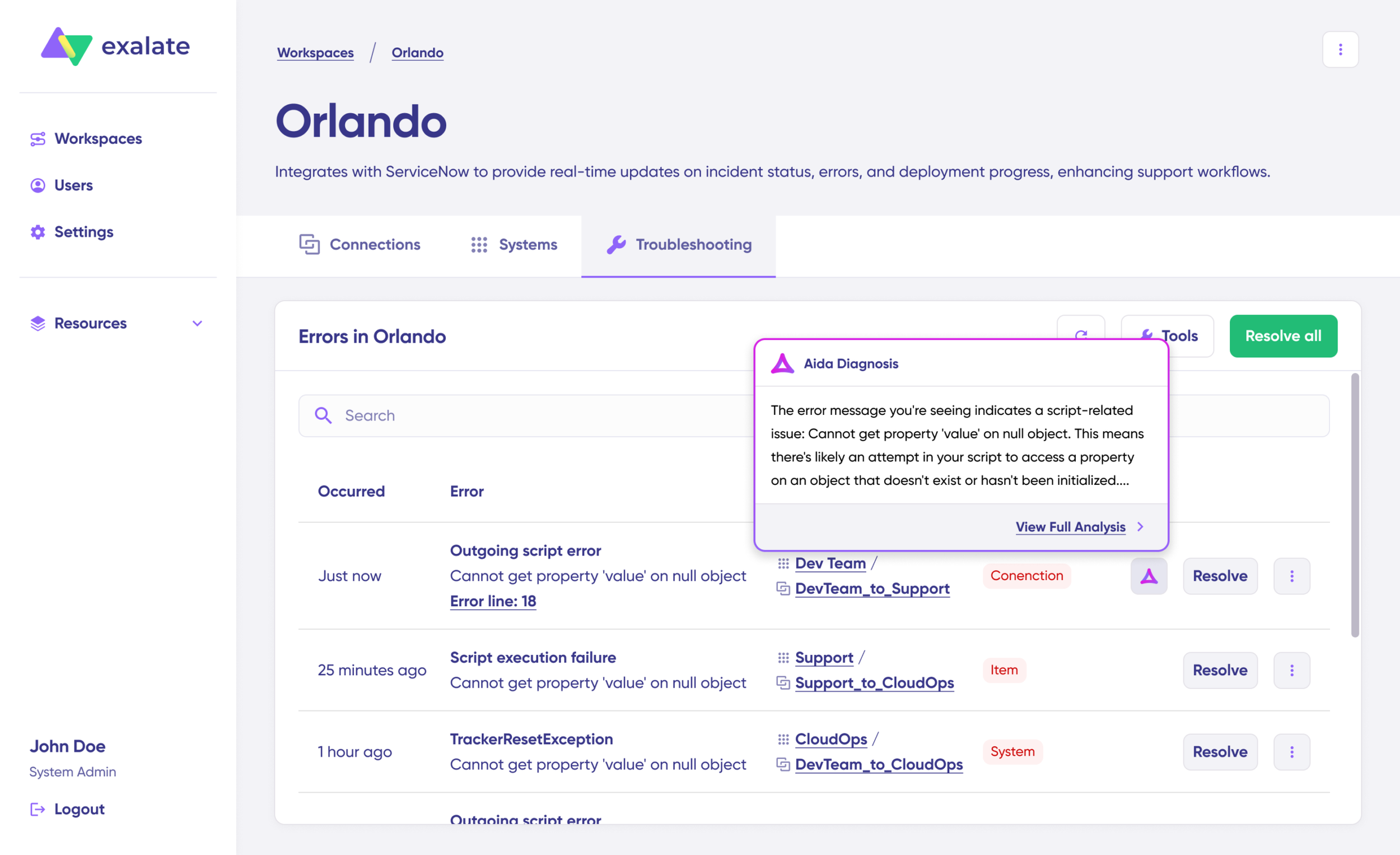
You’ll see all affected systems, connections, and items. Aida will give you a quick breakdown of the error message.
For more details, click Error Details. You’ll see the impact level, stack trace, error type, and when it happened. You can also “View Full Analysis” for additional context.
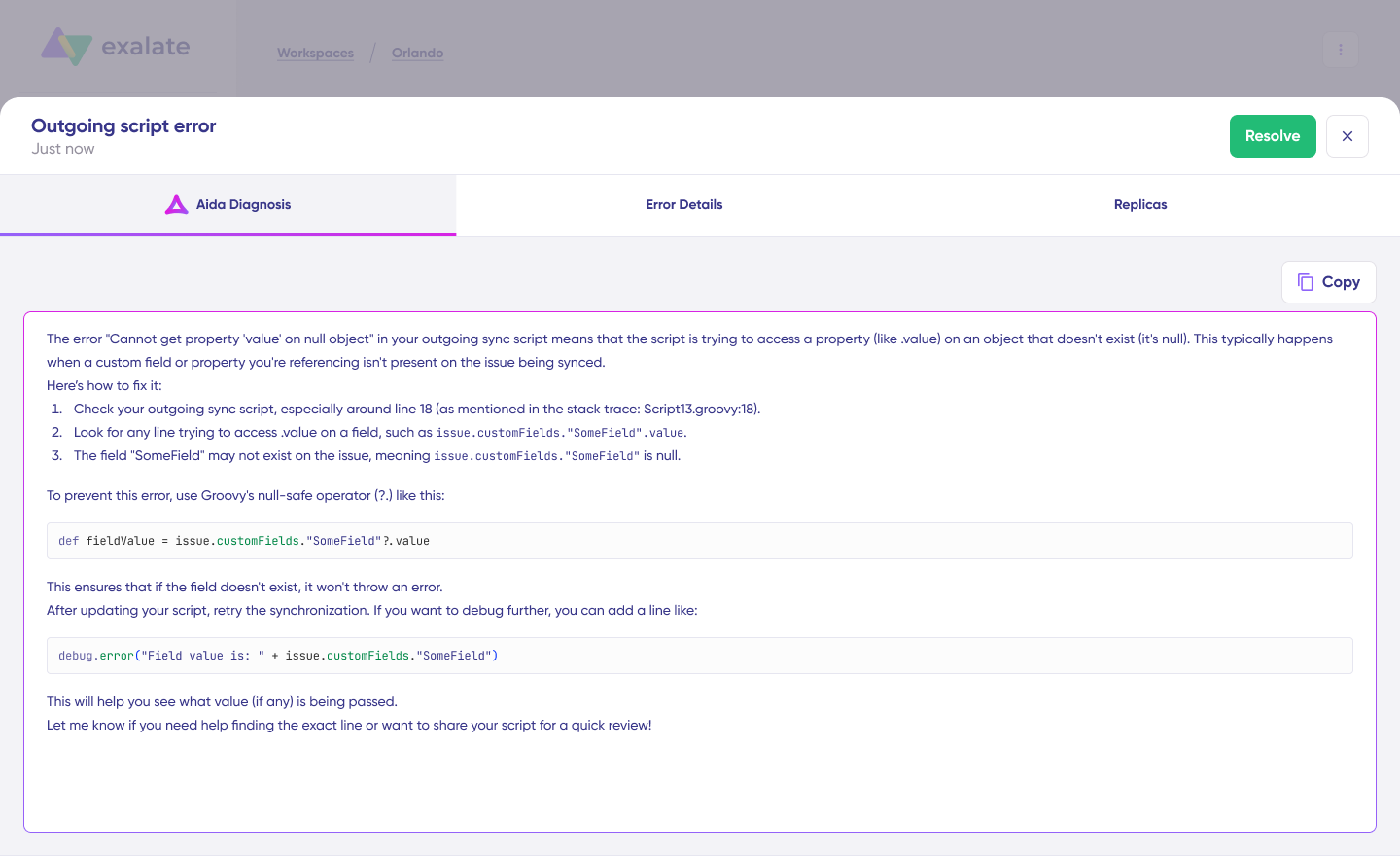
Fix the issue and click “Resolve“.
That’s all there is to it. Your first sync will kick off automatically based on the sync rules and triggers you’ve configured. Happy syncing.
Best Practices for ServiceNow Integrations
These practices apply to all kinds of integrations, not just ServiceNow.
- Set Clear Goals and Requirements: Define what data needs to be exchanged, at what time, what workflows should be automated, how data maps to the destination instance, and what business value the integration brings.
- Involve the Right Stakeholders: Include platform admins, implementation teams, data architects, solution architects, and information security consultants from inception through maintenance.
- Explore Technologies and Options: Research thoroughly. Check how integrations handle your data and GDPR requirements.
- Don’t Rush: Integration is time-consuming, especially the trial and POC phase. Complex integrations take time to set up. Rushing leads to high-maintenance results.
- Match Solutions to Requirements: JDBC works well for one-way integration between a data source and ServiceNow. For two-way integrations between platforms, use web services, MID Server, or third-party tools like Exalate.
- Consider System Location: Determine whether the connecting system is inside your network (requiring a MID server) or across company borders.
- Understand Tool Strengths: Some tools, like IntegrationHub, focus on workflow automation. Other tools like Exalate focus on deeper integrations with advanced requirements.
Know the difference. Compare IntegrationHub and Exalate to make the right decision.
Conclusion
ServiceNow integrations connect your enterprise systems, automate workflows, and eliminate data silos that slow teams down.
Native ServiceNow integration technologies work for basic use cases. But complex scenarios, especially cross-company integrations or those requiring deep customization, benefit from third-party solutions like Exalate.
Exalate delivers full scripting control, AI-assisted configuration through Aida, and enterprise-grade security with ISO 27001 certification. It keeps integrating systems loosely coupled while giving each side independent control over their data.
Frequently Asked Questions
What are ServiceNow integrations?
ServiceNow integrations connect ServiceNow, an ITSM platform, with other applications, databases, or services. These integrations automate workflows and tasks, provide a unified view of information, and improve organizational efficiency by connecting ServiceNow with other critical business systems.
What is REST API integration in ServiceNow?
REST API integration in ServiceNow refers to ServiceNow’s capability to interact with other systems using the REST architectural style. ServiceNow provides a RESTful API for HTTP requests to perform operations on ServiceNow data. However, this method requires significant development effort and is difficult to scale. External integration vendors like Exalate achieve the same results with minimal effort.
How do I integrate ServiceNow with ServiceNow?
You can integrate multiple ServiceNow instances using ServiceNow eBonding spoke for simple requirements. Use third-party integration apps for advanced ServiceNow integrations.
What applications integrate with ServiceNow?
ServiceNow integrates with CRM systems (Salesforce, Microsoft Dynamics), collaboration platforms (Microsoft Teams, Slack), project management platforms like Jira and Asana, development platforms like GitHub and Azure DevOps (including Azure DevOps Server), service desk tools like Zendesk, Freshservice, and Freshdesk, other ServiceNow instances, and many more.
Which tool is best for ServiceNow integrations?
The best tool depends on your requirements. For standard integrations within the ServiceNow ecosystem, IntegrationHub works well. For complex, bidirectional, cross-company integrations requiring deep customization, Exalate is the better choice. Exalate offers full scripting control, AI-assisted configuration with Aida, and enterprise security features including ISO 27001 certification.
What security features should I look for in a ServiceNow integration tool?
Look for ISO 27001 certification, encryption of data both in transit and at rest, role-based access control, OAuth verification, and multi-factor authentication support. The tool should give you full control over what data leaves your instance and how it’s handled.
What’s the difference between IntegrationHub and Exalate?
IntegrationHub is ServiceNow’s native integration platform with pre-built spokes for common applications. It’s tightly coupled to ServiceNow and requires a separate subscription. Exalate is a third-party solution offering deeper customization through scripting, AI-assisted configuration, and support for cross-company integrations where each side maintains independent control. See a detailed IntegrationHub vs. Exalate comparison.
How do ServiceNow integrations handle Jira work items?
When integrating ServiceNow with Jira, you sync ServiceNow entities (incidents, problems, change requests) with Jira work items. The integration maps fields between systems; for example, ServiceNow incident priority to Jira work item priority. Status updates, comments, and attachments can sync bidirectionally based on your configuration.
Can I control what data my integration shares?
With tools like Exalate, you have full scripting control over your sync side. You independently choose what information to send and receive. This is critical for cross-company integrations where you need to protect sensitive internal data while still enabling collaboration.
What is an AI-assisted integration configuration?
AI-assisted configuration, like Exalate’s Aida, lets you describe your sync requirements in plain language. The AI generates the necessary sync scripts based on your input, current configurations, and the scripting API. You can accept, reject, or refine the generated scripts before publishing.
Recommended Reads:
- ServiceNow to ServiceNow Integration: The Step-by-Step Guide to Setting up a Two-Way Sync
- Jira ServiceNow Integration: How to Set up an Integration in 6 Steps
- Salesforce Integrations: Integrate Salesforce and other Tools
- Jira Integrations: Integrate Jira and Other Systems Bidirectionally
- How to Set up a Salesforce ServiceNow Integration (Step-by-Step Guide)