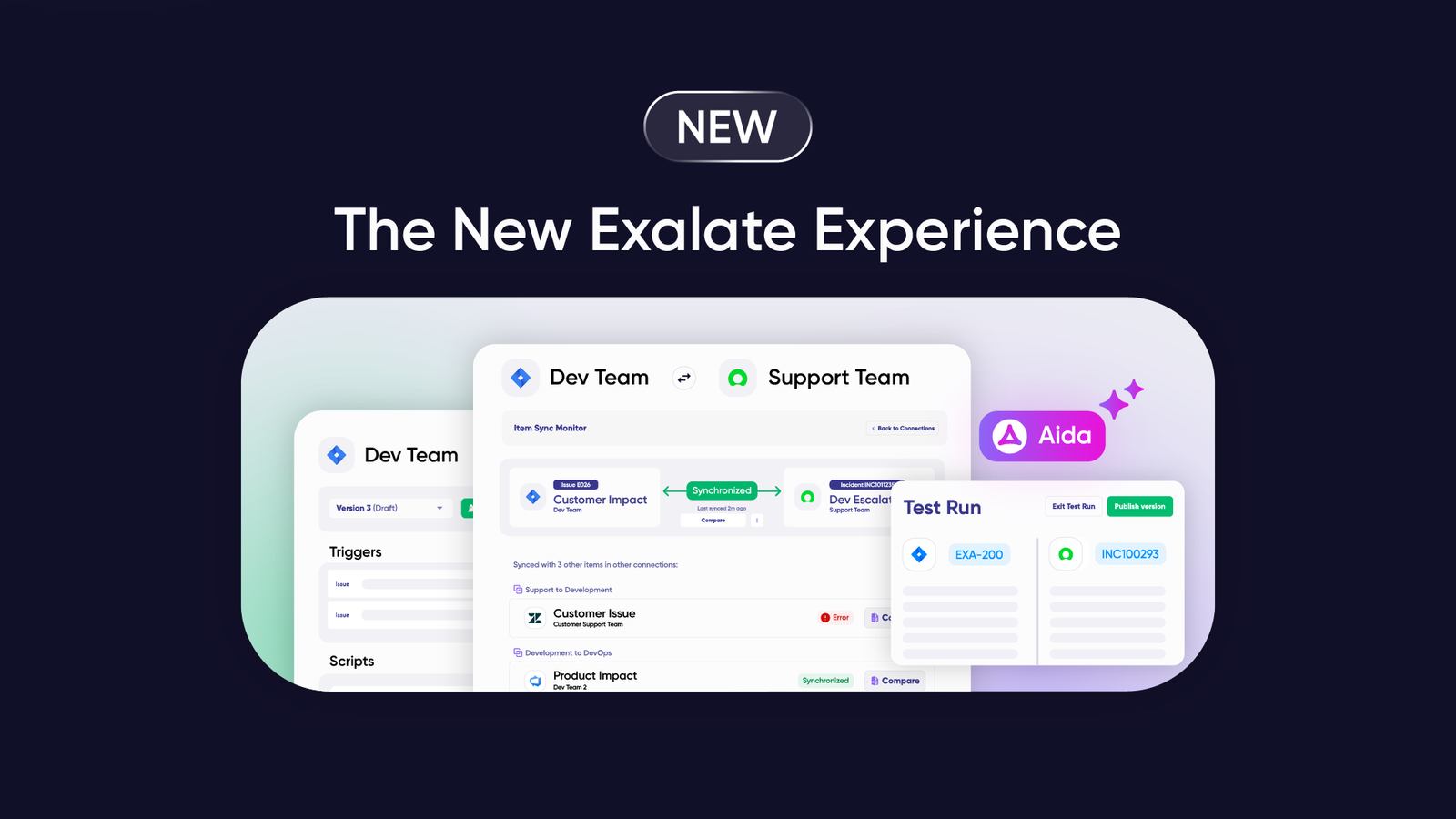

When your organization runs multiple Jira instances that need to share information, you have to implement Jira work sync using native or third-party solutions.
Syncing Jira work between projects and instances enables managers and stakeholders to consolidate data for better tracking, smoother workflow orchestration, and accurate analysis.
But before starting Jira work synchronization within your company, you need to understand the benefits and challenges of this procedure. Continue reading to discover the best practices and solutions for syncing Jira work items.
Note: Jira now refers to issues as work items. Throughout this guide, we use “work items” to align with current Jira terminology.
Key Takeaways
- Jira work sync connects work items, fields, and custom data between Jira instances or between Jira and external platforms like ServiceNow, Azure DevOps, Salesforce, and Zendesk for real-time collaboration.
- Syncing work items improves cross-team collaboration, reduces manual data entry, breaks down information silos, and gives stakeholders immediate access to the data they need for decision-making.
- Common use cases include internal development-to-support workflows, cross-company collaborations with vendors and MSPs, and multi-platform orchestration across tools like Jira, ServiceNow, Salesforce, and Azure DevOps.
- Exalate enables bidirectional sync with full script and operational control, Aida (AI-assisted configuration), and enterprise-grade security for complex integration scenarios.

What Does a Jira Work Sync Entail?
Jira work sync involves connecting entities and fields on one work item with the entities on another Jira instance. Supported entities include descriptions, summaries, comments, attachments, assignees, priority, statuses, custom fields, and much more.
Here is how it works:
Team A receives a ticket on their Jira Service Management dashboard and maps some of its default and custom fields within a Task in Team B’s Jira Software instance.
If the mappings and scripts are correct, the entities can interact with each other and share information without both teams leaving their individual instances.
So the descriptions, summaries, and values in the custom fields will be transferred to the corresponding fields on the other side.
In most cases, the mappings contain rules that determine what should be shared or kept private on either side of the connection. You can also automate this process with JQL triggers.
You can also implement Jira work sync with other non-Atlassian platforms. For instance, you can sync Jira work items with Zendesk tickets, ServiceNow incidents, Azure DevOps work items, Freshservice tickets, Freshdesk tickets, Salesforce cases, or Asana tasks.
To get both platforms to interact, you need to write rules and scripts to control how the API sends and receives requests between both endpoints. If your team can’t handle the scripting, consider using no-code third-party solutions or AI-assisted configuration tools to sync Jira work items.
What are the Benefits of Jira Work Sync?
Here are the advantages of Jira work sync for organizations in different industries.
Improve Collaborations
Organizations in healthcare, manufacturing, software development, banking, e-commerce, real estate, and several other industries can sync their Jira work items internally between teams and divisions as well as externally with vendors, MSPs, and clients.
Internal teams working with multiple Jira instances can sync Jira tasks, epics, and bugs bidirectionally. When the service team logs a bug, it appears as a task on the development team’s Jira instance.
Externally, organizations can implement Jira work sync for mergers, acquisitions, and other forms of cross-company collaborations.
Save Time and Money
When your organization adopts solutions for Jira work sync, it can reduce the time spent on manual data transfers. Managers won’t need to navigate the clogged-up waters of requesting business data. Instead, the information exchange occurs in real-time or in automated batches.
In addition, automated integration tools allow users to implement triggers that establish the conditions that should trigger an exchange event.
And how does this save you money?
For starters, unifying data from Jira work automatically means you get to spend less on data consolidation and migration. Customer success officials can sync work items with QA specialists under the same Atlassian plan.

Calculate time and money savings from automated bidirectional sync.
Enhance Workflows
Syncing Jira work through endpoints removes bottlenecks from cross-team and cross-company collaborations.
With significant differences in procedures and data cultures, integrating work items will enable both sides to reduce manual tasks, avoid data duplication, and optimize internal processes.
Provides Access to More Data
Jira work synchronization gives stakeholders and authorized personnel access to the data needed for their operations and decision-making processes.
With a clear pathway for information exchange, syncing work items on Jira can break down information silos between departments, partners, and divisions.
Improves User Experience and Autonomy
Integrating Jira work items makes life easier for both end users (customers, clients, etc.) and employees.
End users can get their problems addressed faster because all involved teams are marching towards a solution in lockstep. This slashes the resolution time and increases customer satisfaction.
Also, team members with perfectly synced Jira work items enjoy a better working experience due to timely access to data, fewer manual processes, and a collaborative working environment.
And the cherry? Teams, especially those in different organizations, can maintain their autonomy by managing access controls. Each side retains full script and operational control over their sync configuration.
Protects Sensitive Data
Whether unidirectional or bidirectional, integrating Jira work items can protect sensitive data with proper field mapping and privatization. This involves the use of TLS, HTTPS, and other integration security protocols to protect data in transit.
Enterprise-grade solutions like Exalate offer ISO 27001 certification, role-based access control, and encryption of data both in transit and at rest. For comprehensive security documentation and compliance certifications, visit the Exalate Trust Center.
Besides, you don’t need to worry about compliance when syncing data across organizations. Most third-party solutions handle all compliance and regulatory concerns as part of the product offering.
Potential Challenges When Implementing Jira Work Sync
Here are some technical and administrative moles you must whack when implementing Jira instance sync:
- Sync failures: Network work items or user error can cause synchronization to fail, requiring monitoring and retry mechanisms.
- API rate limits: API usage limits could restrict the synchronization solution, especially for high-volume data transfers.
- API changes: Changes to the API could push the synchronization to failure if your integration doesn’t adapt.
- Plugin dependencies: Untangling the web of plugins and dependencies could take forever in complex Jira environments.
- Mapping errors: You could map the wrong entities (wrong field name or incorrect entity), causing data to land in unexpected places.
- Bureaucratic delays: Creating a plan for integration could take time in massive bureaucracies with multiple stakeholders.
- Queue bottlenecks: Work items could get stuck in the queue during important migration scenarios.
- Cost and complexity: The synchronization tool could be too complex and expensive for your organization.
- Expertise gaps: Your in-house team might lack the expertise to set up and manage the Jira work sync.
Best Practices For Syncing Jira Work
Here are the best practices for a successful Jira instance integration:
- Analyze the internal information architecture: Before syncing any work items, you need to discuss the scope with all stakeholders in order to understand the overarching project, team member roles, and dependencies. This will help you understand the entities that should be mapped and those that should stay private on your instance.
- Set up a plan: You need to develop a synchronization strategy based on your analysis. This involves finding out how to map the most important entities and work types without disrupting the flow and losing vital information.
- Choose the right sync tool: You can build or buy Jira sync tools, depending on your budget, the project’s urgency, and your team’s capability. If you need a Jira to Jira integration solution that supports both custom and default mappings with AI-assisted configuration, choose Exalate.
- Test all endpoint mappings: Use testing tools (or even trial and error) to confirm that the field and entity mappings are correct. Start with non-essentials before extending the rules to sensitive data fields.
- Maintain and optimize: Monitor the performance of the solution to see if the data is still correct. You also need to check sync queues in order to unclog and troubleshoot failed transfers.
How to Implement Jira Work Sync With Exalate
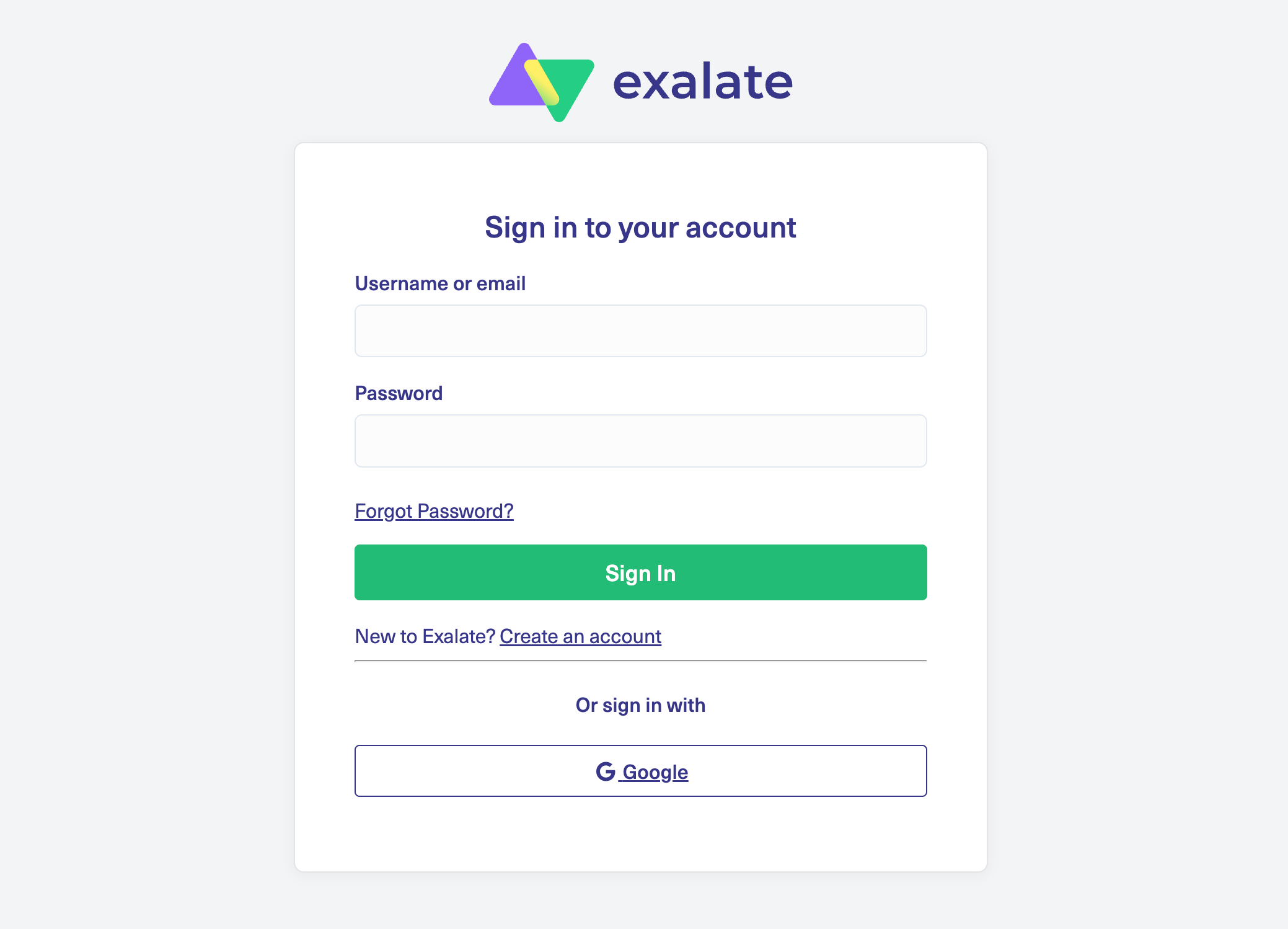
- Go to the integrations page and find your Jira connector. Sign in to your Exalate console using your personal credentials. Google sign-in is also available.
- Establish a connection between Jira instances. Give them a descriptive name and pass the authentication process.
- Configure the connection. Use Exalate’s Groovy scripting engine to write rules that will control and define how both Jira instances will interact and share data.
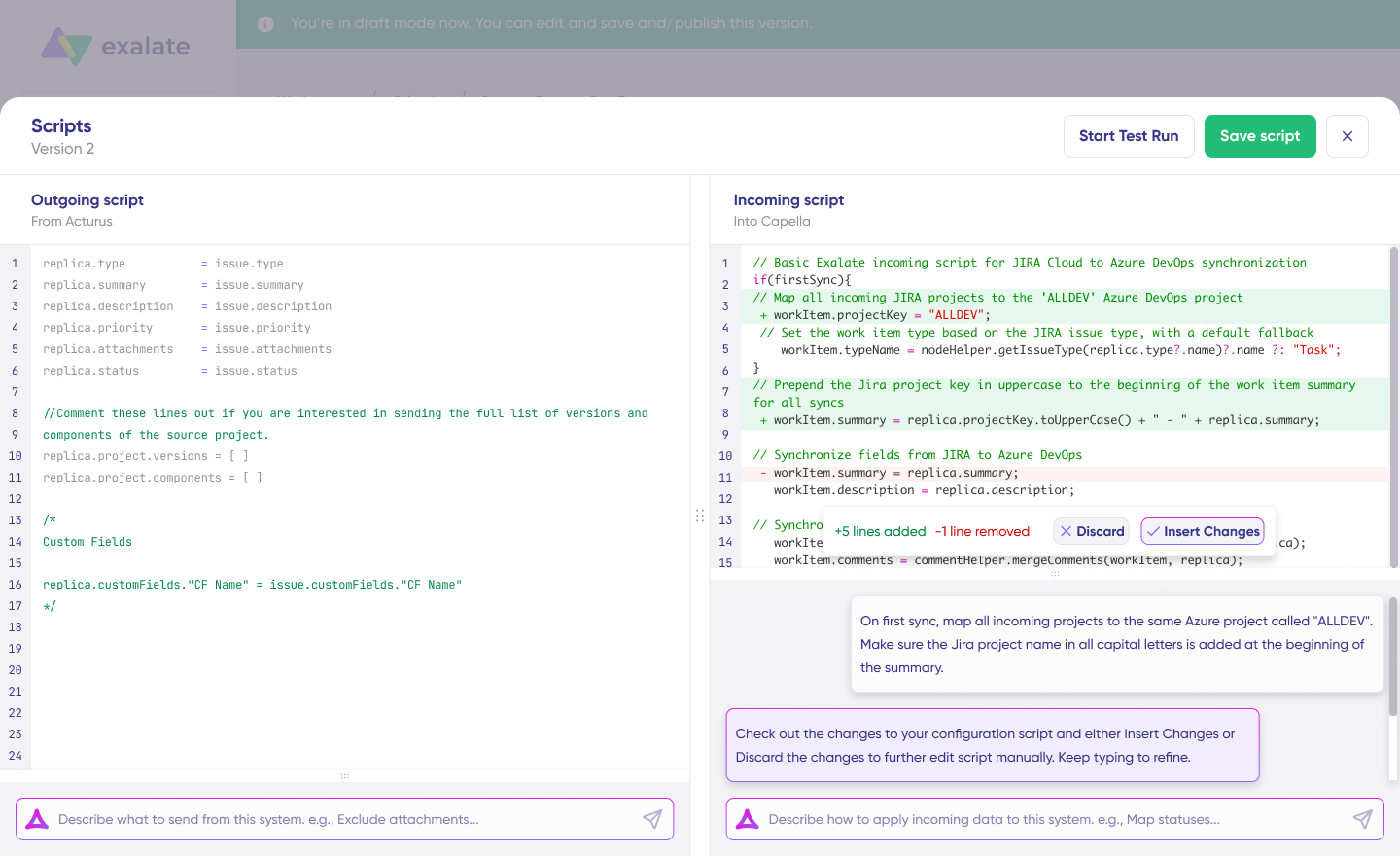
- Generate scripts using Aida. Get the best out of Exalate’s scripting engine by using the AI-powered assistant to generate scripts according to user input and text-based prompts.
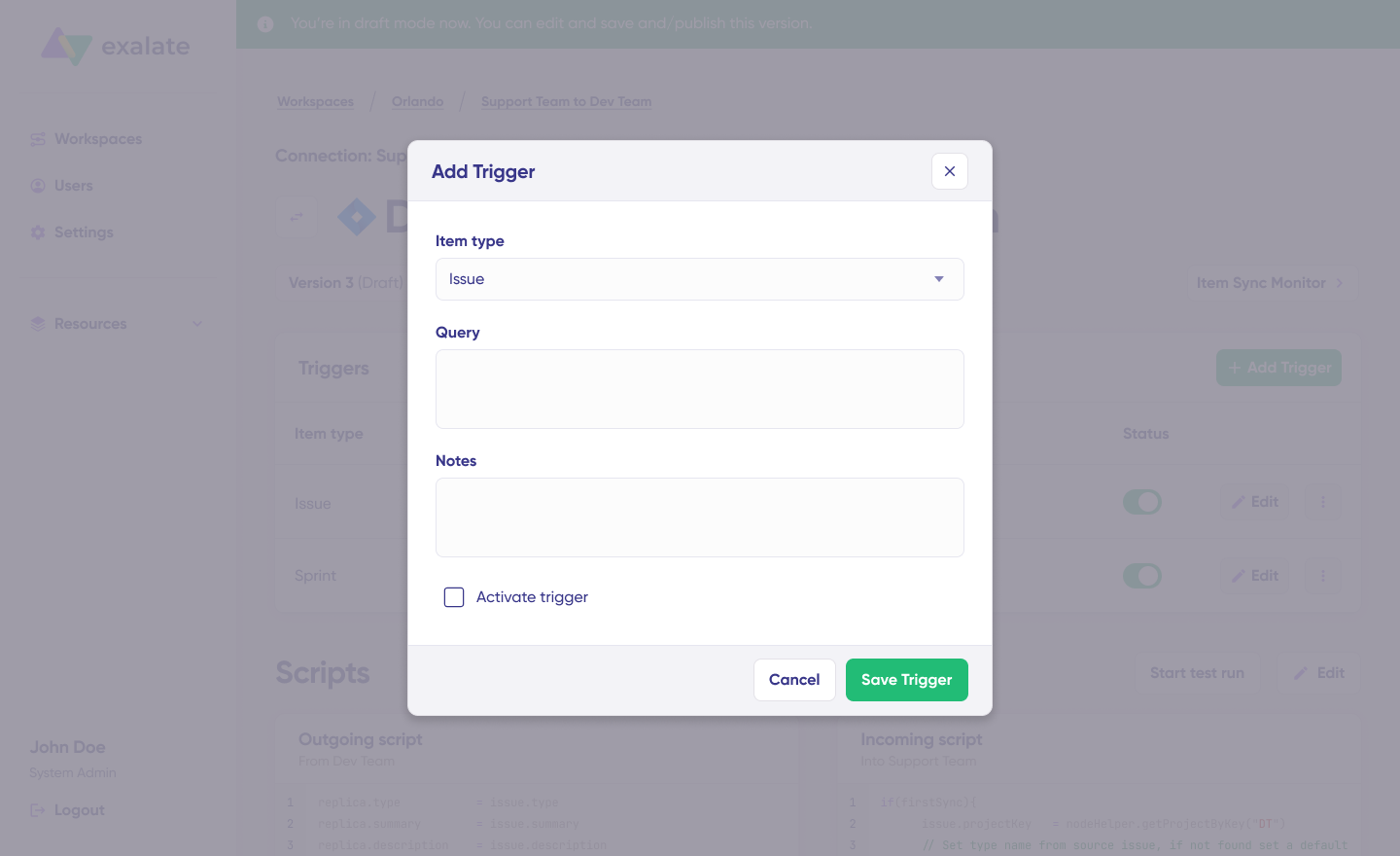
- Set up triggers. Create automated triggers using JQL to determine how the Jira instances will handle the integration rules.
- Start syncing your tasks. You can initiate multiple Jira syncs directly from the Exalate console or from the Exalate panel within the Jira work.
For a detailed breakdown of every step of integrating multiple Jira instances, read this comprehensive guide.
Jira Work Sync Use Cases
Here are practical scenarios for syncing Jira work items, broken down by challenge, solution, and real-world application.
Use Case 1: Development and Support Alignment
Challenge: Development teams working in Jira Software and support teams using Jira Service Management operate in separate instances. When customers report bugs, support agents create tickets, but have no visibility into development progress. Developers don’t see the customer impact or urgency behind their assigned tasks.
Solution: Bidirectional sync between Jira Service Management and Jira Software instances. When support logs a bug, it automatically appears as a task on the development team’s board with customer context intact. Status updates, comments, and resolution details flow back to support in real-time.
Real-World Application: A SaaS company reduced its average bug resolution time by 40% after implementing this sync. Support agents could give customers accurate ETAs without chasing developers, and developers prioritized work based on actual customer impact data visible in their instance.
Use Case 2: Cross-Company Collaboration with MSPs and Vendors
Challenge: Organizations working with managed service providers (MSPs) or external vendors need to share ticket information without granting direct access to internal systems. Manual updates through email or portals create delays and data inconsistencies.
Solution: Secure bidirectional sync where each organization maintains its own Jira instance with independent control. Work items sync automatically while each side controls what data is shared and what stays private. No credential sharing required—each organization authenticates to its own systems only.
Real-World Application: Quorum Cyber implemented deep ticket integration with their clients, making default fields and statuses appear on the remote side as comments without affecting the status on the client’s instance. This preserved client autonomy while giving Quorum Cyber the visibility needed for effective managed security services.
Use Case 3: Mergers, Acquisitions, and Organizational Restructuring
Challenge: When companies merge or acquire other businesses, they often inherit multiple Jira instances with different configurations, workflows, and data structures. Consolidating these systems takes months, but teams need to collaborate immediately.
Solution: Sync work items across instances during the transition period without requiring immediate data migration. Teams continue working in their familiar environments while leadership gains a unified view of projects across the combined organization.
Real-World Application: Vodafone used Exalate to sync the entire contents of work items (attachments, descriptions, custom fields, etc.) between organizations using Jira while maintaining both sides’ autonomy during complex organizational changes.
Use Case 4: Multi-Platform DevOps Orchestration
Challenge: Development teams use Jira, but the organization also relies on Azure DevOps for certain projects, ServiceNow for IT operations, and GitHub for code management. Information silos form when teams can’t see related work across platforms.
Solution: Create a connected ecosystem where Jira work items sync with Azure DevOps work items, ServiceNow incidents, and GitHub issues. When a developer closes a Jira work item, the related Azure DevOps task updates automatically, triggering downstream workflows.
Real-World Application: Enterprise organizations sync issue hierarchy between Jira and Azure DevOps, ensuring epics, features, and user stories maintain their relationships across platforms. This provides end-to-end traceability from business requirements through development and deployment.
Use Case 5: Epic and Hierarchy Synchronization
Challenge: Organizations managing complex projects need to maintain relationships between epics, stories, and subtasks across Jira instances. Breaking these hierarchies during sync fragments project visibility and planning.
Solution: Sync Epics with their child work items while preserving the hierarchy structure. When a story is moved under a different epic on one instance, the relationship updates on the synced instance as well.
Real-World Application: Gantner established frictionless collaboration frameworks with clients and MSPs by syncing story points fields and maintaining epic relationships across organizational boundaries.
Features to Consider When Choosing a Jira Integration Tool
Selecting the right integration tool requires evaluating several critical factors. Here’s what to prioritize:
Flexibility and Customization
Not all integration scenarios fit a template. Look for tools that offer scripting capabilities (like Groovy-based scripting) for complex field mappings, conditional logic, and custom transformations. The ability to control exactly what data flows and how it transforms is essential for enterprise scenarios.
Exalate’s scripting engine supports advanced customization through Groovy, allowing you to handle complex work sync cases like syncing Issue Types and Select Lists or integrating data from dropdown lists and work item types between Jira instances.
AI-Assisted Configuration
Modern integration tools leverage AI to simplify setup and troubleshooting. Exalate’s Aida (AI-assisted configuration) allows you to generate scripts for complex integration use cases by entering a detailed prompt describing the integration scenario. This speeds up the creation and configuration of syncs, especially for teams without extensive scripting experience.
Aida also helps troubleshoot errors by analyzing sync failures and suggesting fixes directly within the workspace.
Security and Compliance
Enterprise integration demands enterprise security. Prioritize tools with:
- ISO 27001 certification for information security management
- Role-based access control (RBAC) to limit who can configure and manage integrations
- Encryption of data both in transit and at rest to protect sensitive information
- No credential sharing between organizations for cross-company integrations
- Independent configuration control where each side manages its own sync rules
Exalate maintains ISO certification and undergoes regular third-party security audits. For comprehensive security documentation and compliance certifications, visit the Exalate Trust Center.
Multi-Platform Support
Your integration needs may extend beyond Jira-to-Jira sync. Consider tools that support connections with:
- ITSM platforms: ServiceNow, Freshservice, Freshdesk
- Project management: Asana, Azure DevOps (including Azure DevOps Server)
- CRM systems: Salesforce
- Support platforms: Zendesk
- Developer tools: GitHub
Exalate supports integrations between Jira and multiple platforms, including ServiceNow, Azure DevOps, Salesforce, Zendesk, GitHub, Freshdesk, Freshservice, and Asana.
Real-Time vs. Batch Synchronization
Understand your latency requirements. Real-time synchronization keeps both sides immediately in sync but may hit API rate limits under high volume. Batch synchronization processes changes at intervals, which can handle larger volumes but introduces delays.
Most enterprise tools like Exalate provide real-time synchronization that typically happens within seconds of a change being made. The sync is automatic and runs in the background, so users don’t experience delays in their daily work.
Operational Control and Autonomy
For cross-company integrations, each organization needs to maintain control over its side of the sync. Look for tools that provide:
- Full script and operational control over your sync side
- Independent configuration where changes on one side don’t require approval from the other
- Selective field syncing to exclude sensitive information from synchronization
- Separate authentication, where each organization authenticates to its own systems only
Jira Work Sync Tools: Native and Third-Party Options
Several tools can help you sync Jira work items. Here’s a breakdown of native Atlassian options and third-party solutions:
Native Atlassian Options
- Jira Automation: Atlassian’s built-in workflow automation tool comes free with Jira Cloud, Software, and Service Management. It allows users to create automated rules that trigger actions based on specific events within Jira. However, Jira Automation can’t sync data with external systems or between separate Jira instances effectively—it’s designed for workflow automation within a single instance.
- Atlassian Migration Assistant: Useful for one-time migrations between Jira instances but not designed for ongoing bidirectional synchronization.
- Application Links: Enables basic linking between Jira instances but lacks the sophisticated field mapping and transformation capabilities needed for complex sync scenarios.
Exalate
- Provides flexible, bidirectional synchronization for Jira instances with scripting customization through Groovy.
- Supports connections with ServiceNow, Azure DevOps, Salesforce, Zendesk, GitHub, Freshdesk, Freshservice, and Asana.
- Features include Aida (AI-assisted configuration), ISO 27001 certification, and independent control for cross-company integrations.
Book a demo to see how Exalate handles advanced use cases.
Backbone Work Sync
- Focuses primarily on Jira-to-Jira integration with template-based configuration.
- Good for organizations with multiple Jira deployments needing standardized sync patterns, but limited support for non-Atlassian platforms.
Getint
- Offers template-driven integrations designed for project management workflows.
- Pre-built templates connect Jira with tools like Microsoft Project and Smartsheet.
- Supports some scripting through JavaScript for custom transformations, though more limited than full scripting solutions.
Unito
- No-code integration platform emphasizing ease of setup.
- Syncs Jira with various project management tools like Asana, Trello, and monday.com. SOC 2 Type II compliant.
- Better suited for straightforward sync scenarios than complex enterprise customizations.
ZigiOps
- No-code platform available on the Atlassian Marketplace.
- Connects Jira instances with instant updates on comments and tickets.
- Customizable per use case without storing customer data externally.
Comparison: Choosing the Right Tool
| Factor | Native Tools | Template-Based (Getint, Backbone) | Script-Based (Exalate) |
| Setup Complexity | Low | Low-Medium | Medium-High |
| Customization | Very Limited | Limited | Extensive |
| Multi-Platform Support | Jira Only | Limited | Extensive |
| Cross-Company Ready | No | Limited | Yes |
| AI-Assisted Config | No | Limited | Yes (Aida) |
| Security Certifications | Atlassian’s | Varies | ISO 27001 |
| Best For | Simple workflows | Standard patterns | Complex enterprise |
Exalate: Sync Jira Work Bidirectionally
Exalate is a two-way solution for Jira work sync that allows you to exchange data between multiple connected Jira instances. Jira Cloud users can use Exalate to sync descriptions, summaries, comments, attachments, assignees, priority, statuses, custom fields, and much more.
There’s more. Exalate’s scripting engine supports Groovy-based integration for advanced work sync cases. You can use it to sync story points fields to help companies establish frictionless collaboration frameworks with clients and MSPs.
Exalate also includes Aida, an AI-assisted configuration feature that allows you to generate scripts for complex integration use cases by entering a detailed prompt describing the integration scenario. This feature speeds up the creation and configuration of syncs.
Exalate also helps you establish a hierarchy between work items and Epics, which comes in handy when creating subtasks and related work items. You can also sync custom values from work item types and Select Lists.
Want to find out how Exalate can handle your advanced use case? Book a demo with our customer success experts.
Frequently Asked Questions
What is Jira work sync?
Jira work sync involves connecting work items and their associated fields between Jira instances or between Jira and other platforms. This includes syncing descriptions, summaries, comments, attachments, assignees, priority, statuses, custom fields, and more. The sync keeps teams aligned by automatically updating information across systems in real-time, so everyone stays on the same page without manual data entry.
How does Exalate handle Jira work sync?
Exalate provides a two-way synchronization solution that allows you to exchange data between multiple connected Jira instances or between Jira and other platforms like ServiceNow, Azure DevOps, Freshdesk, Freshservice, Salesforce, Zendesk, Asana, and GitHub. You can use pre-built configurations for straightforward syncs or leverage Groovy-based scripting for advanced customization. Exalate also offers Aida, an AI-assisted feature that generates sync scripts based on your requirements.
What work item data can I sync with Exalate?
You can sync any data available via API. This includes standard fields like summaries, descriptions, comments, attachments, labels, assignees, priorities, statuses, and work logs. You can also sync custom fields, including select lists, cascading selects, checkboxes, story points, and account information. Beyond basic fields, Exalate lets you sync epics and subtasks, maintain work item hierarchies, sync user mentions in comments, and even sync third-party plugin data from tools like Tempo Worklogs and Insight.
Can I sync work items in one direction or does it have to be bidirectional?
You can set up either one-way or two-way synchronization depending on your needs. One-way sync is useful when one team needs to send information without receiving updates back. Two-way sync keeps both sides completely in sync, so any updates on either side automatically reflect on the other. You can even have different fields syncing in different directions, giving you precise control over information flow. This is especially important for cross-company collaborations where each side needs to maintain some level of data privacy.
How does Exalate maintain security for work sync?
Exalate uses an architecture where each side maintains independent control over what they send and receive. You don’t need to share credentials or administrative privileges with the other side, eliminating the risk of exposing sensitive data. The platform provides ISO 27001 certification, role-based access control, and encryption of data both in transit and at rest. Each side’s administrator can independently control outgoing and incoming sync information. For comprehensive security documentation, visit the Exalate Trust Center.
Can Exalate sync work items between Jira and non-Atlassian platforms?
Yes. Exalate supports integrations between Jira and multiple platforms, including ServiceNow, Azure DevOps (including Azure DevOps Server), Salesforce, Zendesk, GitHub, Freshdesk, Freshservice, and Asana. You can sync Jira work items with ServiceNow incidents, Azure DevOps work items, Salesforce cases, Zendesk tickets, Freshservice tickets, Freshdesk tickets, or GitHub issues. The scripting engine handles formatting differences between platforms automatically, converting between different data formats like Jira’s markdown and Azure DevOps’ HTML.
How do I map custom fields between systems?
The scripting engine lets you define exactly how fields should map between systems, including value transformations. Exalate’s transformers handle different data types, formats, and naming conventions automatically, ensuring that data flows correctly even when systems use different field structures or naming conventions.
How much does Exalate cost for Jira work sync?
Exalate offers a free tier that provides a limited number of syncs per month for straightforward synchronization use cases. To access advanced customization features, you need a paid plan, which comes with a complimentary 30-day trial. Pricing depends on the total number of users on your Jira instance and the deployment model. To find out about the cost of the Enterprise plan, read more about Exalate pricing on our website.
What’s the difference between Exalate and Jira Automation?
Jira Automation is Atlassian’s built-in workflow automation tool designed for actions within a single Jira instance. It can trigger rules based on events and automate repetitive tasks. However, Jira Automation can’t effectively sync data between separate Jira instances or with external platforms. Exalate is specifically designed for cross-instance and cross-platform integration, offering bidirectional synchronization, custom field mappings, scripting capabilities, and AI-assisted configuration that Jira Automation doesn’t provide.
How long does it take to implement a Jira work sync?
Implementation time varies based on complexity. Simple syncs between two Jira instances with standard fields can be configured in under an hour using Aida (AI-assisted configuration). Complex enterprise scenarios involving multiple platforms, custom fields, conditional logic, and extensive transformations may take several days to configure and test properly. Exalate’s professional services team can assist with complex implementations.
Can I sync sprints and agile artifacts between Jira instances?
Yes, Exalate supports syncing sprints, story points, and other agile-specific fields between Jira instances. You can maintain sprint assignments, sync velocity data, and keep agile boards aligned across instances. This is particularly useful for organizations running SAFe or other scaled agile frameworks where multiple teams need visibility into related work across instances.
Recommended Reading:
- How to Synchronize Epics between 2 Jira Instances
- How to guides to implement advanced integrations
- Set up advanced use cases between multiple systems
- How to Sync Issue Types and Select Lists (Dropdown) Between Jira On-premise and Jira Cloud
- How to Synchronize User Mentions in Comments Between Jira Cloud and Jira On-premise
- Jira Integrations: Integrate Jira and Other Systems Bidirectionally
- How to Connect Multiple Jira Instances For Efficient Collaborations