Your Salesforce org holds critical customer data, but that data loses value when it’s trapped in a silo. Connecting Salesforce with project management tools, service desks, and development platforms requires integration apps that can handle the complexity of enterprise data synchronization.
These tools range from simple automation connectors to full-featured Salesforce connectors capable of bidirectional sync with multiple platforms. The right choice depends on your specific requirements: Are you syncing Cases with a single help desk or collaborating with external partners who use different systems entirely?
This guide breaks down how Salesforce integrations actually work, what separates basic connectors from enterprise-grade solutions, and how to evaluate options for your specific scenario.
Key Takeaways
- Salesforce integration apps bridge the gap between your CRM and external systems by handling API communication, data transformation, and synchronization logic.
- Enterprise integration requires more than data movement; you need bidirectional sync, custom field mapping, automated triggers, and security controls that match your compliance requirements.
- Native Salesforce tools handle simple scenarios, but complex cross-platform or cross-company integrations benefit from specialized solutions with scripting flexibility.
- Exalate differentiates through autonomous sync architecture, where each side controls its own configuration independently, making it particularly suited for partner collaborations and multi-platform environments.
- Integration ROI compounds over time as you eliminate manual data entry, reduce errors, and enable teams to work from accurate, synchronized information.

What is a Salesforce Integration App?
A Salesforce integration app is software that connects Salesforce with external applications through API integration. These apps handle the technical complexity of making two different systems communicate—authentication, data transformation, error handling, and synchronization timing.
The simplest integration apps push data in one direction: a form submission creates a Lead, or a closed Opportunity triggers an email. More sophisticated solutions enable two-way integration where changes in either system automatically update the other.
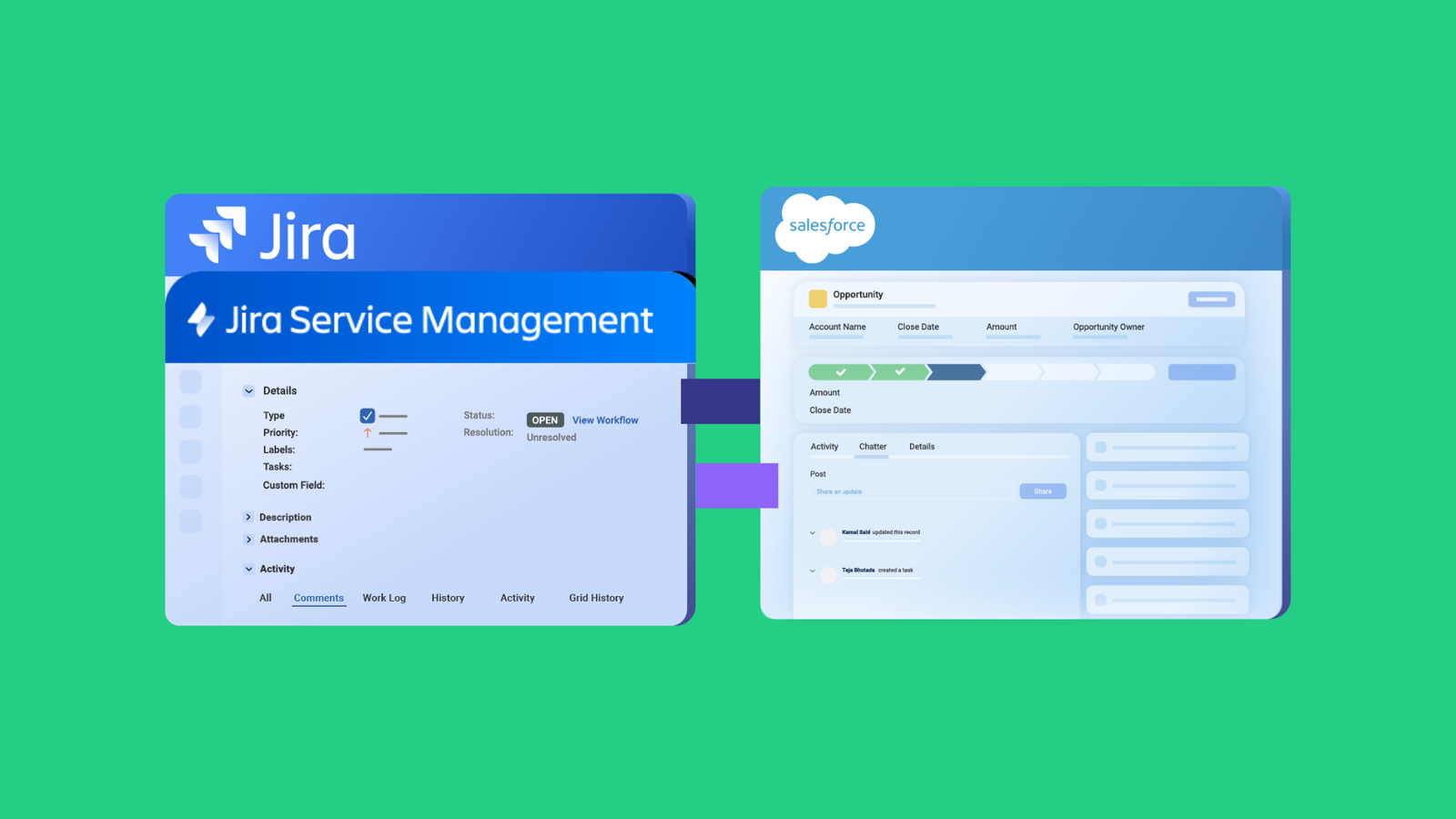
For example, when your support team escalates a Salesforce Case to developers working in Jira, a bidirectional integration creates the corresponding work item and keeps both records synchronized. Status changes, comments, and attachments flow between systems without anyone copying data manually.
Note: Jira now refers to issues as “work items.” Throughout this guide, references to Jira synchronization mean mapping Salesforce objects to Jira work items.
How Salesforce Integration Apps Process Data
When connecting Salesforce with another platform—say Salesforce and Jira—the integration app sits between both systems and handles several functions.
Authentication establishes secure connections to both platforms using OAuth tokens or API credentials. Each system validates the integration app’s permissions before allowing data access.
Data retrieval pulls information from the source system based on configured triggers. Salesforce connectors commonly use SOQL (Salesforce Object Query Language) to define which records should sync—for example, all Cases where Priority equals “High” and Status changed in the last hour.
Transformation converts data from one system’s format to the other’s. A Salesforce Case has different fields than a Jira work item or ServiceNow incident. The integration app maps corresponding fields and handles conversions (like date formats or picklist values) during transfer.
Synchronization writes the transformed data to the destination system and tracks the relationship between linked records. Quality integration apps maintain this mapping so future changes sync to the correct records rather than creating duplicates.
Error handling manages failures gracefully: network timeouts, API limits, validation errors. Robust solutions retry failed syncs automatically and log issues for troubleshooting.
Salesforce uses several patterns for data exchange, including Remote Call-In, Request and Reply, Fire and Forget, Batch Data Synchronization, and Data Virtualization. API governance limits also restrict how many calls any user can make within specific time periods, which integration apps must manage intelligently.
Types of Salesforce Apps by Category
Salesforce’s AppExchange hosts over 4,500 apps spanning multiple categories. Understanding these categories helps identify where integration adds the most value.
- Help and Service Desk Applications like ServiceNow, Zendesk, Freshdesk, and Freshservice manage customer support workflows. Integration connects support tickets with CRM data, enabling agents to see customer history while support interactions feed back into Salesforce records.
- Project Management Apps, including Jira, Azure DevOps, and Asana, connect customer-facing data with internal work tracking. When Cases need development attention or Opportunities require implementation projects, integration bridges the gap between teams.
- Sales Management Solutions such as Salesloft, Geopointe, and Oracle CPQ extend Salesforce’s sales capabilities with specialized functionality for engagement, territory mapping, and quoting.
- Marketing Apps like MailChimp, ActiveCampaign, HubSpot, and TypeForm synchronize campaign data, lead scoring, and form submissions with CRM records.
- Communication Apps like Slack, Zoom, and Microsoft Teams connect real-time communication with customer context from Salesforce.
- Document Management Apps such as DocuSign, PandaDoc, and Juro integrate contract workflows with Opportunities and Accounts.
- Analytics Tools like Power BI, Tableau, and Cloudingo extend reporting capabilities beyond native Salesforce dashboards.
AppExchange includes native connectors for many of these platforms, which are single-purpose tools that connect Salesforce with one specific application. For organizations needing to connect Salesforce with multiple systems simultaneously or requiring advanced synchronization logic, third-party Salesforce integration apps provide more flexibility.
Features to Consider When Choosing a Salesforce Integration App
Not all integration apps solve the same problems. Evaluating these capabilities helps match solutions to your actual requirements.
Sync Direction and Depth
Unidirectional sync pushes data one way: Salesforce to Jira, or ServiceNow to Salesforce. This works for simple scenarios like creating work items from Cases.
Bidirectional sync keeps both systems updated when either changes. When developers update a work item’s status in Jira, the linked Salesforce Case reflects that change automatically. This eliminates the “which system has current information?” problem.
Deep sync handles related records and complex objects. Syncing a Salesforce Case with its associated Account, Contact, and Attachments to a Jira work item requires more than field mapping; the integration must understand object relationships.
Field Mapping Flexibility
Basic integrations map standard fields between systems. Enterprise scenarios require mapping custom fields, handling picklist value differences, and transforming data during sync.
For example, Salesforce might use a Priority picklist with values “Low/Medium/High/Critical” while Jira uses “Lowest/Low/Medium/High/Highest.” Your integration needs to translate between these or apply custom logic.
Solutions with scripting capabilities (like Groovy scripting) let you write transformation logic for complex scenarios that drag-and-drop mapping can’t handle.
Automation and Triggers
Manual sync requires someone to initiate each data exchange. Automated integration uses triggers to sync records automatically when conditions are met.
Salesforce triggers typically use SOQL queries defining which records should sync: “Case.Priority = 'Critical' AND Case.Status = 'Escalated'” might automatically create work items for your development team.
Look for trigger flexibility, that is, the ability to define complex conditions, combine multiple criteria, and adjust automation as requirements evolve.
Security Architecture
Integration apps access sensitive customer data in both systems. Security evaluation should cover:
Credential handling determines whether the integration stores passwords or uses secure token-based authentication. OAuth is standard; avoid solutions requiring you to share admin credentials.
Data encryption should protect information both in transit (TLS/SSL) and at rest. Ask how the vendor stores configuration data and sync logs.
Access controls let you limit which users can configure integrations and which records can sync. Role-based access control (RBAC) aligns integration permissions with organizational roles.
Compliance certifications like ISO 27001 indicate the vendor maintains security management systems verified by third parties. For detailed security documentation, review vendor trust centers; Exalate publishes comprehensive security information at the Exalate Trust Center.
Autonomy in Cross-Company Scenarios
When integrating with external partners, vendors, or clients, security and control become more complex. Traditional integration often requires sharing credentials or granting system access to external parties.
Autonomous integration architecture lets each organization control its own side of the connection independently. You configure what data leaves your Salesforce org and how incoming data applies to your records. Your partner does the same for their system. Neither side needs access to the other’s configuration or credentials.
This matters for cross-company integration scenarios where you can’t (or shouldn’t) grant external parties access to your systems.
Platform Coverage
Consider your current integration needs and likely future requirements. Connecting Salesforce with Jira today might expand to include ServiceNow, Azure DevOps, Zendesk, Freshservice, Freshdesk, or Asana tomorrow.
Solutions supporting multiple platforms from a single interface simplify management as your integration landscape grows. You maintain one set of skills and tools rather than learning different products for each connection.
Practical Use Cases for Salesforce Integration Apps
Understanding real-world scenarios helps identify which capabilities matter for your situation.
Support Escalation to Development
Challenge: Customer support works in Salesforce while developers use Jira or Azure DevOps. When Cases require engineering attention, support agents manually create work items, copy case details, and then monitor two systems to track progress. Information gets lost, updates lag, and customers wait longer for resolution.
Solution: Bidirectional integration automatically creates work items when Cases meet escalation criteria. The work item includes Case details, customer context, and relevant attachments. As developers update status, add comments, or resolve the item, changes sync back to Salesforce. Support agents see progress without leaving their primary tool.
Real-World Application: A B2B software company integrated Salesforce Service Cloud with Jira. Cases tagged “Engineering Required” automatically generate Jira work items in the appropriate project. Resolution notes from developers sync back as Case comments, and status changes update automatically. Support agents reduced escalation handling time by 70% while customers received faster updates on technical issues.
Sales-to-Implementation Handoff
Challenge: When Opportunities close, implementation teams need customer requirements, timeline commitments, and technical specifications. This information exists in Salesforce, but implementation happens in project management tools. Manual handoffs delay kickoff and lose context captured during the sales process.
Solution: Integration creates project tasks in Asana, Jira, or Azure DevOps when Opportunities reach “Closed Won.” Custom fields capture implementation requirements, and bidirectional sync keeps sales informed of delivery progress. Account managers see project status without requesting updates from implementation teams.
Real-World Application: A professional services firm connected Salesforce Opportunities with Asana projects. Closing a deal automatically creates a project with tasks based on the Opportunity’s product configuration. The engagement manager receives a pre-populated project with customer details, reducing kickoff preparation from 2 days to 2 hours.
MSP and Partner Collaboration
Challenge: Managed service providers support multiple clients, each with their own Salesforce org. Creating separate credentials for each client creates security overhead and audit complexity. Partners need relevant information without full system access.
Solution: Integration apps with autonomous architecture let MSPs receive Case data in their own ServiceNow or Jira instance without Salesforce access. Each organization authenticates to its own systems only. The MSP controls how they process incoming data; clients control what data they share.
Real-World Application: An IT services company supporting 40+ enterprise clients deployed Exalate to connect client Salesforce orgs with their central ServiceNow instance. Clients share support Cases without granting ServiceNow access to their Salesforce data. The MSP processes all clients through unified workflows while each client maintains complete control over their integration configuration.
Multi-Platform Customer Context
Challenge: Customer interactions span Salesforce (sales and account management), ServiceNow (IT requests), Zendesk (product support), and Jira (feature requests). Each team works in their preferred tool but lacks visibility into customer activity elsewhere. Account managers don’t know about open support tickets; support doesn’t know about pending Opportunities.
Solution: Selective synchronization shares relevant context across platforms without creating a separate data warehouse. When a high-value customer opens a support ticket, the Account owner sees it in Salesforce. When that customer’s feature request ships, support can reference it in ticket responses.
Real-World Application: A SaaS company connected Salesforce with Zendesk and Jira. High-priority Zendesk tickets create linked Cases visible to Account managers. Jira feature requests tagged with customer names sync status back to the relevant Salesforce records. Customer success managers gained a unified view of customer interactions without accessing multiple systems.
Regulated Data Handling
Challenge: Financial services and other regulated industries face strict requirements for handling customer data. Integration between systems must maintain compliance; certain fields can’t leave specific systems, audit trails are required, and data residency matters.
Solution: Integration apps with selective field mapping exclude sensitive information from synchronization. Only operational data flows between systems while regulated fields remain in compliant environments. Encryption, access controls, and logging maintain audit requirements.
Real-World Application: A healthcare technology company syncs Salesforce Cases with Jira for development escalation. The integration excludes fields with sensitive data, and technical details, priority, and status are synchronized.
10 Best Salesforce Integration Apps For Enterprises
Here are the most relevant Salesforce integration apps for businesses, MSPs, and enterprises. Each solution addresses different integration scenarios—from simple automation to complex cross-company synchronization.
1. Exalate
Exalate is a bidirectional integration solution supporting two-way syncs between Salesforce and systems, including Jira, GitHub, Azure DevOps, Zendesk, ServiceNow, Freshservice, Freshdesk, and Asana.
What sets Exalate apart is its autonomous architecture. Each side of a connection operates independently. You control your Salesforce configuration; your partner controls their system configuration. Changes on one side don’t require coordination with the other.
This matters for cross-company integrations where you can’t share configuration access or credentials with external parties.
Exalate Features:
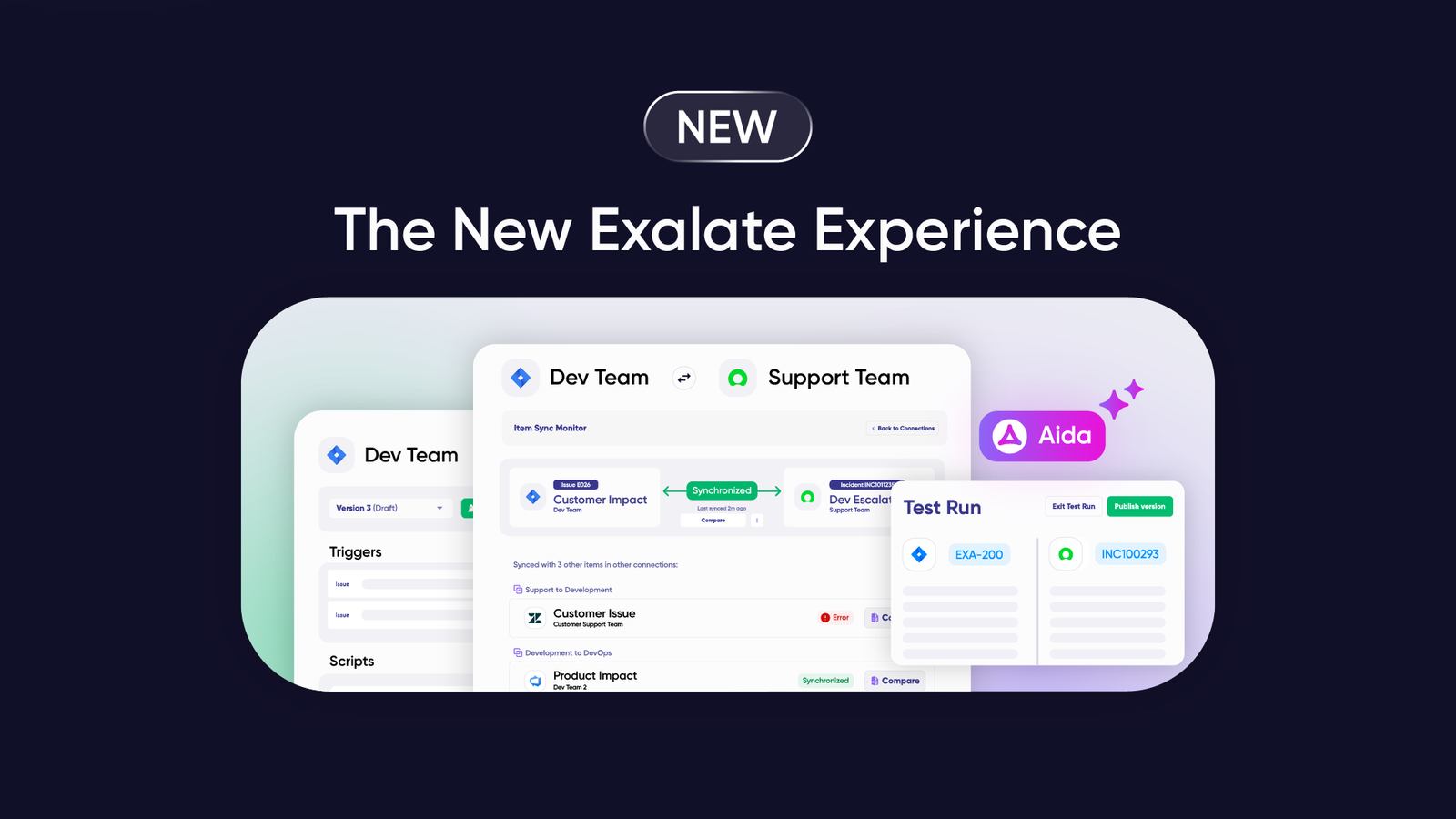
- Aida AI-assisted configuration generates sync scripts from natural language descriptions
- Groovy scripting engine for advanced transformation logic and custom sync rules
- Triggers using platform-native query languages (SOQL for Salesforce, JQL for Jira)
- Deep platform integration, understanding Salesforce objects like Cases, Accounts, Contacts, and Opportunities
- ISO 27001 certification, encryption of data in transit and at rest, and role-based access control
Explore the full range of Exalate integrations to see supported platforms and connection combinations.
2. Celigo
Celigo is a next-gen integration platform that unifies data and applications to optimize business processes, improve data consistency, and clear backlogs faster. The platform offers pre-built integration flows for common Salesforce scenarios.
Celigo Features:
- Celigo AI for handling errors and suggesting resolutions
- API management for smoother policy enforcement and user onboarding
- Error management with ML-powered troubleshooting
- CloudExtend for syncing emails and files from external storage
- Pre-built integration templates for common Salesforce use cases
3. SnapLogic
SnapLogic is an iPaaS solution for connecting cloud services, SaaS applications, and legacy systems. The platform uses AI to simplify pipeline building with self-service capabilities.
SnapLogic Features:
- SnapLogic Autosync for automated data ingestion
- Application integration with Snaps (pre-built connectors)
- Data integration and automation (ETL, ELT, or reverse-ETL)
- SnapAI, including AutoSuggest, GenAI Builder, SnapGPT, and AutoPrep
- API management and development for self-service creation
4. Jitterbit Harmony
Harmony is a low-code platform that allows users to build applications and establish automated connections between systems and interfaces. It balances enterprise capabilities with practical usability.
Jitterbit Harmony Features:
- API manager for speeding up API creation
- Marketplace with a vast repository of pre-built connectors
- Harmony EDI for managing electronic data interchange between partners
- Management console for designing and organizing integration processes
- Cloud Studio with a drag-and-drop interface for creating integration workflows
5. Zapier
Zapier is a no-code automation platform for connecting Salesforce with multiple platforms. It supports over 7,000 application connections through simple trigger-action patterns.
Zapier Features:
- Tables (workflow databases)
- Canvas (AI workflow planner)
- Zaps (custom workflow automation)
- Interfaces (custom workflow visualization pages)
- Chatbots for AI-powered customer conversations
Best for simple automation needs rather than complex bidirectional synchronization or enterprise-scale data transformation.
6. Workato
Workato is an integration solution that allows businesses to automate workflows and connect cloud and on-premise apps. The recipe-based approach turns common patterns into reusable templates.
Workato Features:
- Workflow apps for building no-code applications
- Enterprise iPaaS for integrating business data and processes
- Data orchestration for controlling data movement between platforms
- API management for controlling how your business works with APIs
- Recipes (Triggers and Actions) for automated complex workflows
- Workbots for intelligent conversations and faster response times
SOC 2 Type II and HIPAA compliance support regulated industries.
7. Unito
Unito is a fully featured integration solution that connects teams using multiple tools to cut costs and improve collaboration efficiency. It focuses on keeping work synchronized across project management tools.
Unito Features:
- Unito Sync Platform for bidirectional data flow
- Unito Sync Embed for white-label integration capabilities
- Unito Spreadsheet Sync for connecting spreadsheets with work tools
- Visual flow builder for non-technical users
- Two-way sync for keeping records updated across platforms
8. Skyvia
Skyvia is an all-inclusive cloud data platform for backing up cloud data, integrating systems, and managing spreadsheets. It offers both no-code and SQL-based options.
Skyvia Features:
- Backup for handling data backups and recovery
- Integration tools for connecting cloud databases
- Connectors with custom pre-built integrations for different platforms
- Query Builder for visually building queries and exporting cloud data
- Skyvia Connect for syncing data from different sources on a unified interface
9. Talend
Talend is an enterprise data management solution that supports the entire data lifecycle. Owned by Qlik, this solution combines data integration, data quality, and data governance in a single, low-code platform.
Talend Features:
- Talend Data Fabric as a unified platform for data integration, application and API integration, data integrity, and governance
- Stitch ETL as a fully-managed data pipeline for analytics
- Native version control integration for team collaboration
- Built-in data quality and profiling capabilities
- Support for both batch and real-time patterns
10. Informatica
Informatica is a low-code, AI-powered cloud data management platform for connecting and managing data across multi-cloud, hybrid environments. It excels at complex enterprise data scenarios.
Informatica Features:
- Intelligent data management cloud
- Data integration and engineering capabilities
- API and application integration
- Customer 360 for unified customer views
- Data catalog for metadata management
- MDM and 360 applications
- CLAIRE AI Engine for automated data mapping
How Salesforce Integration Apps Compare
The integration market spans several categories, each serving different needs. Understanding where each tool fits helps match solutions to your requirements.
Native Salesforce Tools
MuleSoft Anypoint Platform is Salesforce’s enterprise integration solution following their 2018 acquisition. The API-led approach treats every connection as a reusable asset with strong governance features. Best for large enterprises with dedicated integration teams and complex hybrid infrastructure.
Salesforce Connect displays external data within Salesforce without copying it. Useful for referencing data, but doesn’t provide synchronization; changes in external systems appear in Salesforce, but Salesforce changes don’t push outward.
Heroku Connect links Salesforce with Heroku PostgreSQL databases for custom application development scenarios.
iPaaS vs. Bidirectional Sync Specialists
General-purpose iPaaS platforms like Workato, Jitterbit, and Celigo excel at workflow automation and connecting many applications. They work well when you need to automate business processes alongside data movement.
However, for scenarios requiring true bidirectional synchronization (especially cross-company collaborations), specialized solutions like Exalate offer advantages:
- Autonomous architecture lets each organization maintain independent control. Your partner doesn’t need access to your Salesforce configuration; you don’t need access to theirs. This matters when integrating with external vendors, MSPs, or clients.
- Deep platform understanding means Exalate recognizes Salesforce objects (Cases, Accounts, Contacts, Opportunities) and maps them appropriately to corresponding entities in Jira (work items), ServiceNow (incidents, problems, changes), Zendesk (tickets), Azure DevOps (work items), Freshservice, Freshdesk, and Asana.
- Scripting flexibility through a Groovy engine handles transformation logic beyond simple field mapping—conditional syncing, calculated fields, data enrichment, and complex business rules.
- Platform-native triggers use each system’s query language (SOQL for Salesforce, JQL for Jira) rather than proprietary syntax, making automation rules feel natural to platform administrators.

Calculate time and money savings from automated bidirectional sync.
Benefits of Salesforce Integration Apps
Integration delivers measurable improvements across operations, customer experience, and team productivity.
- Eliminate manual data entry between systems. When Cases automatically create work items, and work item updates automatically reflect in Cases, nobody spends time copying information between screens. This time savings compounds; every escalation, every status update, every comment that would have been manually copied.
- Reduce errors from duplicate entries. Manual copying introduces mistakes: typos, missed fields, and outdated information. Automated synchronization ensures both systems contain the same data without human error.
- Accelerate response times. Support agents don’t wait for developers to check email or Slack for escalation requests; the work item appears automatically. Developers don’t wait for status requests; they update their tool, and stakeholders see changes immediately.
- Enable cross-functional visibility. Sales sees support activity, support sees sales pipeline, and product sees customer feedback. Each team works in their preferred tool while relevant information from other systems surfaces automatically.
- Support partner collaboration. Cross-company integration with MSPs, vendors, or clients works when both parties can share information without sharing system access. Integration apps with autonomous architecture enable this without security compromises.
- Scale without proportional overhead. Adding more Cases, more integrations, or more partner connections shouldn’t require proportionally more manual work. Automated integration scales with volume while maintenance effort stays manageable.
Best Practices for Implementing Salesforce Integration
Follow these practices to maximize integration success and minimize implementation risks.
Define Clear Objectives First
Start with the business problem, not the technology. What manual processes consume the most time? Where do data inconsistencies cause the most pain? Which cross-team handoffs create delays?
Document specific, measurable goals: “Reduce average escalation time from 4 hours to under 30 minutes” or “Eliminate the weekly data reconciliation meeting between support and development.”
Map Your Data Model
Before configuring any integration, understand how objects relate in each system. A Salesforce Case has an associated Account and Contact. A Jira work item has a Project and potentially linked items. Document which fields should map and how object relationships translate.
When mapping Jira custom fields to Salesforce accounts, decide whether to create new fields or use existing ones. Consider how picklist values translate and what happens when values don’t match.
Clean Your Data
Integration amplifies data quality issues. Duplicate records, inconsistent field values, and incomplete data in Salesforce will sync to connected systems, and vice versa. Address data hygiene before going live.
Identify sensitive fields that shouldn’t sync. Customer payment information, internal cost estimates, or confidential notes may need exclusion from integration even when other Case details flow freely.
Start Narrow, Then Expand
Begin with a limited scope: one Case type, one destination project, one direction. Validate that the integration works correctly before expanding to more complex scenarios.
Test in sandbox environments first. Verify that user mentions sync correctly, attachments transfer properly, and status mappings work as expected.
Configure Appropriate Triggers
Overly broad triggers sync everything, potentially overwhelming destination systems or exceeding API limits. Overly narrow triggers miss records that should sync.
Use Salesforce’s native SOQL syntax for triggers: “Priority = 'Critical' AND Type = 'Technical' AND Status = 'Escalated'” ensures only appropriate Cases sync to development tools.
Plan for Conflicts
What happens when the same record changes in both systems simultaneously? Define conflict resolution policies before you encounter them. Most scenarios benefit from “last write wins” but some require more sophisticated handling.
Monitor and Maintain
Integration isn’t set-and-forget. Monitor sync queues for failures, watch API limit consumption, and review error logs regularly. Establish alerting for failures that need immediate attention.
As your Salesforce configuration evolves—new fields, changed processes, additional record types—update integration configuration to match.
Why Exalate for Salesforce Integration
Exalate approaches Salesforce integration differently than general-purpose iPaaS tools or basic AppExchange connectors.
- Built for bidirectional sync. Where many tools treat two-way synchronization as an afterthought, Exalate designs for it from the start. Changes in either system propagate to the other with proper conflict handling and relationship maintenance.
- Supports all Salesforce entities. Standard and custom objects, custom fields, attachments, and comments. Exalate synchronizes what your scenario requires. You can sync multiple Salesforce entities (like a Case with its related Account and Contact) to a single Jira work item.
- Autonomous architecture for cross-company scenarios. Each organization controls its side of the connection independently. Your partner doesn’t need access to your Salesforce configuration; you don’t need access to theirs. This enables secure collaboration without credential sharing.
- Scripting when you need it. The Groovy scripting engine handles transformation logic beyond simple field mapping: conditional syncing, calculated fields, and data enrichment. For straightforward scenarios, Aida’s AI-assisted configuration generates scripts from plain language descriptions.
- Platform-native triggers. Use SOQL for Salesforce triggers, JQL for Jira, and equivalent query languages for other platforms. Your automation rules work like native platform queries.
- Multi-platform coverage. Connect Salesforce with Jira, ServiceNow, Zendesk, Azure DevOps, GitHub, Freshservice, Freshdesk, Asana, and additional platforms. Manage connections through a unified interface as your integration landscape expands.
- Enterprise security. ISO 27001 certification, encryption of data in transit and at rest, role-based access control, and full operational control over your sync configuration. Visit the Exalate Trust Center for detailed security documentation.
To discuss how Exalate fits your specific Salesforce integration requirements, book a demo with our team.
Frequently Asked Questions
How do I choose the right Salesforce integration app?
Start with your requirements: Do you need one-way data pushes or bidirectional sync? Simple field mapping or complex transformation logic? Single-platform connection or multi-platform coverage? Then evaluate security (ISO 27001 certification, encryption, access controls), scripting flexibility for edge cases, trigger capabilities for automation, and platform coverage for future growth.
Can I connect Salesforce to multiple systems simultaneously?
Yes. Solutions like Exalate let you connect Salesforce with Jira, ServiceNow, Zendesk, Azure DevOps, Freshservice, Freshdesk, Asana, and other platforms through separate connections managed from a unified interface. Each connection has an independent configuration, different field mappings, different triggers, and different sync rules.
What’s the difference between native and third-party Salesforce integrations?
Native integrations (MuleSoft, Salesforce Connect) are built by Salesforce and integrate deeply with the Salesforce ecosystem. Third-party integrations often provide more flexibility for complex scenarios, especially cross-company collaborations where each organization needs independent control, or multi-platform environments where you’re connecting Salesforce with several different external systems.
How do Salesforce integration apps handle security?
Quality integration apps implement layered security: OAuth authentication (no stored passwords), TLS/SSL encryption for data in transit, encryption at rest for stored configuration, and role-based access control aligning integration permissions with organizational roles. Look for ISO 27001 certification, indicating third-party security verification. Exalate’s autonomous architecture adds another layer. Each organization authenticates only to its own systems without sharing credentials.
What are Salesforce API limits and how do integration apps manage them?
Salesforce limits API calls based on your edition and user count. Integration apps manage these limits through efficient batching (combining multiple operations into single calls), intelligent polling (checking for changes at appropriate intervals), and graceful handling when limits approach. Quality solutions provide monitoring so you can track API consumption and adjust if needed.
Can I integrate Salesforce with Jira?
Yes. Multiple solutions support Salesforce-Jira integration, including Exalate, Getint, zAgileConnect, and others. Note that Jira now uses “work items” terminology; your integration maps Salesforce Cases or other objects to Jira work items rather than “issues.”
What Salesforce objects can I sync with other systems?
Most integration apps support standard Salesforce objects: Cases, Accounts, Contacts, Opportunities, Leads, and Tasks. Solutions like Exalate also sync custom objects, custom fields, attachments, and comments. You can even sync related objects together—a Case with its associated Account and Contact to a single destination record.
Can I sync Salesforce with ServiceNow?
Yes. Salesforce-ServiceNow integration is a common use case connecting customer-facing teams (in Salesforce) with IT service management (in ServiceNow). Typical configurations sync Cases with ServiceNow incidents, problems, or change requests. Bidirectional sync keeps both teams informed without manual status updates.
Do I need coding skills to use Salesforce integration apps?
Not necessarily for standard scenarios. Many solutions offer visual configuration with drag-and-drop field mapping and pre-built templates. For advanced scenarios—complex transformation logic, conditional syncing, custom data enrichment—scripting capabilities provide additional flexibility. Exalate’s Aida reduces coding requirements by generating Groovy scripts from plain language descriptions of what you want to accomplish.
Can I integrate Salesforce with Azure DevOps?
Yes, Salesforce-Azure DevOps integration connects customer-facing teams with development organizations. Common scenarios include syncing Cases with work items for bug tracking, connecting Opportunities with development projects for implementation tracking, and maintaining visibility across sales and engineering teams.
What other platforms can I connect to alongside Salesforce?
Beyond common pairings like Jira and ServiceNow, Exalate supports Zendesk, Azure DevOps, GitHub, Freshservice, Freshdesk, Asana, and additional platforms through its connector library. Multi-platform integration enables unified workflows across your entire technology stack. Customer data in Salesforce, support in Zendesk, development in Jira, IT in ServiceNow, all synchronized as needed.
Is there a free trial available for Salesforce integration apps?
Most enterprise solutions offer free trials. Exalate provides a free trial available through the integrations page or Salesforce AppExchange. Use the trial to test your specific use case before committing.
Recommended Reads:
- Salesforce to Salesforce Integration: Sync Multiple Instances
- Salesforce Integrations: Integrate Salesforce & Other Tools
- How to Integration guides to set up two-way sync between multiple systems
- Advanced Integration Use cases
- Salesforce Third-Party Integration: The Complete Guide
- Simplify Business Processes with Salesforce Integration Tools
- Salesforce Data Integration: How to Get Started
- How a Salesforce Connector Can Extend Your CRM Functionality