
Jira is a data gold mine when used and configured correctly. That’s why keeping it in sync with other internal and external systems (or instances) is essential for any collaboration effort.
For companies looking to connect their Jira with other systems unidirectionally or bidirectionally, the vast library of Jira integration tools provides plenty of options. But who wants to deal with all that paradox of choice? If only there were a way to choose the perfect Jira integration based on features and requirements.
This guide explores the best Jira integration tools for enterprises, starting with the essential features to look for when making your choice.
Note: Jira now refers to issues as “work items.” Throughout this guide, we use the updated terminology.
Key Takeaways
- Jira integration tools fall into two categories: template-based solutions (best for simple workflows) and script-based platforms (best for complex enterprise needs requiring custom logic).
- Must-have features include automation capabilities, data transformation, and encryption of data in transit and at rest.
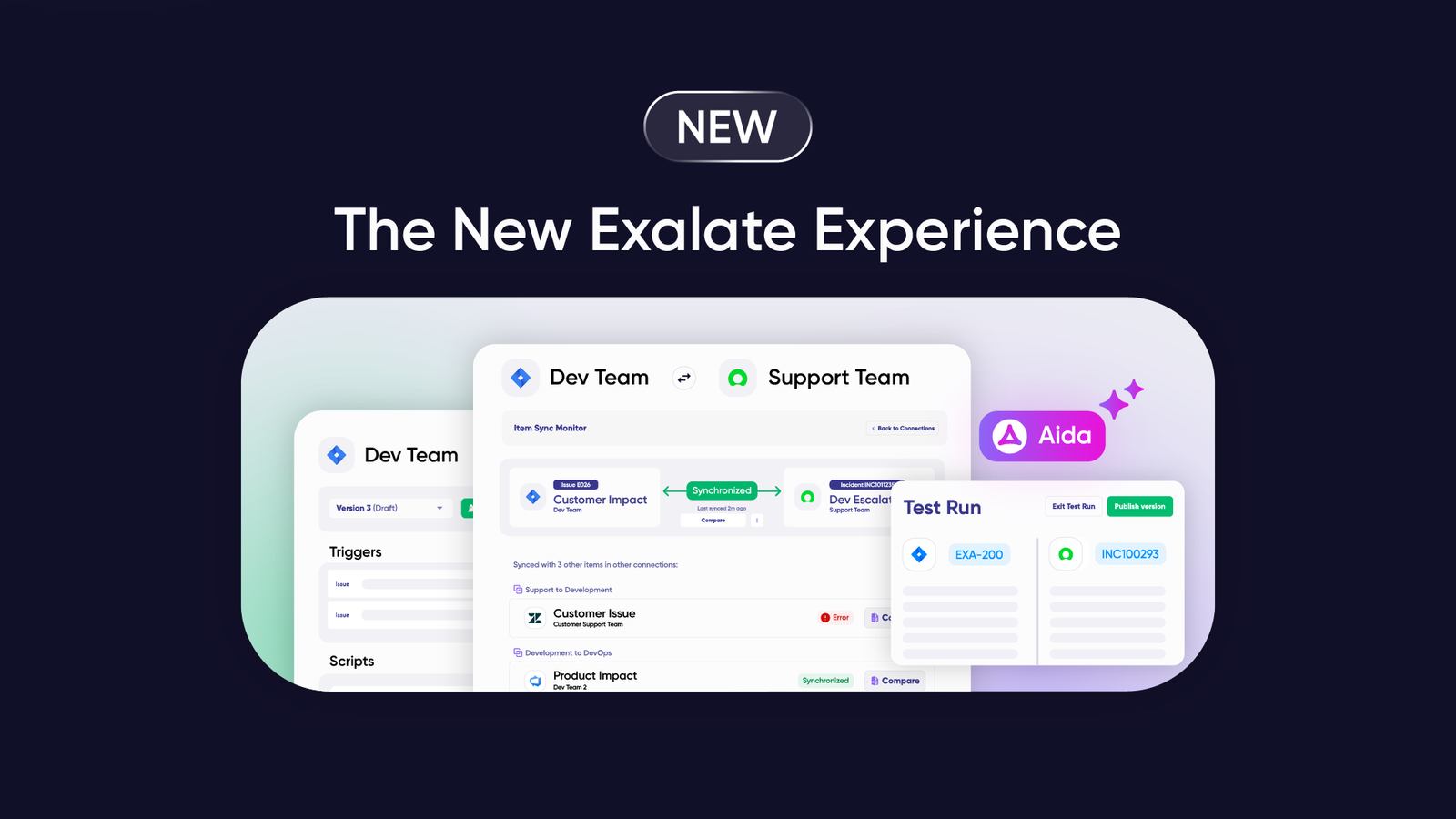
- AI-assisted configuration tools like Exalate’s Aida let non-technical users create sophisticated integrations by describing requirements in plain language.
- MSP and cross-company scenarios require solutions that support independent configurations for each connection while maintaining complete data isolation.
- Exalate connects Jira with ServiceNow, Azure DevOps, Salesforce, Zendesk, Freshservice, Freshdesk, GitHub, Asana, and other platforms with full scripting control over sync rules.

What are the Must-Have Features of Jira Integration Tools?
When choosing tools for Jira integration, evaluate these features and capabilities.
Automation
Modern integration solutions require automation to improve system synchronization accuracy and efficiency. Whether you use conditional triggers, JQL-based filters, or AI-assisted scripting, look for tools that can automate your workflow without constant manual intervention.
Data Transformation
Jira integration solutions should transform data fetched from the APIs of other systems while retaining contextual information. For example, they should maintain consistent date-time formats when integrating Jira with Salesforce, or correctly map priority levels between systems that use different naming conventions.
Level of Support
When things go wrong with the integration tool or your admin gets caught up in a technical quagmire, the vendor’s support engineers should be on hand to guide you through the fix. Look for vendors offering dedicated support channels, comprehensive documentation, and implementation assistance.
Security and Privacy
Since most integrations occur between systems that contain sensitive information at rest, always prioritize security features and compliance. Essential security features include ISO 27001 certification, encryption of data both in transit and at rest, role-based access control, and the ability to maintain full scripting and operational control over what data leaves your system.
Ease of Integration
The Jira solution might have the best cutting-edge features, but if users are unable to configure or make changes to it, it also increases the burden on your technical department. Look for AI-assisted configuration options that let non-technical users describe what they want to sync in plain language.
Collaboration Features
Teams working on the same project need integration solutions with accessible sync queues, threaded comments, debugging consoles, and clear visibility into sync status and history.
Customization Options
The solution should handle custom connections beyond the default fields. This includes mapping custom fields, applying conditional logic, transforming data during sync, and scripting complex business rules.
Scalability
The features on the Jira data integration tool should handle increasing workloads and user counts without experiencing any significant service disruptions. For enterprise deployments, evaluate how the tool performs under heavy sync volumes and whether it supports multiple simultaneous connections.
If the Jira integration solution ticks all these boxes, then it’s the right tool for cross-team and cross-company integration scenarios.
Features to Consider When Choosing a Jira Integration Tool
Beyond the must-have features, these additional considerations help narrow down your choice.
Template-Based vs. Script-Based Architecture
Template-based tools offer pre-built configurations for common scenarios with minimal technical requirements. They work well for standard processes but limit customization. Script-based platforms use programming languages like Groovy to create custom sync logic, providing unlimited flexibility for complex requirements.
Choose template-based for quick setup with standard processes. Choose script-based for sophisticated integrations requiring conditional logic, data transformations, or multi-directional syncs that templates can’t manage.
AI-Assisted Configuration
Modern integration tools increasingly offer AI-powered setup assistance. Exalate’s Aida lets you describe sync requirements in plain language and generates the corresponding Groovy scripts. This bridges the gap between ease-of-use and customization depth—non-technical users can create sophisticated integrations without learning scripting languages, while technical teams retain full control when needed.
Multi-Platform Support
Evaluate how many platforms the tool supports beyond Jira. Enterprise environments often need to connect Jira with multiple systems simultaneously—ServiceNow for IT operations, Salesforce for CRM, Azure DevOps for additional development teams, Zendesk for customer support, and GitHub for code repositories.
Cross-Company Capabilities
For vendor collaborations, MSP scenarios, or partner integrations, you need tools that support secure cross-company connections. Look for solutions where each organization maintains independent control over its sync configuration without exposing internal systems to external parties.
Testing and Validation
Before going live, you need confidence your sync rules work correctly. Look for tools offering TestRun functionality that validates configurations against real data before production deployment.
Error Handling and Troubleshooting
When syncs fail, clear error messages and diagnostic tools make the difference between quick resolution and hours of debugging. AI-assisted troubleshooting that analyzes errors and suggests fixes accelerates problem resolution.
Compliance and Certifications
For regulated industries, verify the tool’s security certifications. ISO 27001 certification demonstrates adherence to international information security standards. GDPR compliance matters for organizations handling regional personal data.

Calculate time and money savings from automated bidirectional sync.
10 Best Jira Integration Tools For Smooth Collaborations
Based on the must-have features mentioned earlier, here’s a list of tools that support Jira integration with other Jira instances and non-compatible systems.
Exalate
Exalate is a Jira integration solution that enables the connection of Jira Cloud instances with each other as well as with other systems. Platforms supported by Exalate include Salesforce, Zendesk, ServiceNow, Freshservice, Freshdesk, GitHub, Azure DevOps, Azure DevOps Server, Asana, and custom connectors for additional platforms.
Exalate uses AI-assisted configuration through Aida, allowing users to describe their sync requirements in plain language and generate Groovy scripts automatically.
Your data stays secure with multiple layers of protection, backed by ISO 27001:2022 certification, encryption of data both in transit and at rest, and role-based access control.
You maintain full scripting and operational control over your sync side, which helps you decide what data leaves your system and how incoming data is processed.
Exalate Features
- Platform native triggers using JQL for automated syncs
- Robust queuing mechanism for monitoring syncs
- Aida, an AI-powered assistant for generating sync scripts and troubleshooting errors
- Test Run validation for testing configurations before production deployment
- Quick Sync verification for testing connections with single work items
- Groovy-based scripting for complete customization of sync logic
- Multi-platform support, including ServiceNow, Azure DevOps, Salesforce, Zendesk, Freshservice, Freshdesk, GitHub, and Asana
ScriptRunner for Jira
ScriptRunner for Jira is an integration solution that helps users connect Jira projects and workflows to establish uni- or bi-directional sync. Beyond Jira Cloud, ScriptRunner also supports connections with other Atlassian apps such as Bitbucket, Confluence, and Monday.com.
ScriptRunner for Jira Features
- Script Console for building and managing APIs
- Workflow Extensions for controlling work transitions in Jira Cloud
- Script Listeners for triggering actions based on specific events
- Scheduled Jobs for automating the creation of work items and reports
- Scripted fields for customizing how the information is displayed
- Enhanced Search for easy searching using JQL functions and subqueries
Unito
As a two-way integration solution that supports connections with multiple platforms, Unito makes it possible for teams to connect their Jira instance in a cross-company or cross-platform setting.
Unito supports historical data synchronization using an intuitive drag-and-drop editor. It supports connections with over 60 different applications and tools, primarily available on demand or for a premium.
Unito Features
- One-way and two-way data synchronization
- Contact merging by cross-referencing email addresses
- Workflow drafting and flow duplication
- Custom field mapping and rules configuration
Getint
Getint is an integration platform that connects Jira with ServiceNow, Azure DevOps, Salesforce, Monday.com, Asana, Zendesk, and other platforms. It offers both Cloud and Data Center deployment options with template-based configuration.
Getint Features
- Cross-platform integrations with 16+ platforms
- Two-way synchronization with field mapping
- Full content sync, including comments and attachments
- Monitoring and logging capabilities
- ISO 27001 and SOC 2 Type II certifications
Zapier
Zapier is one of the most versatile and accessible automation tools for Jira integration. It supports cross-platform integration using pre-configured connectors.
Although Zapier supports Jira connection, it also provides access to a vast library of connections between CRMs, work management systems, databases, and others. One major limitation of using Zapier is that you can’t explore custom connections or script them based on your own rules.
Zapier Features
- Zaps for automating workflows
- Tables or databases for storing data
- Interfaces (custom pages) for creating your own workflows
- Canvas for mapping workflows using AI
- Chatbots for answering customer questions
Workato
As integration solutions go, Workato is one of the best tools for integrating Jira with other platforms. It automates complex workflows by using a specified set of instructions.
Workato has a vast library of pre-built connectors used to integrate thousands of SaaS apps, databases, and ERPs, both on-prem and in the cloud.
Workato Features
- Actions—conditions for controlling every connector
- Triggers—automatic action prompters configure events to occur automatically
- API Platform—an all-in-one console for building, running, and managing APIs
- Workflow Apps—a drag-and-drop editor for creating custom workflows between teams
Tray.ai
Tray is a platform for building AI-powered agents that connect communication tools, work management systems, online databases, payment solutions, and more.
The Jira connector provided by Tray can connect with ERPs, CRMs, and other platforms to automate data transfer and speed up ticket resolution.
Tray.ai Features
- Merlin Agent Builder—an AI-powered solution for delivering production-ready AI agents
- API Management for visual low-code development for any integration, automation, or API
- Merlin AI-powered chat
MuleSoft Anypoint Platform
MuleSoft is an all-in-one platform that provides Anypoint connectors for controlling how Jira, Salesforce, and other systems interact with each other.
The Anypoint Jira Connector uses the Jira REST API v3 to synchronize data and automate business processes between Jira and third-party applications, either on-premises or in the cloud. Although this connector uses OAuth2 and Basic authentication, it doesn’t support personal access tokens (PATs).
MuleSoft Anypoint Platform Features
- Anypoint Flex Gateway and API Governance
- Anypoint API Manager and API Experience Hub
- Anypoint API Designer and Code Builder
- Anypoint Studio—an IDE for integration and API development
- Anypoint Runtime Manager
- Anypoint Monitoring and Security
Make
Make is a visual-first integration solution for synchronizing data between Jira and multiple other platforms. Its marketplace supports over 2000 applications, including social media apps, CRM tools, design platforms, databases, email, and communication tools.
The drag-and-drop editor allows you to visualize the connections and set up triggers with a no-code toolkit.
Make Features
- Flow control and data filtering
- Smooth error handling
- Integration with popular web services and systems
- Visual workflow editor for no-code scenario configuration
- Data management and integration
- 2FA and company-wide SSO
Power BI Connector for Jira
This no-code solution for integrating Jira and Power BI helps you build custom Jira reports and dashboards in Power BI. It works for Jira Work Management, Service Management, and Software.
The Power BI connector for Jira Cloud is free. The only limitation to this solution is that it only connects Jira with Power BI and no other platforms. So, its scope of applicability is limited.
Power BI Connector for Jira Features
- Pre-configured Jira dashboard templates
- Scheduled refreshes for the actual Jira reporting
- Custom data exports using JQL and BASIC filters
- Data export from Tempo suite, Xray, and other marketplace apps
Practical Use Cases for Jira Integration Tools
DevOps and IT Operations Alignment
Challenge: Development teams in Jira Software need visibility into customer-reported incidents tracked in Jira Service Management, but switching platforms constantly disrupts workflow and causes missed updates.
Solution: Configure bidirectional sync so customer-reported bugs in JSM automatically create corresponding work items in Jira Software. Status updates flow both directions—when developers mark bugs as resolved, JSM tickets update automatically.
Real-World Application: A SaaS company syncs customer bug reports from JSM to Jira Software. When developers resolve bugs, support agents see resolution details without pinging developers. Customers get faster responses because support has immediate visibility into fix status.
MSP Multi-Tenant Operations
Challenge: Managed Service Providers manage multiple clients, each with their own Jira instances. Routing work items to correct destinations while maintaining client isolation requires careful coordination.
Solution: Configure independent connections for each client. Exalate’s architecture allows direct connections between each system pair with complete data isolation. Each connection has its own field mappings and sync rules.
Real-World Application: An MSP serves 15 clients. When Jira tickets require escalation, Exalate routes them to the correct client’s internal project based on organization identifiers. Each client’s team sees only their relevant work items while the MSP maintains visibility across all accounts.
Cross-Company Vendor Collaboration
Challenge: Your company uses Jira for project management. A vendor partner uses Azure DevOps for development. Manual status updates between systems cause delays and communication gaps.
Solution: Establish a bidirectional connection where relevant work items sync automatically. Each organization maintains independent control—your admin configures what data leaves your Jira, while the partner controls their Azure DevOps side. No shared credentials or direct system access required.
Real-World Application: A fintech company outsources mobile development to an agency using Azure DevOps. Feature requests created in Jira sync to Azure DevOps as work items. When developers push code changes, status updates flow back to Jira. Project managers track progress without accessing the vendor’s system.
Customer Support to Engineering Escalation
Challenge: Support teams in Zendesk receive bug reports that need developer attention in Jira. Manually copying ticket details creates duplicate work and risks information loss.
Solution: Configure automatic sync so Zendesk tickets tagged for escalation create corresponding Jira work items. Comments, attachments, and status changes sync bidirectionally.
Real-World Application: A B2B software company’s support team receives bug reports through Zendesk. P1 bugs from enterprise customers automatically create Jira work items tagged for senior developers. When engineers add technical notes in Jira, relevant updates appear in Zendesk, so support can communicate with customers without technical involvement.
Salesforce to Jira Product Development
Challenge: Product managers need to connect customer feedback in Salesforce with development work in Jira. Without integration, feature requests get lost between systems.
Solution: Sync Salesforce Cases or custom objects with Jira work items. Apply conditional logic to route different request types to appropriate Jira projects.
Real-World Application: A manufacturing company tracks customer requests in Salesforce. High-value customer feature requests automatically create Jira epics in the product backlog. When development delivers features, Salesforce records are updated so account managers can communicate progress to customers.
How Exalate Outshines Other Jira Integration Tools
Exalate uses AI-assisted scripting through Aida to set up mapping rules between default and custom fields. It supports real-time connections between multiple Jira instances and Jira with systems like ServiceNow and Zendesk.
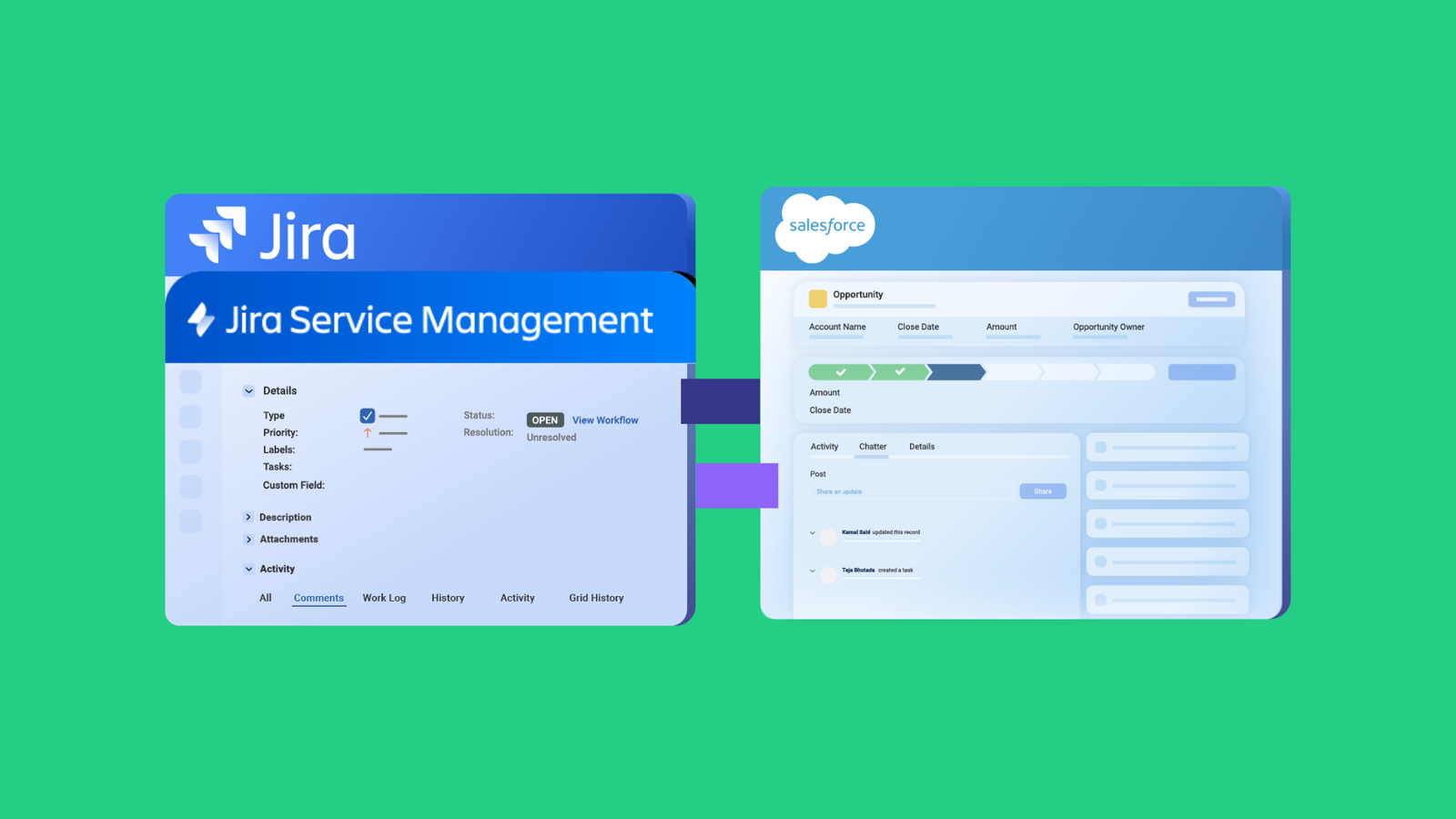
For instance, you can connect Jira Service Management with Jira Software to keep devs and support staff in sync. The data from the Service Management instance can be synced to Zendesk or Azure DevOps for further attention.
Exalate also works well for several Jira to ServiceNow use cases and connections with Salesforce cases.
Most importantly, the data stays secure throughout the pipeline with ISO 27001 certification, encryption of data in transit and at rest, and role-based access control. Each organization maintains full scripting and operational control over its sync side.
For complete security documentation, visit the Exalate Trust Center.
Frequently Asked Questions
Why do I need a Jira integration tool?
Teams often use multiple platforms: Jira for development, ServiceNow for IT operations, Azure DevOps for another team, and Salesforce for customer data. Without integration, you’re stuck copying and pasting information between systems, which wastes time and creates errors. Integration tools eliminate that manual work and keep everyone on the same page regardless of which system they’re using.
What’s the difference between native Jira integrations and third-party tools?
Native integrations are built directly into Jira or the other platform you’re connecting to. They’re usually free but limited in what they can do. Third-party tools like Exalate are separate apps that offer more flexibility and customization. Native options work for basic needs, but Exalate’s script-based approach handles complex scenarios like custom field mapping, data transformations, or multi-directional syncs that templates can’t manage.
Can I integrate Jira with multiple platforms at once?
Yes. Exalate lets you connect Jira to several platforms simultaneously: Azure DevOps, ServiceNow, Salesforce, Zendesk, Freshservice, Freshdesk, GitHub, Asana, and more. Each connection can have its own sync rules and field mappings based on what each team needs. You could have Jira syncing development work to Azure DevOps while also syncing support tickets to ServiceNow, all running independently.
What is cross-instance integration?
Cross-instance integration connects two separate Jira instances, like syncing between your company’s Jira Cloud and a partner company’s Jira Cloud. Exalate excels at this since it’s built for cross-instance scenarios. You can sync work items between different Jira environments without those instances needing direct access to each other, which is common when departments use separate setups or when external teams collaborate.
Can I sync custom fields between Jira and other platforms with Exalate?
Absolutely. Exalate’s Groovy scripting lets you map any custom field from Jira to any field in the connected platform. You can even transform the data during sync, like converting a Jira dropdown value to match a different format in Azure DevOps, or splitting a single text field into multiple fields. This flexibility is one of Exalate’s main advantages over template-based tools.
What are MSP scenarios in Jira integrations?
MSP (Managed Service Provider) scenarios involve multiple client instances. An MSP might manage separate Jira instances for different clients but needs to aggregate data into its own ServiceNow instance. You create separate connections from each client Jira to your central system, with each connection having its own sync rules. Each client’s data stays isolated while you maintain a unified view across all accounts.
Does Exalate’s bidirectional sync work in real-time?
Exalate syncs near real-time, typically within seconds of a change. You can configure sync intervals if needed, but most setups use the default real-time behavior. This keeps teams aligned immediately when someone updates a work item in either system.
Bidirectional sync means changes flow both ways between systems. If someone updates a ticket in Jira, it updates in ServiceNow. If someone updates that same ticket in ServiceNow, it syncs back to Jira. Exalate’s bidirectional sync keeps both systems as the source of truth instead of one system just receiving updates from the other.
Can Exalate sync Jira with non-Atlassian products?
Absolutely. Exalate connects Jira with ServiceNow, Azure DevOps, Azure DevOps Server, Salesforce, Zendesk, Freshservice, Freshdesk, GitHub, Asana, and other platforms through custom connectors. That’s its core purpose, bridging Jira with whatever enterprise tools your organization uses. Each connection uses Groovy scripts to define exactly how data maps between the different systems.
What is Aida in Exalate?
Aida is Exalate’s AI-assisted configuration tool. Describe what you want to sync in plain language, and Aida generates the Groovy script code. It can suggest field mappings, create data transformation logic, or troubleshoot sync errors by analyzing error messages and suggesting fixes. This makes Exalate accessible to non-developers while still offering full scripting power when you need it.
How secure is Exalate?
Exalate maintains ISO 27001:2022 certification for information security management. Data is encrypted both in transit and at rest. Role-based access control ensures only authorized users can configure and modify integrations. Each organization maintains full scripting and operational control over its sync side; you decide what data leaves your system and how incoming data is processed. For complete security documentation, compliance certifications, and architecture diagrams, visit the Exalate Trust Center.
How does Exalate handle errors during synchronization?
Exalate includes a robust queuing mechanism that handles temporary failures gracefully. When errors occur, Aida can analyze error messages and suggest fixes. The troubleshooting interface shows affected systems, connections, and items with detailed error information, including stack traces and impact levels.