Tasktop, now known as Planview Hub, is a value stream management solution that connects software development and delivery tools. While it works well for internal DevOps toolchain integration, many organizations need more flexibility for cross-company collaboration, advanced customization, or transparent pricing.
This guide compares the top Tasktop alternatives based on real use cases: whether you need bidirectional sync for external partners, scripting flexibility for complex workflows, or simple automation for internal tasks.
Quick Comparison: Tasktop Alternatives at a Glance
| Tool | Best For | Sync Type | Customization | Pricing Model |
|---|---|---|---|---|
| Exalate | Complex intra- or cross-company integrations with partners, vendors, MSPs | Real-time bidirectional | AI-assisted Groovy scripting (full control) | Outcome-based (active items in sync) |
| Zapier | Simple internal automations, non-technical users | Trigger-based, mostly one-way | No-code templates | Task-based ($29.99+/month) |
| Boomi | Enterprise data integration, API management | Batch and real-time | Low-code | Quote-based |
| Workato | Enterprise workflow automation with recipes | Recipe-based | Low-code with some scripting | Contact sales |
| ConnectALL | DevOps value stream management | Bidirectional | Adapters and universal connector | Quote-based |
| SnapLogic | Data integration with AI assistance | Snap-based pipelines | Low-code with SnapGPT | Enterprise pricing |
| ONEiO | Cloud-native service management | Bidirectional | Custom scripting engine | Contact sales |
| IFTTT | Personal automation, mobile-friendly | Trigger-action pairs | Applets only | $3.99+/month |
| Informatica | Enterprise data management, ETL | ETL pipelines | CLAIRE AI engine | Quote-based |
| Oracle Integration Cloud | Oracle ecosystem integration | Real-time and batch | Adapters and code | Usage-based estimator |
What is Tasktop (Planview Hub)?
Tasktop, acquired by Planview, provides a software toolchain integration solution called Planview Hub. It connects DevOps and Agile tools using pre-built integration models to sync artifacts like user stories, defects, and requirements.
Key Tasktop Features:
- Pre-built connectors for 60+ tools
- Model-based integration approach
- Landscape View for visualizing integrations
- Value stream management metrics
- Point-and-click configuration
Tasktop Limitations:
- Pre-built connectors only: Customization is limited if your use case falls outside standard models
- Pricing opacity: Requires contacting sales for quotes
- Complex implementation: Users report steep learning curves and challenging troubleshooting
- Cross-company limitations: Primarily designed for internal tool synchronization, not external partner collaboration
- Support response times: Some users report slow ticket resolution
To get Tasktop pricing, contact Planview directly. Reviews on G2 give Planview Hub a 4.2 out of 5 rating, though users note concerns about pricing and implementation complexity.
Tasktop Alternatives: Detailed Breakdown
1. Exalate
Exalate is a flexible integration solution built specifically for cross-team and cross-company collaboration. It synchronizes data between teams internally and externally with partners, vendors, and MSPs.
What Makes Exalate Different:
Unlike template-based tools, Exalate uses a Groovy scripting engine that handles any custom workflow. This makes it ideal for complex scenarios where pre-built connectors fall short.
Key Features:
- Groovy scripting engine: Full control over data transformation with separate incoming and outgoing sync rules
- Unified console: Manage all integrations from a single interface without switching between systems
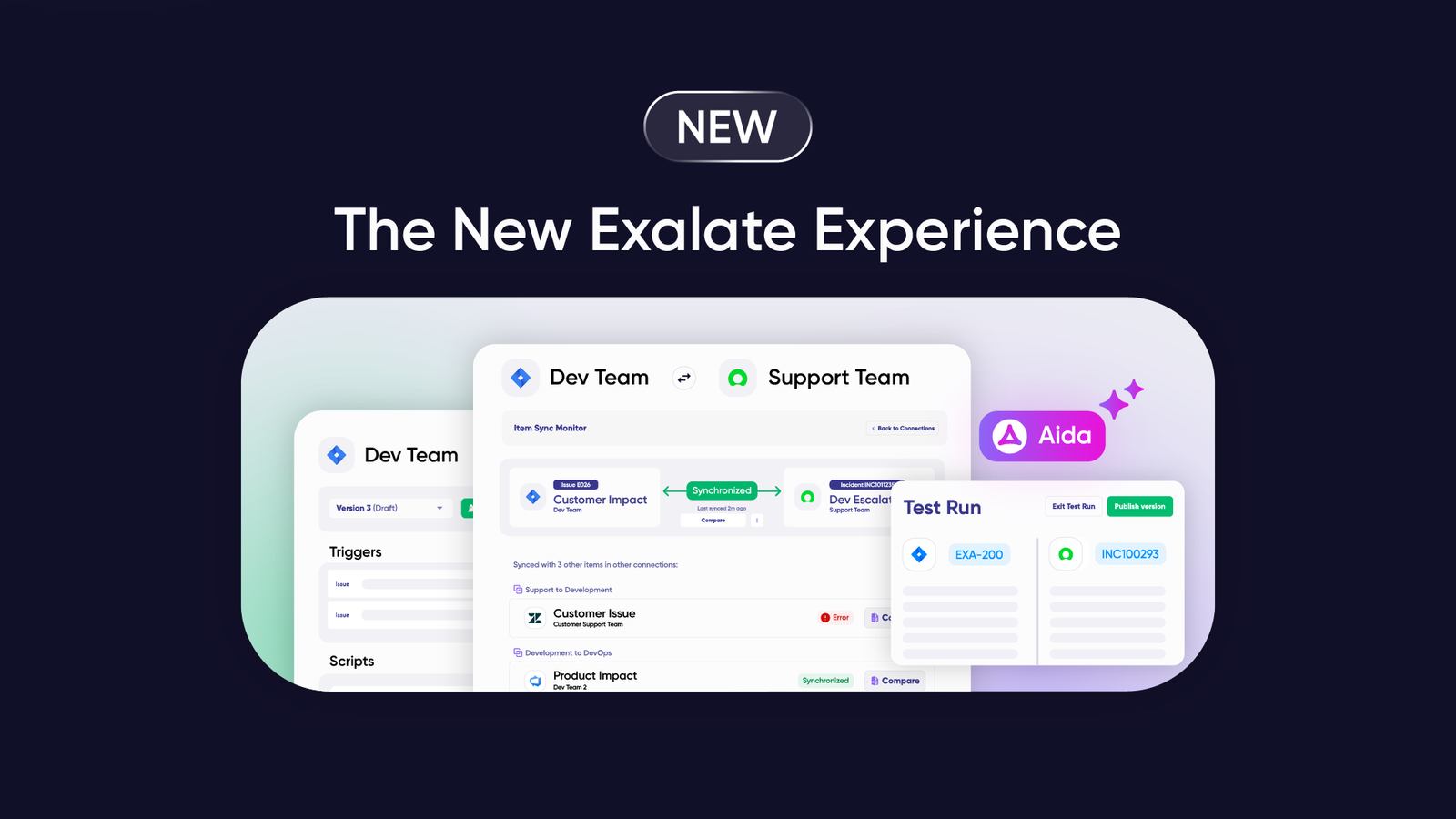
- Aida (AI-assisted configuration): Generate sync scripts using natural language prompts, get context-aware troubleshooting suggestions, and receive error explanations in plain language
- Test Run: Safely test sync configurations before deploying to production
- Script versioning and rollback: Track changes, maintain audit trails, and revert to previous configurations if needed
- Activity dashboard: Monitor all connections, track sync status, and identify issues in real time
- Real-time bidirectional sync: Always up-to-date view with full item history
Supported Platforms:
Jira, ServiceNow, Salesforce, Azure DevOps (Cloud and Server), Zendesk, GitHub, Freshdesk, Freshservice, Asana, and early access connectors including TOPdesk, Xurrent, ServiceDesk Plus, Ivanti, ConnectWise, SolarWinds, and HaloITSM. You can also request custom connector development.
Security:
Exalate maintains ISO 27001 certification, role-based access control, and encryption of data both in transit and at rest. Full script and operational control stay on your side of the integration. Visit the Trust Center for detailed security documentation.
Pricing:
Exalate uses outcome-based pricing where you pay based on active items in sync, not users or API calls. Plans include:
- Starter: Starts from $85/ month
- Scale: Starts from $285/month
- Pro: Custom active items with Salesforce and ServiceNow support
- Enterprise: Unlimited active items with priority support
Use the pricing calculator to estimate costs based on your specific integration needs. See full pricing details.
Getting Started:
Register at exalate.app, connect your two systems by entering and verifying source and destination URLs, configure sync rules, and set up triggers. The entire setup can be completed from the unified console without installing separate components on each system.
For teams that prefer hands-off management, managed services are available.
Support Resources:
Documentation, community forums, and priority support for enterprise customers. Aida also provides in-app troubleshooting assistance.
Best For:
Organizations syncing Jira with ServiceNow for IT escalations, development teams collaborating with external vendors, MSPs managing multiple client integrations, and any scenario requiring custom data transformations across company boundaries.

2. Zapier
Zapier is a workflow automation platform with over 8,000 app integrations. It uses “Zaps” (automated workflows) with triggers and actions to connect applications.
Key Features:
- 8,000+ pre-built connectors
- No-code drag-and-drop interface
- AI-powered workflow suggestions
- Zapier Tables for data storage
- Zapier Interfaces for custom forms
Limitations:
- Task-based pricing can get expensive at scale
- 15-minute polling intervals on lower tiers
- Limited customization beyond templates
- Not designed for bidirectional sync
- Cross-company collaboration is restricted
Pricing:
- Free: 100 tasks/month, 2-step Zaps
- Professional: $29.99/month for 750 tasks
- Team: $103.50/month for 2,000 tasks with collaboration features
- Enterprise: Custom pricing
Best For:
Internal workflow automation, marketing teams connecting CRM to email platforms, and non-technical users needing simple integrations.
Zapier vs Tasktop:
Zapier offers significantly more connectors (8,000+ vs 60+) and easier setup for simple automations. Choose Tasktop if you need DevOps-specific value stream management.
3. Boomi
Boomi is a multi-cloud integration platform supporting application integration, API management, and master data management.
Key Features:
- 300,000+ endpoints and connectors
- Master Data Hub for a unified data view
- Cloud or on-premise deployment
- Event Streams for real-time processing
- Low-code interface
Limitations:
- Complex pricing requires sales engagement
- Steep learning curve for advanced features
- Overkill for simple integrations
Pricing:
Plans include Professional, Pro Plus, Enterprise, and Enterprise Plus. Contact Boomi for quotes.
Best For:
Enterprise organizations needing comprehensive iPaaS capabilities across Salesforce, SAP, Oracle NetSuite, AWS, and Workday.
Boomi vs Tasktop:
Boomi supports a broader array of endpoints and handles more use cases beyond DevOps toolchains. Choose Tasktop for focused software delivery value stream management.
4. ConnectALL
ConnectALL is a value stream management platform that integrates DevOps tools for end-to-end visibility and traceability.
Key Features:
- Value Stream Integration Platform
- Universal Adapter for custom connections
- ValueOps Insights for analytics
- Unlimited users and sync
- Bi-directional integration
Limitations:
- Performance can slow with many projects
- Complex on-premises integration
- Quote-based pricing lacks transparency
Pricing:
Annual pricing with unlimited users and sync. Contact ConnectALL for specific quotes.
Best For:
Organizations focused on DevOps metrics, flow optimization, and value stream visibility across tools like Jira, ServiceNow, and Azure DevOps.
ConnectALL vs Tasktop:
Both target value stream management. ConnectALL offers a Universal Adapter for broader connectivity, while Tasktop has deeper Planview ecosystem integration.
5. Workato
Workato provides intelligent automation for connecting enterprise systems using “recipes” (workflow instructions).
Key Features:
- Recipe-based automation with triggers and actions
- Hundreds of DevOps, HR, and productivity connectors
- REST API interactions
- Custom integration recipes
- Enterprise security features
Limitations:
- Pay-per-use model requires sales contact
- Complex recipe management at scale
- Not specialized for cross-company scenarios
Pricing:
Contact Workato for pay-per-use pricing details.
Best For:
Enterprise teams automating complex business workflows across IT, HR, and operations.
Workato vs Tasktop:
Workato provides broader automation capabilities beyond DevOps. Tasktop offers more specialized value stream management features.
6. SnapLogic
SnapLogic uses “Snaps” (prebuilt integrations) to automate workflows and integrate data, enhanced by AI capabilities.
Key Features:
- SnapGPT for AI-powered integration creation
- Core and Premium Snap libraries
- API management
- Data integration and transformation
- Cloud-native architecture
Limitations:
- Premium features require significant investment
- Enterprise-focused pricing
Pricing:
Core Snaps are included. Premium Snaps start at enterprise pricing tiers. Contact SnapLogic for current quotes.
Best For:
Organizations seeking AI-assisted integration development with generative AI and LLM capabilities.
SnapLogic vs Tasktop:
SnapLogic’s AI capabilities outpace Tasktop for intelligent automation. Tasktop remains stronger for DevOps-specific value stream management.
7. ONEiO
ONEiO is a cloud-native integration solution enabling synchronization with systems, applications, and service providers.
Key Features:
- Cloud-native architecture
- Custom scripting engine
- Support for ITSM tools like TOPdesk, Slack, and HubSpot
- Integration-as-a-service model
- Cross-company support
Limitations:
- Smaller connector library than larger competitors
- Quote-based pricing
Pricing:
Free trial available. Contact ONEiO for detailed pricing.
Best For:
Service management teams needing cloud-native integrations with partner organizations.
ONEiO vs Tasktop:
ONEiO’s scripting engine allows more customization than Tasktop’s model-based approach. Tasktop has a larger connector library.
8. IFTTT
IFTTT (If This Then That) automates connections between apps for business and personal use with mobile-friendly options.
Key Features:
- Simple trigger-action automation
- Mobile apps for Android and iOS
- AI tool integrations
- Social media and lifestyle app connections
- Affordable pricing
Limitations:
- Limited to simple 1:1 automations
- No bidirectional sync
- Not suitable for enterprise workflows
Pricing:
- Free: Limited Applets
- Pro: $3.99/month for 20 Applets
- Pro+: $14.99/month for unlimited Applets
Best For:
Personal automation, small businesses needing simple mobile-friendly integrations.
IFTTT vs Tasktop:
IFTTT serves an entirely different use case. Choose IFTTT for simple personal automations; choose Tasktop for enterprise DevOps integration.
9. Informatica
Informatica is a cloud-based data management platform using ETL processes to automate workflows and manage enterprise data.
Key Features:
- CLAIRE AI engine for automated data management
- MDM and Customer 360 applications
- API and application integration
- Cloud data governance
- Data quality tools
Limitations:
- Enterprise pricing and complexity
- Focused on data management, not workflow sync
Pricing:
Quote-based. Contact Informatica for pricing.
Best For:
Large enterprises needing comprehensive data management with AI-powered governance.
Informatica vs Tasktop:
Informatica excels at data management and governance. Tasktop focuses on software delivery toolchain integration.
10. Oracle Integration Cloud (OIC)
Oracle offers cloud infrastructure integration services connecting work management systems, databases, applications, and data sources.
Key Features:
- Pre-built adapters for Oracle ecosystem
- API full lifecycle management
- Kafka-compatible event streaming
- Oracle GoldenGate for real-time analytics
- Data migration capabilities
Limitations:
- Strongest within Oracle ecosystem
- Complex for non-Oracle environments
Pricing:
Use Oracle’s cost estimator for service-specific pricing.
Best For:
Organizations heavily invested in Oracle technologies needing integration across Oracle and third-party systems.
OCI vs Tasktop:
OCI offers broader data management capabilities including migration. Tasktop specializes in software delivery value stream management.
Choosing the Right Tasktop Alternative
Best for Cross-Company Collaboration
Exalate stands out for organizations needing to sync data with external partners, vendors, or MSPs. Its Groovy scripting engine handles complex data transformations while maintaining separate control for each party.
Best for Simple Internal Automation
Zapier wins for non-technical teams needing quick connections between common business apps without code.
Best for Enterprise Data Integration
Boomi or Informatica serve large enterprises needing comprehensive iPaaS capabilities beyond simple workflow automation.
Best for DevOps Value Stream Management
ConnectALL competes directly with Tasktop for DevOps-focused organizations wanting visibility into their software delivery value stream.
Best for AI-Assisted Integration
SnapLogic leads with SnapGPT for organizations wanting to use generative AI in integration development.
Frequently Asked Questions
What is the best alternative to Tasktop?
Exalate is the strongest alternative for Tasktop, especially when you need bidirectional sync with custom field mappings. It supports real-time synchronization of issues, comments, attachments, and custom fields with full scripting control over data transformations. Start a free trial to test your specific use case.
How does Tasktop (Planview Hub) pricing compare to alternatives?
Tasktop requires contacting sales for quotes, making direct comparisons difficult. Exalate uses transparent outcome-based pricing where you pay for active items in sync. Zapier uses task-based pricing starting at $29.99/month. Use the Exalate pricing calculator for specific estimates.
Can I use Tasktop alternatives for cross-company integration?
Most Tasktop alternatives focus on internal integrations. Exalate and ONEiO are built specifically for cross-company scenarios where separate organizations need to sync data while maintaining independent control over their systems.
Which integration tool has the best security features?
Enterprise tools like Exalate, Boomi, and Informatica offer strong security. Exalate maintains ISO 27001 certification, role-based access control, and encryption of data in transit and at rest. Visit the Exalate Trust Center for detailed security documentation.
What integration tool works best for MSPs managing multiple clients?
Exalate is purpose-built for MSPs who need to maintain separate integrations with multiple clients. The unified console lets you manage all client connections from one place while keeping each client’s data isolated.
How long does it take to set up these integration tools?
Setup time varies significantly. Simple Zapier automations take minutes. Exalate connections can be configured in under an hour using the unified console. Enterprise iPaaS platforms like Boomi may require weeks of implementation. Exalate also offers managed services for hands-off setup.
Do these tools support Azure DevOps Server (on-premises)?
Exalate supports both Azure DevOps Cloud and Azure DevOps Server. Most other tools focus primarily on cloud instances. Verify on-premises support with each vendor before committing.
What support options are available for these integration tools?
Support varies by vendor and plan tier. Exalate offers community support, standard support, and priority support with 2x faster response times for enterprise customers. Aida provides AI-powered troubleshooting assistance directly in the interface. Documentation is available at docs.exalate.com.
Conclusion
Tasktop (Planview Hub) remains a solid choice for DevOps value stream management within organizations. However, alternatives may better serve your needs depending on your use case:
- Choose Exalate for complex cross-company integrations requiring scripting flexibility and partner collaboration
- Choose Zapier for simple, no-code automations between common business apps
- Choose Boomi or Workato for comprehensive enterprise iPaaS needs
- Choose ConnectALL for DevOps-specific value stream visibility
For organizations evaluating integration solutions, start with your specific requirements: Do you need cross-company sync? Complex data transformations? Simple task automation? The right tool depends on your answer.
Recommended Reads: