Quick Comparison Table
| Feature | Exalate | Unito |
|---|---|---|
| Flexibility | Highly customizable via AI-assisted Groovy scripting | No-code visual flow builder |
| Architecture | Unified console with operational control per side | Centralized platform |
| AI capabilities | Aida AI for scripting and troubleshooting | None |
| Sync depth | Unlimited custom field mapping and transformations | Limited sync depth via templates |
| Real-time sync | Yes, all plans | Enterprise plans only (5-15 min on lower plans) |
| Pricing model | Per integration, based on active items in sync | Per items in sync + features |
| Free trial | 30 days, full functionality | 14 days, limited items |
| Test before production | Test Run functionality | Not available |
| Script versioning | Yes, with rollback | Not applicable |
| G2 Rating | 4.6/5 (66+ reviews) | 4.5/5 (90+ reviews) |
| Support resources | Documentation, Community, YouTube tutorials, Priority Support | Help Center, Email/Chat |
What Is Exalate?
Exalate is a bi-directional integration platform designed for teams that need deep customization and operational control over their synchronization workflows. Built on a Groovy-based scripting engine, Exalate connects work management and ITSM tools while letting each side of an integration maintain independent control over what data is shared.
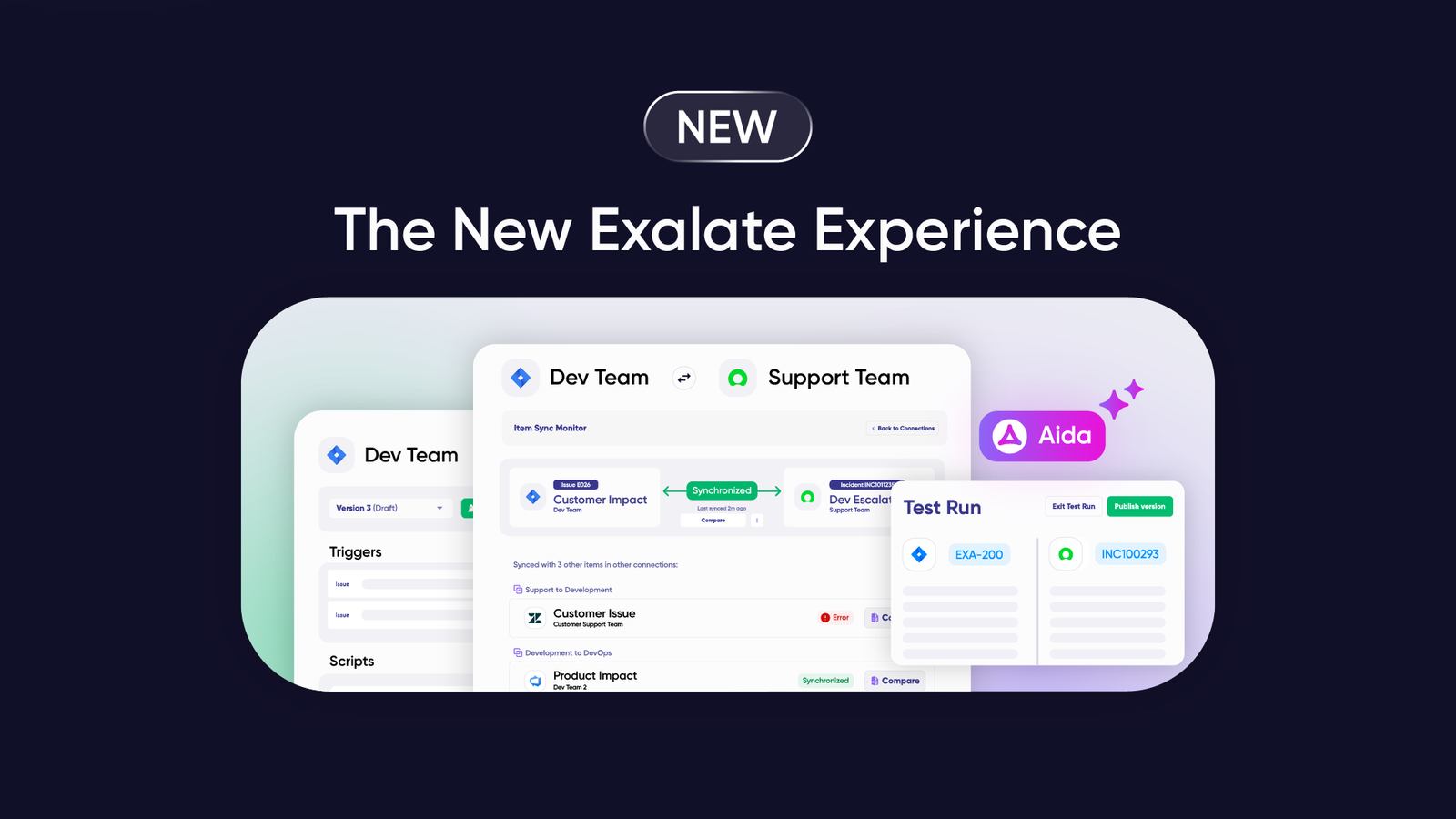
The platform operates through a unified console where you manage all your integrations from a single interface. This eliminates the need to jump between different systems to configure or monitor your syncs.
Key differentiators:
- Groovy scripting engine: Handle any custom workflow, no matter how complex. If you can write it in Groovy, Exalate can sync it.
- Unified management console: Access all nodes and connections from one place with visual network representation of your entire sync environment.
- Aida AI assistant: Get help implementing integrations, writing scripts, and troubleshooting errors with plain-language explanations.
- Test Run functionality: Test your sync scripts before deploying to production, reducing the risk of errors affecting live data.
- Script versioning: Create drafts without affecting production versions, roll back to previous versions, and trace all changes.
- Operational control: Each side independently decides what information to share and receive, making it suitable for cross-company scenarios.
What Is Unito?
Unito is a no-code two-way sync platform designed for teams who want to connect tools quickly without writing code. The platform uses a flow-based approach where users configure syncs through a visual interface with drag-and-drop field mapping.
Key features:
- No-code visual flow builder
- Pre-built templates for common integrations
- 60+ connectors for popular tools
- SOC 2 Type 2 certified
Unito positions itself as the simpler alternative for teams that don’t have technical resources or need complex customization. The trade-off is reduced flexibility for advanced use cases.
Feature Comparison: Deep Dive
Configuration and Customization
Exalate: AI-Assisted Groovy Scripting
Exalate uses Groovy scripts to define sync behavior. These scripts control:
- Which fields sync and in which direction
- How data transforms during sync (e.g., converting status values between systems)
- Conditional logic (e.g., only sync high-priority issues)
- Custom field handling and complex mappings
- Entity creation rules and relationships
The scripting engine handles use cases that template-based tools cannot, such as:
- Syncing a single Jira work item to two different ServiceNow incidents based on field values
- Transforming Jira story points to Azure DevOps effort calculations
- Routing tickets to different projects based on custom field values
- Maintaining parent-child relationships across systems
Aida AI assistant helps with script generation:
- Describe your sync requirements in plain language
- Aida generates the Groovy scripts tailored to your configuration
- Get context-aware suggestions for error resolution
- Troubleshoot issues with plain-language error explanations
Unito: No-Code Flow Builder
Unito’s configuration happens through flows:
- Select source and destination tools
- Choose which items to sync using filters
- Map fields between tools
- Enable the flow
This approach works well for straightforward syncs but has limitations:
- Custom fields require Pro plan or higher
- Complex conditional logic isn’t supported
- You can’t transform data during sync (a “High” priority stays “High”)
- One “hub tool” restriction on lower plans (all flows must include the same tool)
When each approach wins:
| Scenario | Best Tool |
|---|---|
| Simple task sync between project management tools | Unito |
| Complex field transformations | Exalate |
| Status mapping & transformations between different systems | Exalate |
| Quick internal team alignment | Unito |
| Cross-company data exchange with advanced security requirements | Exalate |
| Conditional routing based on field values | Exalate |
| Spreadsheet reporting | Unito |
Supported Integrations and Connectors
Exalate Connectors:
Cloud Connectors:
- Jira Cloud
- Azure DevOps Cloud
- ServiceNow
- Salesforce
- Zendesk
- GitHub
- Freshdesk
- Freshservice
- Asana
Server/On-Premise:
- Azure DevOps Server (Pro and Enterprise plans)
Early Access Connectors:
- TOPdesk
- Xurrent (formerly 4me)
- ManageEngine ServiceDesk Plus
- Ivanti
- ConnectWise
- SolarWinds
- HaloITSM
Custom Connectors: Enterprise customers can work with Exalate to build custom connectors for platforms not yet supported. This enables organizations to integrate legacy systems or niche tools into their sync network.

Unito Connectors:
Unito supports 60+ connectors, including:
- Jira (Cloud, Data Center with Enterprise)
- Azure DevOps
- ServiceNow (Enterprise only)
- Salesforce (Enterprise only)
- GitHub, GitLab, Bitbucket
- Asana, Trello, monday.com, ClickUp, Wrike
- HubSpot, Pipedrive
- Google Sheets, Excel
- Zendesk
- Notion, Airtable
- Slack, Microsoft Teams
Premium connectors (ServiceNow, Salesforce, Jira On-Premise/Data Center, Eloqua) require Unito’s Enterprise plan.
Connector comparison:
| Category | Exalate | Unito |
|---|---|---|
| ITSM tools | ServiceNow, Zendesk, Freshdesk, Freshservice | ServiceNow (Enterprise), Zendesk |
| DevOps tools | Jira, Azure DevOps (Cloud + Server), GitHub | Jira, Azure DevOps, GitHub, GitLab, Bitbucket |
| CRM | Salesforce | Salesforce (Enterprise), HubSpot, Pipedrive |
| Project Management | Jira, Asana | Asana, Trello, monday.com, ClickUp, Wrike, Notion |
| Custom development | Yes (Enterprise) | Developer Platform available |
Sync Triggers and Automation
Exalate triggers:
Exalate uses query-based triggers specific to each platform:
- Jira: JQL queries (e.g.,
project = SUPPORT AND priority = High) - ServiceNow: Filter conditions using advanced search syntax
- Salesforce: SOQL queries
- Azure DevOps: WIQL queries, and more.
You can combine triggers with conditional logic in scripts:
groovy
<em>// Only sync if status is not "Done" and assignee exists</em>
if (issue.status.name != "Done" && issue.assignee != null) {
    replica.summary = issue.summary
    replica.description = issue.description
}Code language: JavaScript (javascript)
Unito triggers:
Unito uses rule-based filters in the flow builder:
- Filter by project, assignee, label, status
- Conditions based on field values
- Limited to what the interface supports
Key difference: With Exalate, you write a trigger using JQL and add conditional logic in your script. With Unito, you’re limited to the filter options available in the flow builder.
Sync Direction Options
Both platforms support:
- One-way sync: Data flows from source to destination only
- Two-way sync: Changes on either side propagate to the other
Exalate advantage: You can configure asymmetric sync where different fields sync in different directions. For example:
- Summary and description sync both ways
- Status syncs from Jira to ServiceNow only
- Comments sync from ServiceNow to Jira only
This granular control is defined in the script for each direction (outgoing and incoming).
Attachment and Comment Handling
Exalate:
- Full attachment sync with size limits configurable
- Comment sync with author attribution
- Private comment filtering (keep internal comments from syncing)
- Inline image support
- Historical comment import available
Unito:
- Attachment sync on Pro plans and above
- Comment sync available
- Limited filtering options for comments
- Sub-item sync on higher tiers
Setup and Onboarding
Exalate setup (Unified console):
- Access exalate.app
- Enter the source system URL and verify
- Enter the destination system URL and verify
- Name your connection
- Configure sync rules using AI-assisted scripting
The unified console eliminates the need to install separate apps on each system. You manage all integrations from one interface, with a visual network representation showing how your nodes are interconnected.
Unito setup:
- Sign up and connect tools via OAuth
- Select source and destination projects
- Set rules to filter items
- Map fields between tools
- Enable the flow
Unito’s onboarding is straightforward for standard use cases. The interface guides you through each step with minimal technical knowledge required.
Monitoring and Troubleshooting
Exalate provides:
- Sync queue visibility: Monitor outgoing and incoming synchronization messages in progress
- Side-by-side view: View script rules, active queues, and errors for both sides of your connection simultaneously
- Script versioning: Create drafts, trace changes, and roll back to previous versions
- Test Run functionality: Test your sync scripts without creating actual entities on the destination side
- Aida-powered error diagnosis: Plain-language explanations of errors with context-aware suggestions for resolution
- Automatic retry mechanism: Failed syncs retry automatically from the point of interruption
Unito provides:
- Activity stream for tracking synced items
- Flow status monitoring
- Manual intervention is required for some sync errors
- Email notifications for flow issues
Operational difference: Exalate’s sync queues handle failures automatically, retrying from the point of interruption. Unito may require manual page refresh or cache clearing for transient errors.
Security Comparison
| Security Feature | Exalate | Unito |
|---|---|---|
| Encryption in transit & rest | HTTPS with TLS | TLS 1.2 |
| Authentication | OAuth2, API tokens, PAT | OAuth2, email/password |
| Architecture | Operational control per side | Centralized |
| Certifications | ISO 27001, GDPR compliant | SOC 2 Type 2, PCI DSS, GDPR |
| Penetration testing | Regular | Annual |
| Bug bounty program | Yes | Not specified |
| Endpoint protection | SentinelOne | Not specified |
| Data residency options | Yes (Enterprise) | USA only |
Exalate security features:
- JWT-based tokens sign every message between instances
- Data encryption in transit and at rest
- Dedicated security team with regular vulnerability checks
- Access to manage integrations is completely decoupled from access to the ticketing system
- Role-based access control
- Data residency options on Enterprise plans
- State-of-the-art authentication and authorization frameworks
For detailed security information, visit the Exalate Trust Center.
Unito security features:
- Hosted on Amazon Web Services (AWS) data centers in the USA
- Transit Level Security (TLS) version 1.2
- Data at rest is encrypted with AES 256
- Dedicated team for cybersecurity events
- Checksums at both ends for data integrity
- Fixed IP address access for application APIs
- Annual external penetration testing
Use Cases: Who Should Choose What
Choose Exalate for:
Cross-company integrations
When two separate organizations need to sync data while maintaining independent control. Each side configures its own sync rules. Security-conscious enterprises prefer this approach because neither party has full visibility into the other’s system.
Complex field transformations
When you need to transform data during sync. Example: Converting Jira priority values (1-5) to ServiceNow urgency labels (Critical, High, Medium, Low).
High-volume synchronization
When syncing thousands of items with frequent updates. Exalate’s queue-based architecture handles large data volumes without performance degradation.
ITSM and DevOps alignment
When connecting IT service management tools (ServiceNow, Zendesk, Freshservice, Freshdesk) with development tools (Jira, GitHub, Azure DevOps) for escalation workflows, incident management, or release coordination.
MSP and vendor collaboration
When managed service providers need to integrate with client systems while maintaining separation of concerns. Exalate offers managed services where the team handles implementation, configuration, and maintenance end-to-end.
Enterprise-grade requirements
When you need audit trails, script versioning, Test Run capability, and granular access control for compliance purposes.
Multi-system hub architectures
When you’re building a network of connected systems that grow from point-to-point integrations. The unified console provides visibility across all connections.
Specific use case examples:
- Support team using multiple Zendesk instances, escalating tickets to the development team using a single Jira. Syncing side conversations, private comments, etc., is possible.
- Syncing SLA data between ServiceNow and Jira Service Management
- Supply chain coordination between multiple vendors using different platforms
- Cybersecurity MSP deep-ticket integration with client systems
- Syncing multiple related Salesforce objects to Jira work with custom field mappings
Choose Unito for:
Simple team synchronization
When internal teams use different project management tools and need basic task syncing without complex transformations.
Quick implementation
When you need a working integration within minutes, and your use case fits standard templates.
Marketing and sales alignment
When connecting CRM tools (HubSpot, Salesforce) with project management tools (Asana, Trello) for campaign coordination.
Spreadsheet integration
When syncing data to Google Sheets or Excel for reporting purposes.
Non-technical teams
When your team doesn’t have access to technical resources and needs a simpler self-service solution.
Specific use case examples:
- Syncing Asana tasks to Trello boards for team visibility
- Connecting HubSpot contacts to project management workflows
- Basic Jira to Azure DevOps work item sync
- Project portfolio reporting in Google Sheets
When Exalate is NOT ideal:
- Teams with zero technical capacity and no budget for support
- Simple one-off automations that don’t require ongoing sync
When Unito is NOT ideal:
- Complex intra or cross-company integrations requiring independent control
- Custom field transformations and conditional logic
- Enterprise ITSM scenarios with ServiceNow (without Enterprise budget)
Pricing Comparison
Exalate Pricing
Exalate uses outcome-based pricing. You pay based on how many work items you actively sync between systems, per integration. It doesn’t matter how many times items update, how many users work with them, or how many back-and-forth syncs happen.
Key advantages of Exalate’s pricing:
- Pay for active items currently in sync, not cumulative transactions
- Choose different plans for different integrations based on complexity
- Transparent pricing with a pricing calculator
- No per-user fees
- Unlimited syncs, connections, and triggers included
Use the ROI calculator to compare Exalate costs against building custom integrations in-house.
Unito Pricing
Unito pricing is based on items in sync plus feature tiers. Self-serve plans are available for small teams, with Enterprise requiring a sales contact.
| Plan | Price | Items in Sync | Key Features |
|---|---|---|---|
| Trial | Free 14 days | Limited | Limited features |
| Basic | Self-serve | Limited | Standard cloud connectors, 5-15 minute updates, Chat/email support |
| Pro | Self-serve | Limited | Custom fields, sub-items, 5-15 minute updates |
| Enterprise | Contact sales | Custom | Premium connectors (ServiceNow, Salesforce, Jira DC), Live data syncing, Dedicated integration consultant, SSO |
Pricing considerations for Unito:
- Lower-tier plans restrict you to one “hub tool” (all flows must include the same tool)
- Custom field mapping requires Pro or higher
- Premium connectors (ServiceNow, Salesforce, Jira Data Center) require Enterprise
- Each item synced between two tools counts as two items in sync
- Automatic plan upgrades occur if you exceed your limit
- Real-time sync is only available on Enterprise
Support, Documentation, and Community
Exalate Support
| Plan | Support Level |
|---|---|
| Starter & Scale | Community support + Standard support (no SLA) |
| Pro | Standard support with SLA + POC support |
| Enterprise | Priority support with 2x faster response time |
Support resources:
- Documentation: Comprehensive scripting examples, use case guides, and getting started tutorials at docs.exalate.com
- Community: Active Exalate community forum for questions, configuration help, and peer support
- YouTube tutorials: Video walkthroughs for common configurations and use cases
- Managed services: End-to-end integration implementation, configuration, and maintenance for organizations (especially MSPs and service providers) that want Exalate’s team to handle everything
Unito Support
| Plan | Support Level |
|---|---|
| Self-serve | Chat and email support |
| Company | 60-minute onboarding session |
| Enterprise | Dedicated CSM, custom SLAs |
Support resources:
- Help Center at guide.unito.io
- In-app chat
- Email support
- No dedicated community forum
Dashboard and Visibility
Exalate Dashboard
The unified console provides:
- Network visualization: A visual representation showing all connected systems and how they interconnect
- Connection status: Real-time status indicators for all integrations
- Sync statistics: Metrics on items synced, sync frequency, and performance
- Error logs: Centralized error tracking with Aida-powered diagnosis
- Side-by-side script editing: Work with both sides of the connection on a single screen
- Quick access: All integrations accessible from one interface
Unito Dashboard
- Flow list with status indicators
- Activity stream per flow
- Basic monitoring metrics
- Sync history
Managed Services
Exalate Managed Services:
For organizations that don’t want to manage integrations internally, Exalate offers end-to-end managed services:
- Integration design and scoping
- Implementation and configuration
- Ongoing maintenance and monitoring
- Script updates as requirements change
- Dedicated support for managed accounts
This is particularly valuable for:
- Managed Service Providers (MSPs) handling client integrations
- Organizations without dedicated integration resources
- Complex multi-system integration scenarios
Unito:
Unito does not offer comparable managed services. Users are responsible for designing, maintaining, and troubleshooting their own flows.
Performance and Reliability
Exalate
- Sync frequency: Real-time for all plans
- Queue management: Automatic retry with resume from the point of failure
- Scalability: Handles high-volume synchronization without degradation
- Uptime: Check status at status.exalate.com
Unito
- Sync frequency: 5-15 minutes on Basic/Pro plans; real-time on Enterprise
- Error handling: Manual intervention is sometimes required
- Scalability: Depends on plan tier and items in sync
Performance consideration: For time-sensitive integrations (e.g., incident management), Exalate’s real-time sync on all plans provides faster response than Unito’s delayed sync on lower tiers.
Total Cost of Ownership Considerations
When evaluating integration tools, consider beyond subscription costs:
| Factor | Exalate | Unito |
|---|---|---|
| Implementation time | Minutes to hours for advanced integrations with the unified console | Minutes for simple flows |
| Technical resources needed | Optional (managed services available) | Minimal for basic flows |
| Customization capability | Unlimited with AI-assisted scripting | Limited to platform features |
| Maintenance burden | Script versioning simplifies changes | Flow updates required |
| Scalability costs | Per integration pricing | Per items in sync |
| Premium connector access | Pro/Enterprise | Enterprise only |
Handling Common Objections
| Objection | How Exalate Addresses It |
|---|---|
| “Requires scripting skills” | Aida AI-assisted script generator, Managed services options |
| “More expensive than Unito” | Real-time sync on all plans, transparent pricing, and pricing calculator |
| “Looks complex” | Unified ramp up onboarding in minutes, optional complexity |
| “Scripting is a maintenance nightmare” | Script versioning, rollback, Test Run, Aida troubleshooting |
| “Missing connector we need” | Early Access program, custom connector development |
Frequently Asked Questions
What is the main difference between Exalate and Unito?
Exalate offers highly customizable AI-assisted Groovy scripting for deep customization and maintains operational control on each side of the integration. Unito provides a no-code visual interface focused on ease of use, but limits customization to what the platform supports.
Which tool is better for Jira and ServiceNow integration?
Exalate handles Jira-ServiceNow integrations with more depth, available in Pro and enterprise plans. You can sync any field, apply conditional logic, and maintain SLA data. ServiceNow access on Unito requires Enterprise plans and has limited field mapping options.
Can Exalate handle cross-company integrations?
Yes. Exalate allows each organization to independently manage its sync rules without exposing its configuration to the other party. This operational control makes it suitable for vendor, partner, and MSP integrations.
Does Unito support custom fields?
Custom field sync requires Unito’s Pro plan or higher. Basic plans only support native fields.
How does pricing compare for small teams?
Unito’s lower-tier plans may appear cheaper but come with significant limitations (one hub tool, basic fields only, delayed sync). Exalate’s Starter plan at $100/month per integration includes real-time sync and all field types with up to a specific number of active items in sync.
Which tool has better AI features?
Exalate includes Aida, an AI assistant that helps generate sync scripts, explains errors in plain language, and suggests configuration improvements. Unito does not offer AI-assisted features.
What happens if sync fails?
Exalate automatically retries failed syncs using its queue system, resuming from the point of failure. Unito may require manual intervention for some sync errors.
Can I try before I buy?
Exalate offers a 30-day free trial with full functionality across all connectors. Unito offers a 14-day trial with limited items.
Which tool works with Azure DevOps Server?
Exalate supports Azure DevOps Server on Pro and Enterprise plans. Unito supports Azure DevOps Cloud on standard plans; Server/on-premise requires Enterprise.
Does Exalate support Freshservice and Freshdesk?
Yes. Exalate supports both Freshservice and Freshdesk connectors on Starter plans and above, enabling bi-directional sync with Jira, ServiceNow, and other supported platforms.
Can I test my integration before going live?
Exalate offers Test Run functionality that lets you test your sync scripts without creating actual entities on the destination side. This reduces the risk of errors affecting live data. Unito does not offer comparable testing capability.
Which tool is better for MSPs?
Exalate is designed for MSP scenarios with its operational control model, managed services option, and ability to maintain separate configurations for each client. MSPs can sync with client systems without exposing their internal configuration.
How do I get started with Exalate?
Start a free trial to access all features for 30 days. Experience the unified console, Test Run functionality, Aida assistance, and script versioning capabilities firsthand. For complex use cases, book a demo with the integration team.
Conclusion
Both Exalate and Unito serve the integration market with different approaches:
Choose Exalate when:
- You need deep customization and scripting flexibility
- Cross-company integrations require independent control on each side
- Enterprise-grade features like Test Run, script versioning, and audit trails matter
- You’re integrating ITSM tools like ServiceNow, Zendesk, Freshservice, or Freshdesk with DevOps platforms
- You want AI-assisted configuration and troubleshooting
- Managed services or expert support would benefit your organization
Choose Unito when:
- Your integration needs are straightforward with minimal customization
- You prioritize speed of setup over depth of features
- Your team lacks technical resources and doesn’t need managed services
- You’re primarily syncing project management tools internally
Both platforms represent capable integration solutions with different strengths. The right choice depends on balancing your technical requirements, operational preferences, pricing models, and long-term integration strategy.
Recommended Reads: